Performing the initial start-up
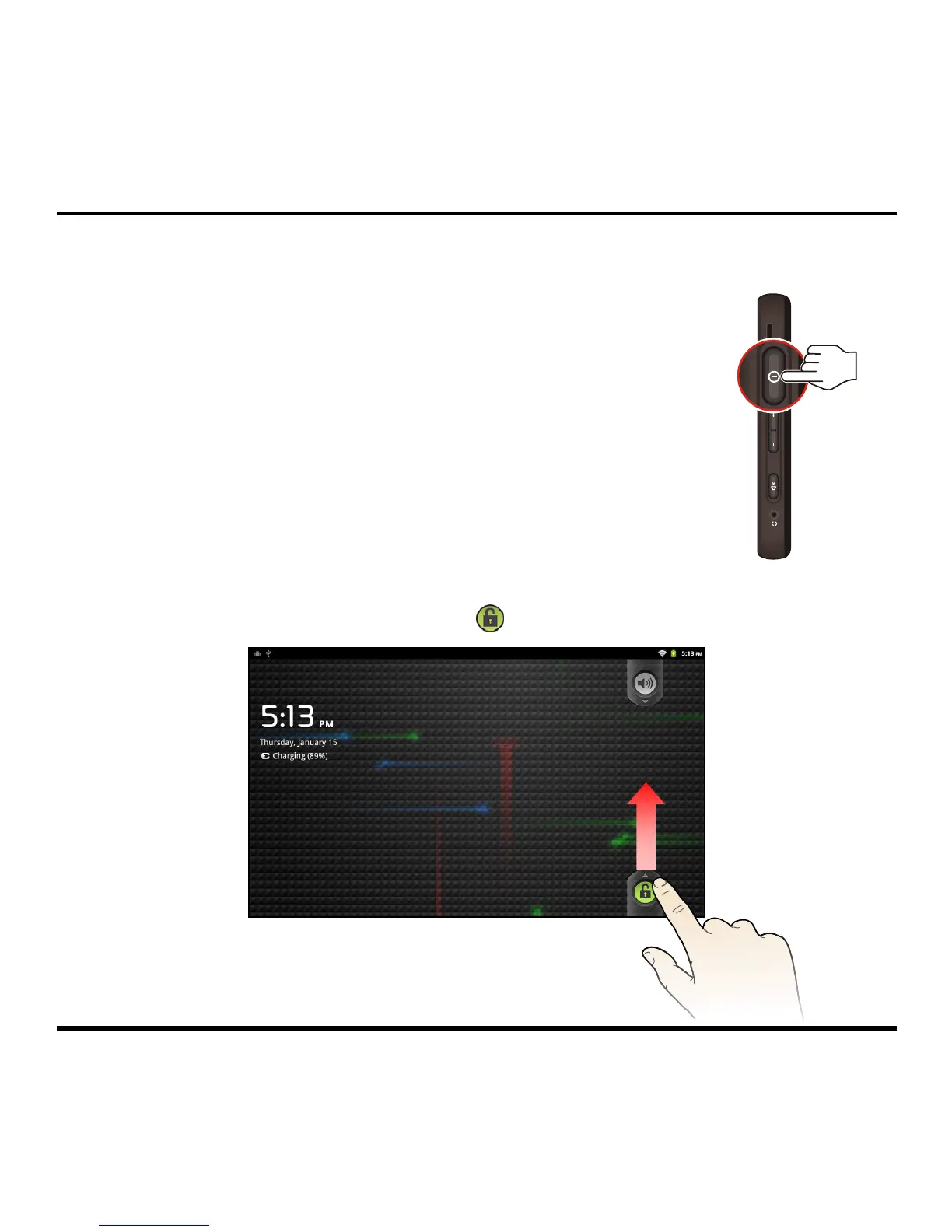
1. For the initial start-up, press the POWER button on the right
panel of the device to turn it on.
Note: The battery may not be fully charged when you use your device for
the first time. To charge the battery, see the Charging the battery section.
2. The Home screen will display and the device is in Lock mode by default.
3. To unlock the device, drag the Lock icon ( ) upwards. You can now use your device.
3



 To Next Page