Installing the memory card and SIM card
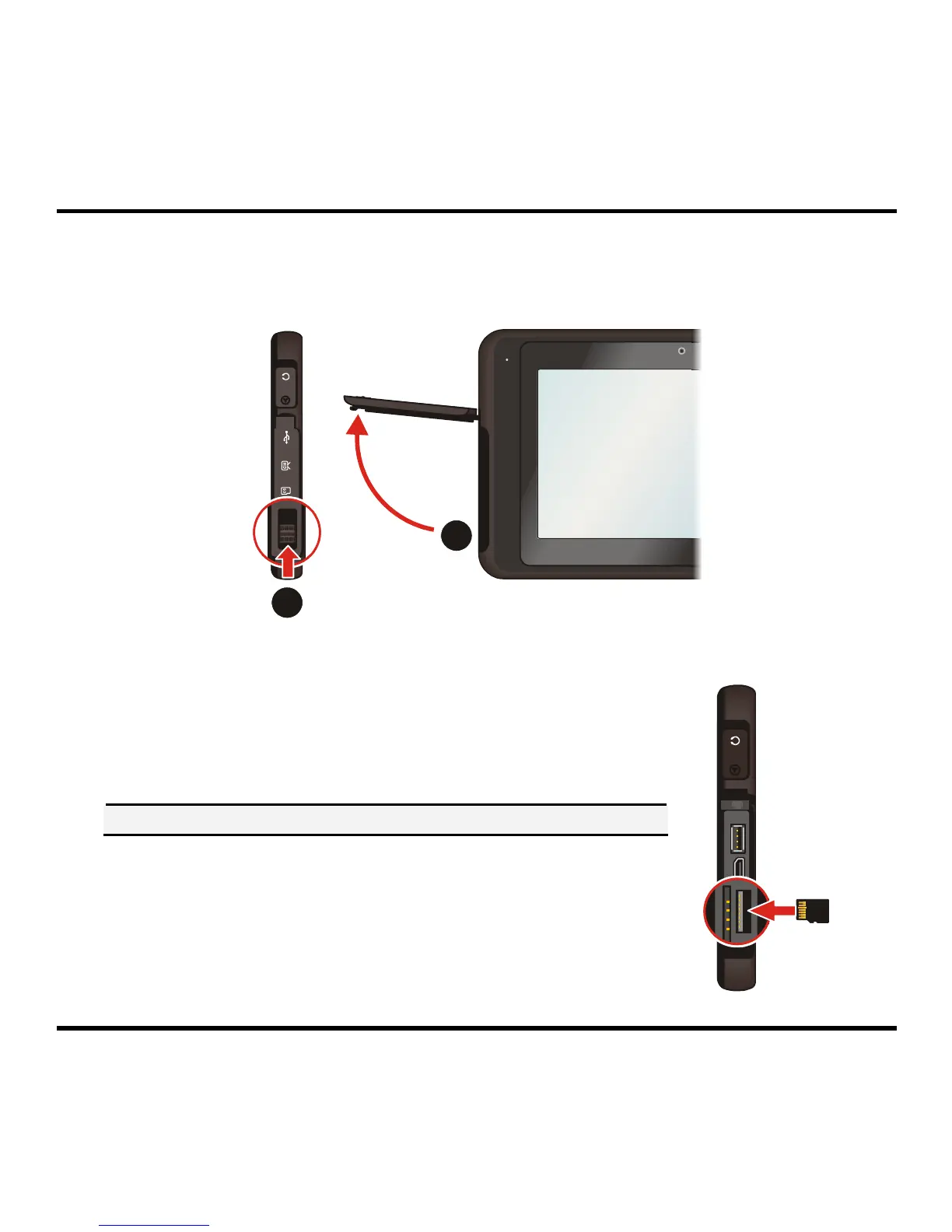
1. Push the cover latch (n) to open the cover (o) on the left panel of the device.
1
2
2. To install the memory card:
Hold the microSD card* by the edges and gently insert it into
the memory card slot with the label facing the back of your
device.
* The device supports up to 32GB microSD memory cards.
CAUTION: Do not apply pressure to the centre of the memory card.
To remove a card, gently push the top edge of the card inwards
to release it, and pull it out of the slot.
Note: Before removing the memory card, you need to unmount it from
the system. To unmount the memory card, tap Storage Æ Unmount
Memory card from the Settings menu.
4



 To Next Page