Using the programs
Camera
Do one of the following to launch Camera:
Press and hold the CAMERA button until you see the Camera screen.
From the Home screen , tap the Launcher icon (
) Æ Camera (
).
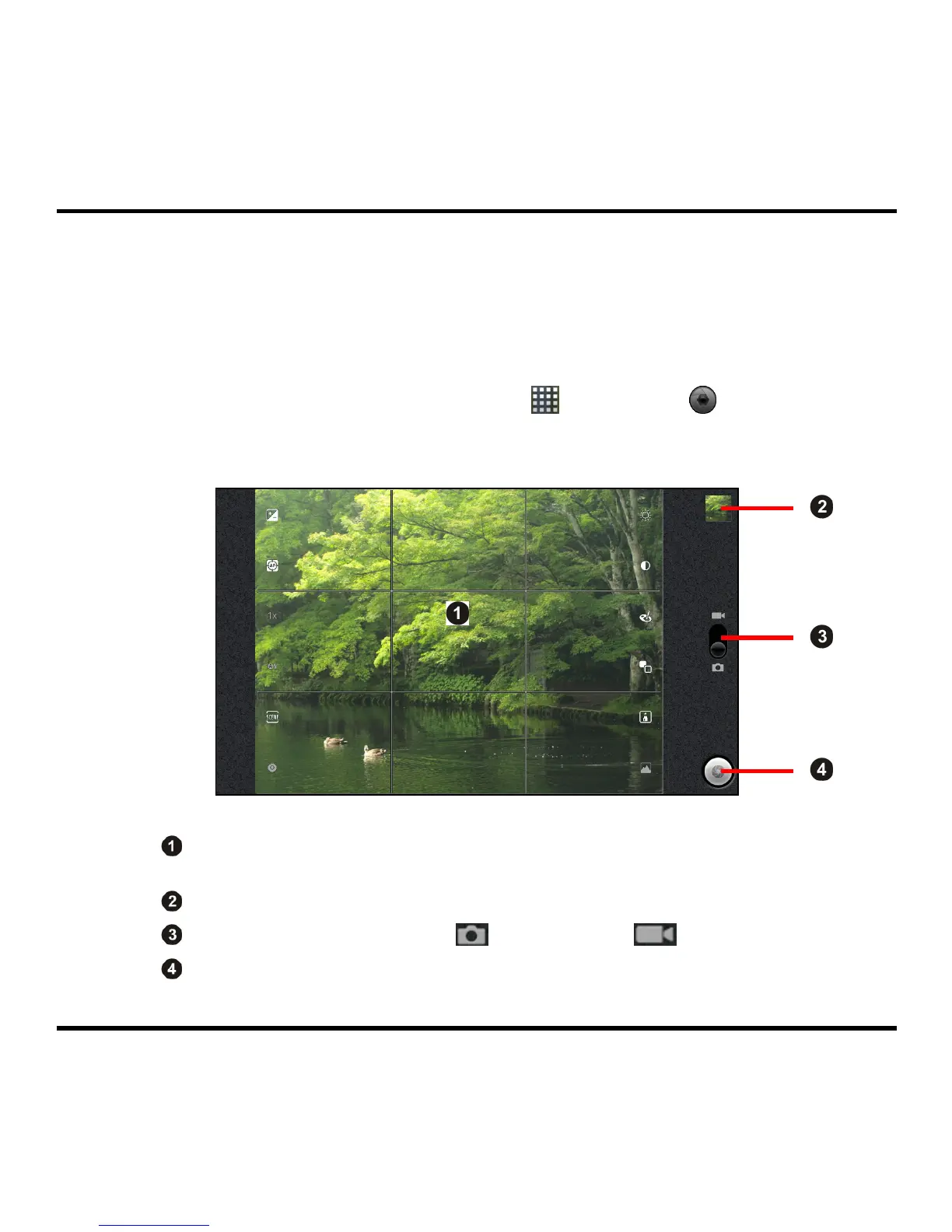
After launching Camera, the image from the camera will be displayed on the screen.
Tap the icons on the Camera screen to display the Camera setting options,
which allow you to change the Camera settings.
Display the last image that you have shot.
Tap to toggle between Camera (
) and Camcorder ( ) mode.
Tap to take the picture in Camera mode or record video in Camcorder mode.
While in Camcorder mode, tap this button again to stop recording.
14



 To Next Page