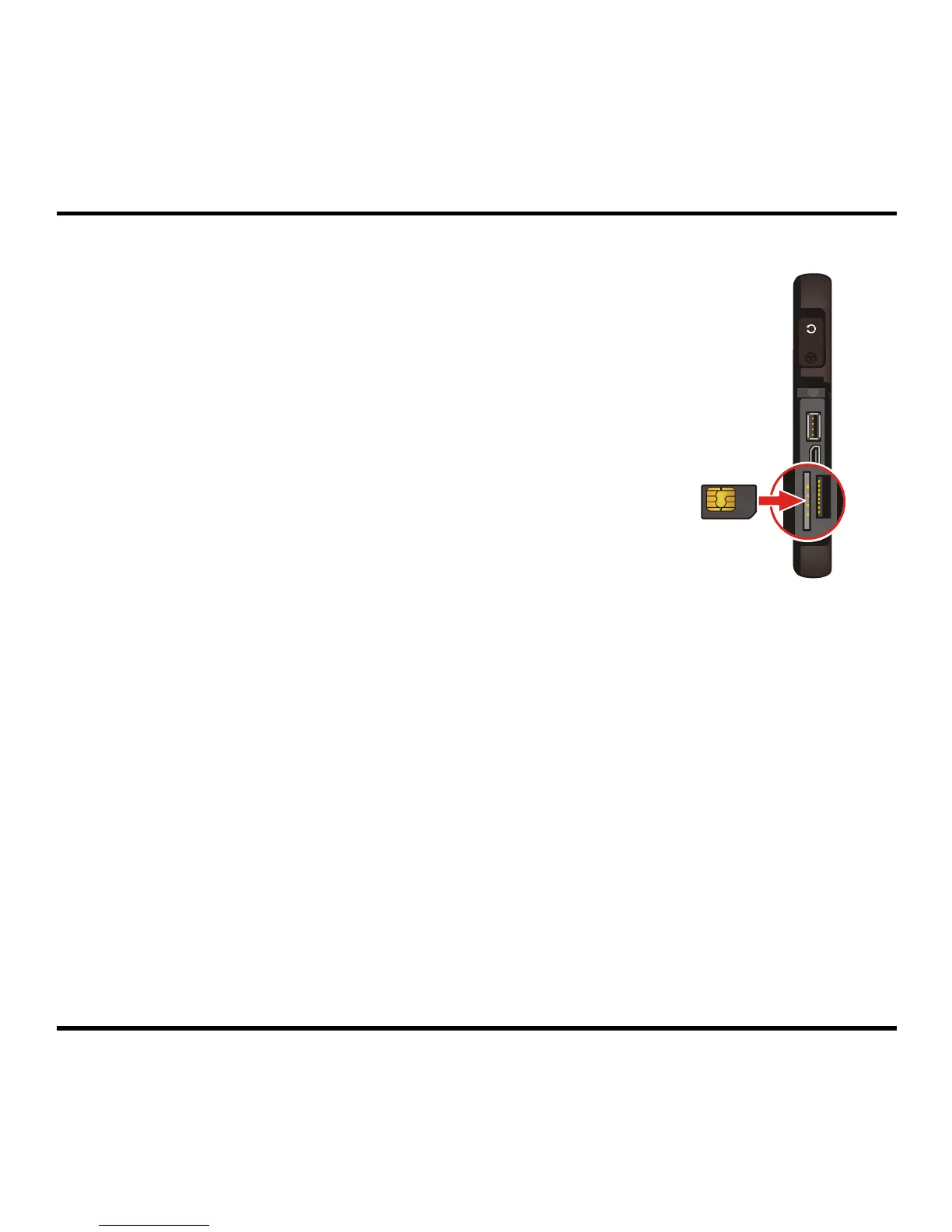
3. To install the SIM card (for selected model only):
Insert the SIM card into the SIM card slot with its golden
contacts facing the front of your device.
To remove a card, gently push the top edge of the card inwards
to release it, and pull it out of the slot.
5



 To Next Page