Instruction of the Main Display Screen:
Material:The present presetting material.
Impact direction:The present impact direction.
Hardness scale:Hardness scale of the present measured value.
Battery information:Showing the rest capacity of the battery and the charging status.
Measured value:Display present single time measured value(without showing average icon),
or display the present mean value (with average icon prompting). “-HI-” means over conversion
value or measure range. “-LO-” means lower than conversion value or measure range.
Impact times: Times that have been impacted.
Average Icon:It will appear when showing the mean value of the measured values after reaching
the presetting impact times.
Memory Icon: It appears when operating the instrument memory.
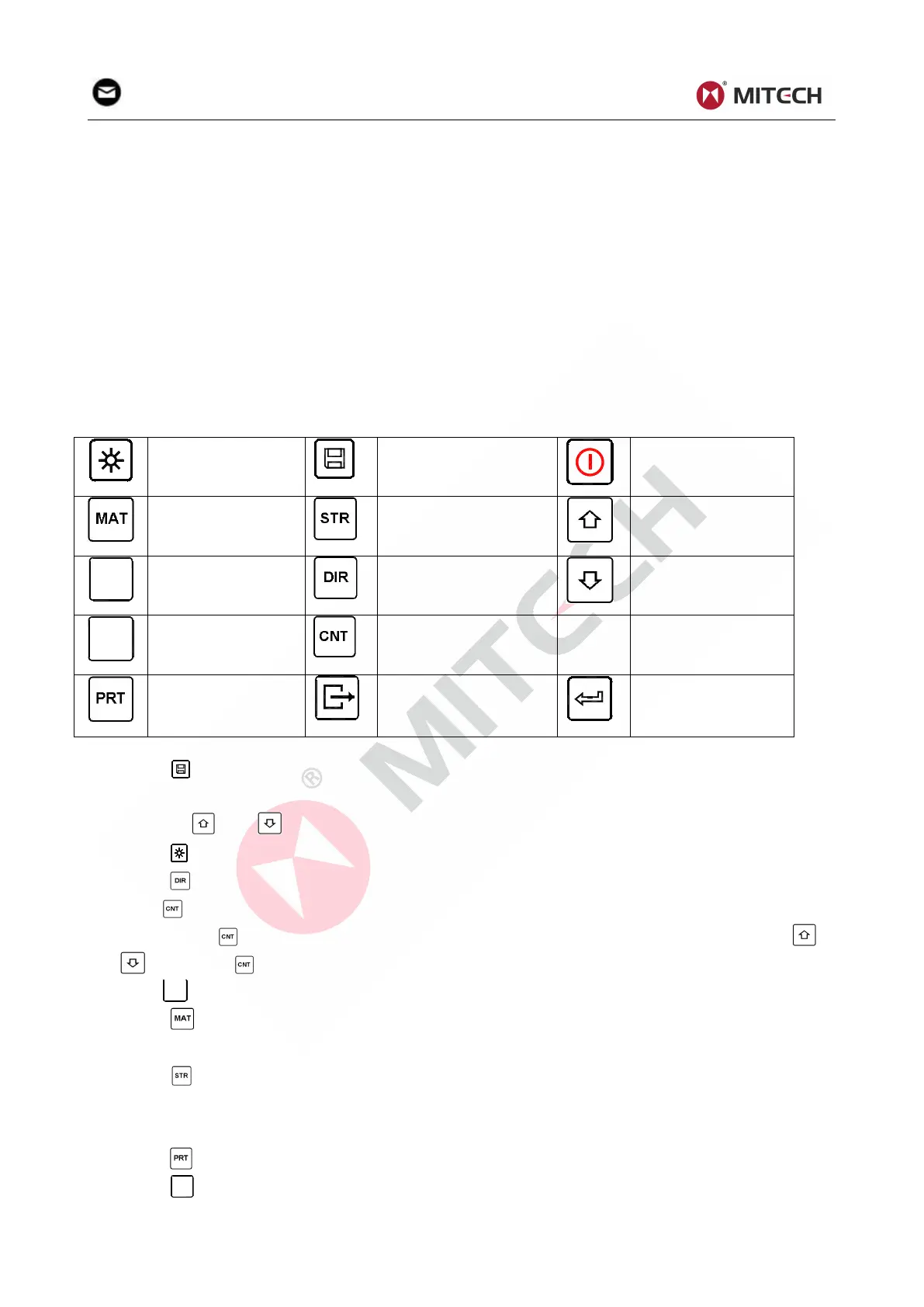
2.3 Keypad Definitions
Table 2-1
Turn on/off the EL
backlight
Turn the instrument
on/off
Press key to store present group of measured value into memory. This operation is only valid
after displaying the mean value.
Press key and could display single measured value.
Press key could switch on of off the background light of LCD.
Press key to set the impact direction.
Press key to change the impact times in one group. The impact times item will flash when first
pressing the key, and then the impact times value will plus or minus when pressing the or
key. Press key finally to exit from changing the impact times process.
key to change the hardness scale.
Press key to change the material. Presetting hardness scale recovers to HL automatically after
material presetting changed.
Press key to switch between hardness test and strength test. Only D and DC type of impact
device has the function of strength testing. So hardness testing is the only selection if the impact
device is not D or DC type.
Press key to print out the measured values after measurement.
key to manually feed the paper.


 To Next Page