model】tab.
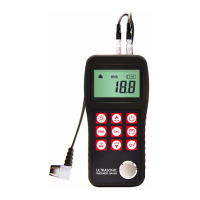
2. Use the key and the key to switch to the desired transducer model.
3. Press the key to exit.
4. You can also change the transducer model set by menu operation. Please refer to chapter 5
for the help of menu operation.
4.3 Probe Zero
The key is used to “zero” the instrument in much the same way that a mechanical
micrometer is zeroed. If the gauge is not zeroed correctly, all the measurements that the gauge
makes may be in error by some fixed value. When the instrument is “zeroed”, this fixed error value
is measured and automatically corrected for all subsequent measurements. The instrument may
be “zeroed ” by performing the following procedure.:
1. Make sure the instrument is on and the Two-Point calibration function is OFF. The Probe-Zero
function is disabled in Two-Point calibration mode.
2. Plug the transducer into the instrument. Make sure that the connectors are fully engaged.
Check that the wearface of the transducer is clean and free of any debris.
3. Change the model of the transducer set in the instrument to the model currently using.
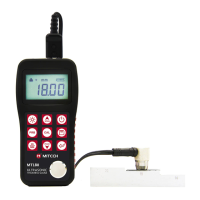
4. Apply a single droplet of ultrasonic couplant to the face of the metal probe-disc.
5. Press the transducer against the probe disc, making sure that the transducer sits flat against
the surface.
6. While the transducer is firmly coupled to the probe disc, press on the keypad. The
instrument will display “ZER” on the operating hint area while it is calculating its zero point.
7. After the “ZER” disappears, remove the transducer from the probe disc.
At this point, the instrument has successfully calculated its internal error factor, and will
compensate for this value in any subsequent measurements. When performing a “probe zero”, the
instrument will always use the sound velocity value of the built-in probe-disc, even if some other
velocity value has been entered for making actual measurements. Though the instrument will
remember the last “probe zero” performed, it is generally a good idea to perform a “probe zero”
whenever the gauge is turned on, as well as any time a different transducer is used. This will
ensure that the instrument is always correctly zeroed.
Press while in probe zero state will stop current probe zero operation.
4.4 Sound Velocity
In order for the gauge to make accurate measurements, it must be set to the correct sound
velocity for the material being measured. Different types of material have different inherent sound
velocities. If the gauge is not set to the correct sound velocity, all of the measurements the gauge
makes will be erroneous by some fixed percentage. The One-Point calibration is the simplest and
most commonly used calibration procedure optimizing linearity over large ranges. The Two-point
calibration allows for greater accuracy over small ranges by calculating the probe zero and
velocity.
Note: One and Two point calibrations must be performed on material with the paint or coating
removed. Failure to remove the paint or coating prior to calibration will result in a multi material
velocity calculation that may be different from the actual material velocity intended to be
measured.
4.4.1 Calibration to a known thickness
Note: This procedure requires a sample piece of the specific material to be measured, the exact



 To Next Page