The left screen
displays the total five
record data in the file
F00.
4.11.3 Clearing selected files
Enter the 【Memory Management】menu screen and highlight the 【Delete by File】 menu
item. Then press the key. This function provides the user with the ability to delete the selected
data files previously saved in memory.
4.11.4 Clearing all the files
Enter the 【Memory Management】menu screen and highlight the 【Delete All Data】menu
item. Then press the key. This operation will delete all the measurement data stored in the
memory after confirmation.
4.12 Data Printing
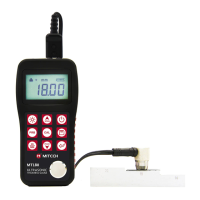
Before printing, please insert one connection plug of the print cable (Optional parts) into the
socket on the up-left of the main body, and insert the other plug into the communication socket of
the mini-printer.
4.12.1 Print Current File
Enter the【Print function】 menu screen and highlight the 【Print Current】 menu item, then
press the key.
This operation will send all the data in current file to the mini printer via RS232 port and print
them out.
4.12.2 Print Selected File
Enter the【Print function】menu screen and highlight the 【Print Memory】 menu item, then
press the key. After specifying the start file name and the end file name, the gauge will send all
the data in the files specified to print out.
4.12.3 Print All Memory
Enter the【Print function】 menu screen and highlight the【Print All Mem】 menu item,then
press the key.
This operation will send all the memory data to the mini printer and print them out.
4.13 System Set
From the main menu screen, press on the 【System Set】menu item and enter its submenu.
1. When【Auto Save】is set to <On>,could store the measured data automatically to current file
after measurement
2. When 【Key Sound】 is set to 【On】,the buzzer would make a short hoot while press the key
each time.
3. When 【Warn Sound】 is set to 【On】, if the measured value exceeds the tolerance limit, the
buzzer would make a long hoot.
4. LCD Brightness Set: Press on the【System Set】->【LCD Brightness】menu item to enter
the LCD brightness set screen. On the screen, press to enhance the brightness, or press
to weaken the brightness. Press to confirm the modifying, or press to cancel the



 To Next Page