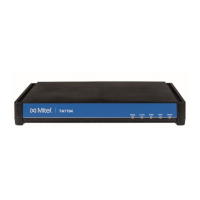
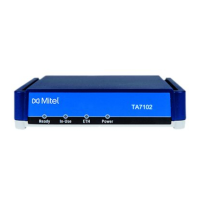
TA7104 /7108 Hardware Installation
155/1531-ANF 90114 C 2017-03-08
4.2 INDICATORS (LEDS)
The indicators (LEDs) of the TA7104/7108 are described in TA7104/7108 Connectors and
Indicators.
LED Patterns – Specific Conditions
Table 5 describes the different states a Mitel unit can have and their associated LED patterns.
Table 5: LED Patterns
Triggered when the RESET/DEFAULT
button is pressed in the ResetPending
state. The unit prepares for a physical
shutdown and restart.
Power LED:
• blinking, 1Hz, 50%
duty
All other LEDs:
• OFF
Triggered when the RESET/DEFAULT
button is pressed at start-time or for at
least 7 seconds.
All LEDs:
• blinking, 1Hz, 50%
duty
Triggered when the RESET/DEFAULT
button is not released while in
ResetPending state.
At run time, if the RESET/DEFAULT button
is released within 5 seconds, the unit
applies default settings, otherwise the
action is cancelled and the unit goes back
to the operation mode state or it resets.
At start time, the unit stays in this state
until the RESET/DEFAULT button is
released. The unit then applies the default
settings and restarts.
A firmware pack is downloaded into the
unit and written to persistent storage.
All LEDs:
• cycling from left to
right, individually blinking
1Hz, 33% duty
Triggered after a failure of a firmware pack
download operation. After 4 seconds, the
unit restarts.
All LEDs:
• blinking at 3Hz,
50% duty. One LED out of
two has a 180 degree
phase. This pattern lasts for
8 seconds.
Triggered after the user has performed a
partial reset procedure.
Power and In Use LEDs:
• blinking
(synchronized)
1Hz, 75% duty
Triggered when the unit is booting on the
recovery bank and no update is pending.
Power LED:
• blinking, 0.25Hz,
75% duty
Automatic network
configuration in progress
Waiting for DHCP (IPv4 or IPv6) answer or
IPv6 router advertisement or PPPoE
connection.
All LEDs:
• Blinking green,
3Hz, 50% duty



 To Next Page