CONTROLLING MULTIPLE PANELS
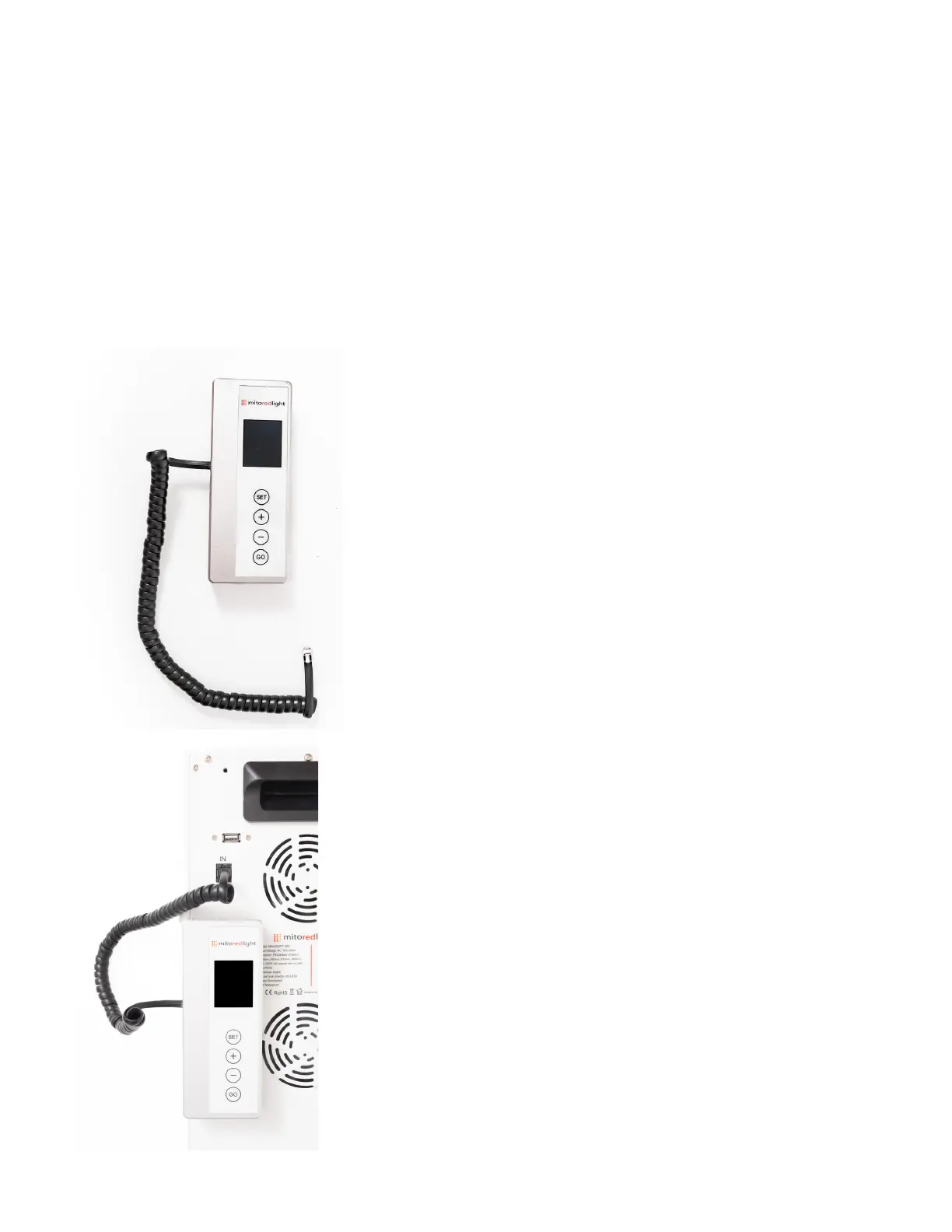
Step 1: Plug in the power to the
MitoADAPT 2.0 Master Controller Using
the provided AC adapter.
Connect a communication cable to the
one of the output ports in the back of
the Master Controller.
Step 2: Plug the other end of the
cable into the “IN” port an the back
of your MitoADAPT 2.0 panel.
When the IN port is occupied the
control panel on the MitoADAPT 2.0
panel should display “SS:SS”
If you have 2, 3 or 4 MitoADAPT 2.0 panels (MIN, MID, MAX) you can use the
innovative MitoADAPT 2.0 Master Controller to operate all of them.
Please note: The Master Controller is compatible with only the MIN, MID and MAX
MitoADAPT 2.0 panels. The MitoADAPT 2.0 XL panels are not compatible.
Step 3: The Master Controller contains 4
OUT ports. Repeat this cable connection
process in up to three addtional panels.
www.mitoredlight.com
21



 To Next Page