MITSUBISHI ELECTRIC 9800A SERIES UPS
MITSUBISHI
ELECTRIC
9800A SERIES UPS
OWNERS / TECHNICAL MANUAL
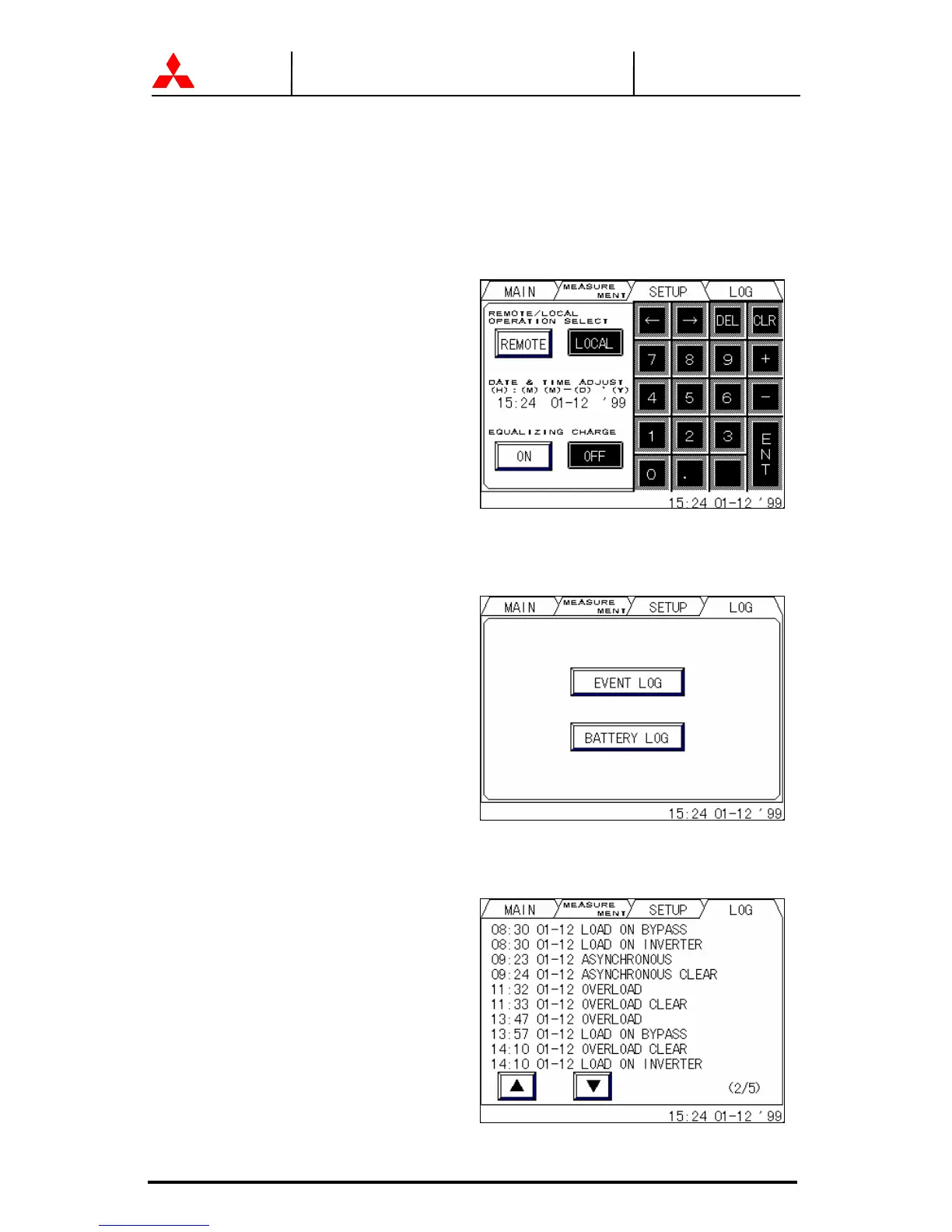
C) SETUP MENU (FIGURE 2.7)
This screen prompts the user to select: (a) whether the start & stop operation will be
performed by local or remote operation; (b) date & time adjustment; (c) battery
equalizing charge. The battery equalizing charge operation key will appear when battery
equalizing charge is set up (Setup is based on battery type).
FIGURE 2.7 Setup screen
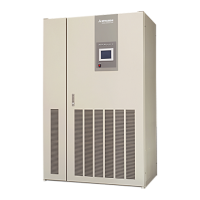
D) LOG MENU (FIGURE 2.8)
This menu shows operation / failure and battery discharge records.
FIGURE 2.8 Log select screen
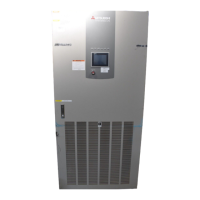
1.) Event log (FIGURE 2.9)
Operation and failure records are indicated. Maximum of 50 events are displayed.
FIGURE 2.9 Event log screen




 To Next Page