MITSUBISHI ELECTRIC 9800A SERIES UPS
MITSUBISHI
ELECTRIC
9800A SERIES UPS
OWNERS / TECHNICAL MANUAL
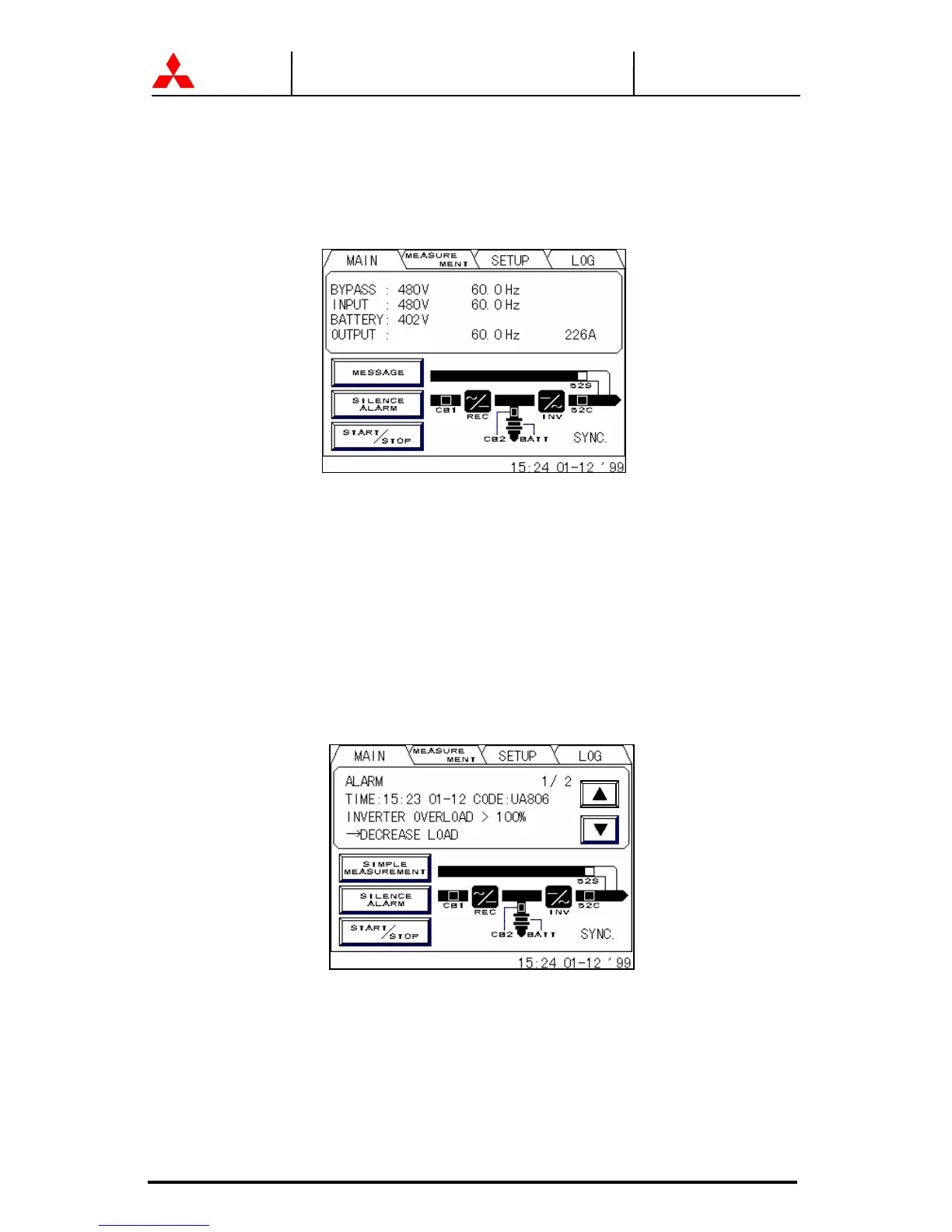
2.3.3 FAULT INDICATION (FIGURE 2.13)
“MESSAGE” and “SILENCE ALARM” buttons will appear on the main menu when
UPS failure condition has occurred.
FIGURE 2.13 Main screen (Fault indication)
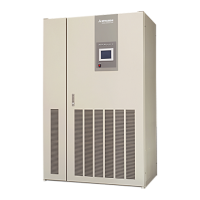
The following will be displayed when the message key on the LCD panel is pressed.
1) Message (FIGURE 2.14)
The display shows a fault code, the description of the fault and a guidance of what
action is to be taken by the user. A maximum of 10 faults is displayed at one time. If
an input power failure occurs during a fault condition, the fault indication and input
power failure announcement are alternatively displayed at 5 second intervals.
FIGURE 2.14 Message screen
2) Silence alarm
This key will appear when a failure occurs. The audible alarm (announcing the failure)
can be silenced by pressing this key.
540V




 To Next Page