
 Need help?
Do you have a question about the Mitsubishi Electric E1071 and is the answer not in the manual?
Power, input/output wiring must comply with Class 1, Division 2 wiring methods.
Only qualified personnel may install/operate; plane surface installation; avoid specific environmental conditions.
Keep clean, do not control safety functions, avoid excessive force on keys/display.
Repairs by qualified personnel; disconnect power for cleaning; use mild detergent; proper battery replacement.
Recycle according to local regulations; identify hazardous components.
Details installation plate thickness and required clearances around the operator terminal.
Outlines steps for unpacking, checking, panel cut-out, and securing the unit.
Mode switches must be OFF during operation; should only be touched by qualified personnel.
Refers to driver help file for cable information when connecting to the controller.
Cables and peripherals must suit the application; caution regarding compact flash card removal.
Powder-coated aluminum casing withstands exposure to specific chemicals for up to 24 hours.
Covers Autotex F250 overlay and its solvent resistance properties.
Lists solvents the touch screen surface can withstand without visible change and their time limits.
Recommends Autoflex EB film and details its solvent resistance and limitations.
Illustrates and details pin assignments for RS-232, RS-422/485, USB, and Ethernet ports.
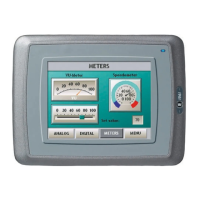
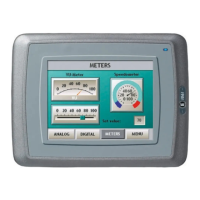
Provides dimensional drawings and port layout for the E1071 operator terminal.
The E1000 series operator terminal is a human-machine interface designed to facilitate communication and control in automation systems. This device is engineered to meet the demands of modern industrial environments, offering a robust set of built-in functions for displaying information, controlling processes, and managing data.
The primary function of the E1000 operator terminal is to provide an intuitive interface for interacting with various automation equipment, collectively referred to as "the controller" in this manual. This includes Programmable Logic Controllers (PLCs), servos, and drives. The terminal supports a wide array of functionalities, making it a versatile tool for monitoring and controlling industrial processes.
Key functions include:
The E1000 terminal operates in an object-oriented manner, which contributes to its ease of understanding and use. Configuration of the terminal is performed on a personal computer using the dedicated E-Designer configuration tool. Once a project is created and configured, it is transferred and stored within the operator terminal, ready for deployment. The terminal's ability to connect to various types of automation equipment underscores its role as a central point of interaction in an automated system.
The E1000 operator terminal is designed for stationary installation on a plane surface, ensuring stability and reliability in industrial settings. Its design considers various environmental factors to ensure optimal performance and safety.
Important usage considerations include:
Proper maintenance is crucial for the longevity and reliable operation of the E1000 operator terminal. The manual outlines specific guidelines for service, cleaning, and eventual dismantling.
Key maintenance aspects include:
 General
| Screen Size | 10.4 inches |
|---|---|
| Resolution | 640 x 480 pixels |
| Touch Panel | Resistive |
| Input Voltage | 24 VDC |
| Display Device | TFT LCD |
| Communication Interface | RS-232, RS-422/485 |
| Protection Rating | IP65 |
| Display | TFT LCD |
| Interface | RS-232C, RS-422/485 |
| Operating Temperature | 0°C to 50°C |
| Storage Temperature | -20°C to 60°C |
| Weight | 2.5 kg |





 To Next Page