
 Need help?
Do you have a question about the Mitsubishi Electric MAC-566IFB-E and is the answer not in the manual?
Explains the meaning of symbols used in the manual for warnings and instructions.
Describes the initial LED status of the Wi-Fi interface before pairing.
Details the three methods for pairing the Wi-Fi interface with a router.
Step-by-step guide for configuring the Wi-Fi interface using WPS-PUSH mode.
Instructions for setting up the Wi-Fi interface in Access Point mode via smartphone.
Configuration steps for WPS-PIN mode, specific to MAC-56 series devices.
Explains LED indications during firmware updates and system initialization.
Details LED status for different wireless connection and pairing modes.
Describes LED indications for communication status with MELCloud and indoor units.
Explains LED flash patterns for diagnosing connection problems.
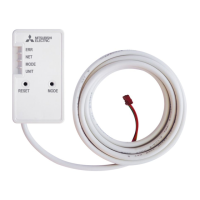
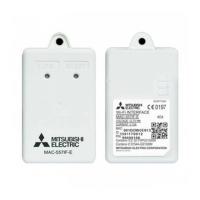
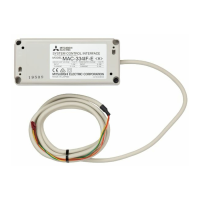
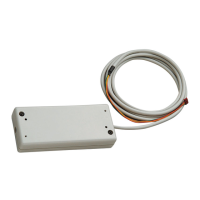
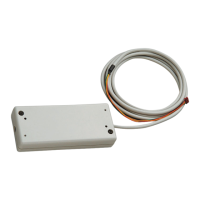
This document describes the Mitsubishi Electric Wi-Fi Interface, a device designed to enable communication between Mitsubishi Electric air conditioning or ATW (Air to Water) units and the MELCloud service. It supports various Mitsubishi Electric models, including MSZ-LN Series (MAC-567IFB-E, MAC-567IF-E), MSZ-AP Series (MAC-566IFB-E/MAC-567IFB2-E/MAC-577IF2-E), MSZ-EF Series (MAC-577IF2-E), and MSZ-BT Series (MAC-577IF-E). The ATW (Air to Water) system is specifically compatible with MAC-567IF-E.
The Wi-Fi interface acts as a bridge, allowing users to remotely control and monitor their Mitsubishi Electric indoor units via the MELCloud service. This connectivity facilitates smart home integration and enhanced control over climate systems. The device needs to be paired with a router to establish communication. Once connected, it transmits operational data from the system to the MELCloud service, provided the end-user has registered and accepted the terms and conditions of the Wi-Fi service. The interface is not intended for critical cooling or heating applications.
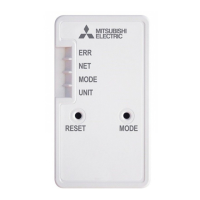
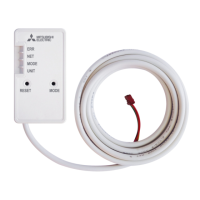
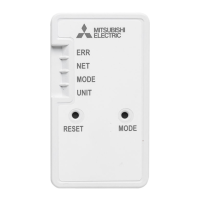
The Wi-Fi interface supports WPA2-AES encryption for secure communication with the router. It features several LED indicators to display its operational status:
The device includes two physical switches:
The Wi-Fi interface offers three primary methods for pairing with a router:
During any pairing process, the NET LED will flash when the Wi-Fi interface successfully connects to the router. The device also provides detailed LED patterns to indicate various states, including software initializing, firmware updating/downloading, reset to factory default, wireless setting activation (Access Point, WPS-PUSH, WPS-PIN), pairing process status (completed or failed), and connection to MELCloud in progress.
The device is designed for user-friendly maintenance and troubleshooting:
For further information, including the Declaration of Conformity and the MELCloud User Manual, users are directed to the MELCloud website (http://www.melcloud.com/Support). The Wi-Fi Interface (except for MAC-56 series) also utilizes Open Source Software, with license details available at http://192.168.11.1/license when connected in Access Point mode.
 General
| Brand | Mitsubishi Electric |
|---|---|
| Model | MAC-566IFB-E |
| Category | Recording Equipment |
| Language | English |


 To Next Page