EasyManua.ls Logo

Mitsubishi Electric NZ2MF2S2-16A - User Manual

Mitsubishi Electric NZ2MF2S2-16A
150 pages
Print Icon
To Next Page IconTo Next Page
Loading...
CC-Link IE Field Network Basic
Remote I/O Module User's Manual
-NZ2MFB2-16A
-NZ2MF2S2-16A
-NZ2MFB1-32D
-NZ2MF2S1-32D
-NZ2MFB2-16R
-NZ2MF2S2-16R
-NZ2MFB1-32T
-NZ2MF2S1-32T
-NZ2MFB1-32TE1
-NZ2MF2S1-32TE1
-NZ2MFB1-32DT
-NZ2MF2S1-32DT
-NZ2MFB1-32DTE1
-NZ2MF2S1-32DTE1

Table of Contents

Questions and Answers

  • J
    Joanne OrrSep 23, 2025
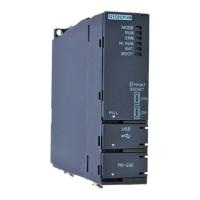
    What to do if the I/O PW LED does not turn on on a Mitsubishi Electric Control Unit?
    • C
      Christopher TannerSep 23, 2025
      If the I/O PW LED does not turn on for your Mitsubishi Electric Control Unit, ensure that the external power supply (24VDC) is correctly wired and turned on, and that the voltage value is within the specified performance range.
  • C
    Connie KingAug 23, 2025
    What to do if the RUN LED does not turn on Mitsubishi Electric NZ2MF2S2-16A?
    • X
      xholtAug 23, 2025
      If the RUN LED does not turn on for Mitsubishi Electric Controller, check that the module power supply voltage is within the range of performance specifications. After checking, power off and on the module power supply. If the RUN LED still does not turn on, the possible cause is a module failure. Please consult your local Mitsubishi representative.
  • K
    Kathleen KennedyAug 25, 2025
    What should I do if the I/O PW LED does not turn on for Mitsubishi Electric NZ2MF2S2-16A?
    • C
      Candice ConradAug 26, 2025
      If the I/O PW LED does not turn on for your Mitsubishi Electric Controller, ensure the external power supply (24VDC) is correctly wired and turned on. Also, verify that the voltage value is within the range of the performance specifications.
  • D
    donaldwilliamsAug 27, 2025
    What to do if the RUN LED does not turn on on a Mitsubishi Electric NZ2MF2S2-16A?
    • M
      Ms. Donna Perez MDAug 27, 2025
      If the RUN LED does not turn on for your Mitsubishi Electric Controller, check that the module power supply voltage is within the performance specifications range. If the problem persists, please consult your local Mitsubishi representative.
  • C
    christopherwilcoxAug 27, 2025
    How to fix a Mitsubishi Electric Controller when the I/O PW LED does not turn on?
    • J
      James MelendezAug 27, 2025
      If the I/O PW LED on your Mitsubishi Electric Controller does not turn on, ensure that the external power supply (24VDC) is correctly wired. Then, turn on the external power supply (24VDC). Finally, set the voltage value to be within the specified performance range.
  • J
    John PorterSep 17, 2025
    How to troubleshoot a Mitsubishi Electric Control Unit when the RUN LED does not turn on?
    • C
      Crystal WareSep 17, 2025
      If the RUN LED does not turn on for your Mitsubishi Electric Control Unit, ensure the module power supply voltage is within the specified performance range. After checking, power cycle the module. If the RUN LED still does not illuminate, it may indicate a module failure, and you should consult your local Mitsubishi representative.
  • G
    Gary BarrSep 14, 2025
    What does it mean if the ERR. LED is flashing on my Mitsubishi Electric Control Unit?
    • L
      lthompsonSep 14, 2025
      If the ERR. LED is flashing on your Mitsubishi Electric Control Unit, determine the error factor using the CC-Link IE Field Network Basic diagnostic window or by checking the error code of diagnostic information 2 of the slave station, and then take appropriate action.
  • L
    Linda AlexanderSep 15, 2025
    What does it mean if the ERR. LED is on on my Mitsubishi Electric Control Unit?
    • T
      Tanya StevensSep 16, 2025
      If the ERR. LED turns on your Mitsubishi Electric Control Unit, determine the error factor using the CC-Link IE Field Network Basic diagnostic window or the LED status of the I/O module, and then take appropriate action.
  • L
    Lauren HillSep 6, 2025
    What to do if the D LINK LED flashes on a Mitsubishi Electric NZ2MF2S2-16A Controller?
    • J
      Joshua RodriguezSep 6, 2025
      If the D LINK LED flashes on your Mitsubishi Electric Controller, ensure the I/O module's IP address matches the one specified in the master station's configuration settings. Also, in the network configuration, set the reserved station specification of the I/O module to have no setting, and then reflect these changes in the CPU module. Make sure the number of occupied stations of I/O module is set to 1 in the network configuration setting, and reflect the changed parameter in the CPU module. Finally, verify that the I/O module's IP address isn't duplicated by another device.
  • J
    Jack PalmerSep 3, 2025
    What to do if the D LINK LED turns off on a Mitsubishi Electric NZ2MF2S2-16A Controller?
    • C
      Christine MurraySep 3, 2025
      If the D LINK LED turns off on your Mitsubishi Electric Controller, several factors could be at play. First, use the CC-Link IE Field Network Basic diagnostic window or the I/O module's LED status to pinpoint the error and then take appropriate steps. Ensure the distance between stations is 100m or less. Check the bending radius of your Ethernet cable against the manufacturer's specifications. Confirm you're using a 100BASE-TX-compliant switching hub and that its power is on. Lastly, make sure the I/O module's IP address isn't conflicting with another device on the network.

Mitsubishi Electric NZ2MF2S2-16A Specifications

General IconGeneral
CategoryController
ManufacturerMitsubishi Electric
Input Points16
Input TypeDigital
Input Voltage24 V DC
Output Points16
MountingDIN Rail
Humidity5 to 95% RH (non-condensing)
Operating Temperature0 to 55 °C

Related product manuals