EasyManua.ls Logo

Mitsubishi Electric PK12FK - User Manual

Mitsubishi Electric PK12FK
80 pages
Print Icon
To Next Page IconTo Next Page
Loading...
TECHNICAL & SERVICE MANUAL
SPLIT-TYPE, AIR CONDITIONERS
CONTENTS
1. FEATURES ···········································2
2. SPECIFICATIONS·································5
3. DATA·····················································6
4. OUTLINES AND DIMENSIONS··········13
5.
REFRIGERANT SYSTEM DIAGRAM
······21
6. WIRING DIAGRAM·····························22
7. OPERATION FLOW-CHART··············26
8. MICROPROCESSOR CONTROL·······29
9. TROUBLESHOOTING························40
10. SYSTEM CONTROL···························48
11. DISASSEMBLY INSTRUCTIONS·······53
12. PARTS LIST········································60
13. OPTIONAL PARTS·····························74
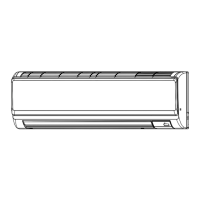
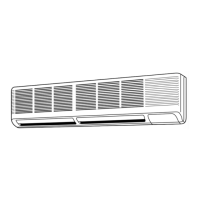
<Indoor unit> <Outdoor unit>
Models
Indoor unit
Wall Mounted
Series PK
MITSUBISHI ELECTRIC
ON
DRY
COOL
FAN
CHECK
SET TEMP
TIMER OFF
AUTO STOP
AUTO START
F
HR
F
LOW HIGH
AUTO RETURN
CHECK TEST RUN
POWER
ON/OFF
MODE SELECT
SET
TEMPERATURE
FAN COOL/DRY
COOLERWARMER
TIMER MODE HOURS
FAN SPEED LOW/HIOGH
AIR
DISCHARGE
UP/DOWN
SWING
STOP
CHECK TEST RUN
•CENTRALLY CONTROLLED•
REMOTE CONTROLLER
The Slim Line.
From Mitsubishi Electric.
PK12FK / PU12EK
PK18FK / PU18EK 1
PK24FK / PU24EK 1
PK30FK / PU30EK 1
PK36FK / PU36EK 1
No. OC121
L
I
S
T
E
D
R
OC121--1.qxp 24/6/97 2:11 AM Page 1

Questions and Answers

  • M
    Michelle PatelAug 1, 2025
    What to do if check code 'EO' appears on Mitsubishi Electric Air Conditioner when remote controller power button is turned on?
    • G
      gharrellAug 1, 2025
      If the check code 'EO' appears on your Mitsubishi Electric Air Conditioner when you turn on the remote controller, it may indicate a signal transmission error between the indoor unit and the remote controller. To address this, connect a sub remote controller and turn the circuit breaker ON. If the 'centrally controlled' display remains, replace the indoor controller board. If the display disappears, turn the remote controller POWER button ON and check as follows.
  • K
    kirk05Aug 8, 2025
    Why Mitsubishi Electric PK12FK Air Conditioner remote controller display does not appear when turning power button on?
    • J
      jeffrey44Aug 9, 2025
      If the Mitsubishi Electric Air Conditioner remote controller display doesn't appear when you turn the power on, it could be due to several reasons. It might be a damaged remote controller, a short circuit in the transmission wire, bad contact at indoor CN40, CN40 being attached to a sub unit, a damaged transformer, bad contact at CN4T, a blown fuse, or the circuit breaker being OFF. First, measure the voltage between the terminals of the remote controller. If there's no voltage, remove the terminals and measure the voltage between the wires. If the voltage is between 6VDC and 12V, replace the remote controller. Check each of the points mentioned. If none are defective, then replace the indoor controller board.
  • P
    Patricia BakerAug 16, 2025
    What to do if Mitsubishi Electric Air Conditioner operating display appears and disappears quickly when remote controller power button is turned on?
    • J
      Jeffrey SanchezAug 16, 2025
      If the operating display on your Mitsubishi Electric Air Conditioner appears briefly and then disappears when you turn the remote controller power button on, the issue could stem from a few things: a short circuit in the indoor/outdoor connecting wire, a short circuit in the transmission wire, a short circuit in the drain sensor heater circuit, or incorrect remote controller operation due to noise from other appliances. Check the wiring. Measure the resistance of the drain sensor connector CN50; normal resistance should be 82?. Turn the circuit breaker OFF, and then turn it back ON. If the remote controller remains abnormal after these steps, replace the indoor controller board.
  • K
    Kathleen HaneyNov 23, 2025
    How to fix 'CENTRALLY CONTROLLED' display that does not disappear on Mitsubishi Electric PK12FK remote controller?
    • T
      Tyler MorrisNov 23, 2025
      If the 'CENTRALLY CONTROLLED' display remains on your Mitsubishi Electric Air Conditioner remote controller, there are a few potential causes. It could be due to a wrong address setting of the remote controller or indoor controller board, a timer adapter connected to the remote controller, or a signal transmission error between the indoor unit and the remote controller. First, check the address setting of the remote controller and indoor controller. Ensure the timer adapter is used correctly. Try turning another remote controller’s DIP SW17-7 ON to make it a sub controller. Connect the sub controller to the unit, and turn the circuit breaker ON. If the 'centrally controlled' display disappears, replace the original remote controller. If the display remains, replace the indoor controller bo...

Summary

Advanced Microprocessor

Easy to Use Features

Features like ultra-thin remote, LCD display, 24-hour timer, self-diagnosis, and memory feature.

Data

Performance Data

Presents cooling capacity data based on indoor/outdoor air conditions.

Performance Curves

PK12 FK Cooling Capacity Curve

Graph showing cooling capacity and power consumption vs. outdoor temp.

PK18 FK Cooling Capacity Curve

Graph showing cooling capacity and power consumption vs. outdoor temp.

PK24 FK Cooling Capacity Curve

Graph showing cooling capacity and power consumption vs. outdoor temp.

PK30 FK Cooling Capacity Curve

Graph showing cooling capacity and power consumption vs. outdoor temp.

PK36 FK Cooling Capacity

PK12 FK Pressure Curves

Graphs for condensing and suction pressure vs. outdoor ambient temperature.

PK18 FK Pressure Curves

PK24 FK Pressure Curves

Graphs for condensing and suction pressure vs. outdoor ambient temperature.

PK30 FK Pressure Curves

PK36 FK Pressure Curves

Graphs for condensing and suction pressure vs. outdoor ambient temperature.

Standard Operation Data

Refrigerant Circuit Data

Condensing/suction pressure, discharge/condensing temp, pipe length, charge.

Operating Range

Power Supply Requirements

Rating and allowable voltage for indoor and outdoor units.

Outline and Dimensions

Indoor Unit PK12 FK Dimensions

Detailed dimensions and mounting points for the PK12FK indoor unit.

Refrigerant System Diagram

PK12;18;24 FK Refrigerant Diagram

Refrigerant circuit diagram for PK12/18/24FK models.

PK30;36 FK Refrigerant Diagram

Refrigerant circuit diagram for PK30/36FK models.

Wiring Diagram

Indoor Unit PK12 FK Wiring

Wiring diagram for the PK12FK indoor unit, including component labels.

Indoor Unit Wiring PK18, 24, 30, 36 FK

Outdoor Unit PU12;18 EK 1 Wiring Diagram

Outdoor Unit PU24;30;36 EK 1 Wiring Diagram

Operation Flow-Chart

Main Operation Flow-Chart

Flowchart illustrating the main operation sequence, including error handling.

Microprocessor Control Outline

Microprocessor Control System Overview

Overview of the microprocessor control system, showing input/output relationships.

Cooling Operation Details

Thermostat Function in Cooling

Details thermostat operation for cooling, including temperature settings and turn-on/off points.

Coil Frost Prevention

Explains the prevention of coil frosting during continuous compressor operation.

Coil Frost Protection Mode

Describes coil frost protection mode and its conditions, including allowance period.

Outdoor Unit Abnormality Detection

Detects outdoor unit abnormality based on temperature difference and time.

Dry Operation Details

Thermostat and Compressor Control in Dry

Details thermostat function and compressor control during dry operation.

Test Run Function

Before Test Run Procedures

Pre-test run checks for installation, piping, and wiring.

Test Run Operation Guide

Step-by-step guide on how to perform the test run operation.

Emergency Operation Procedures

How to enable emergency operation when the remote controller is faulty.

Dip Switch and Jumper Connector Functions

Outdoor Microprocessor Control

Protection Functions

Describes protection functions like reversed phase, open phase, and board trouble detection.

Outdoor Microprocessor Control (Cont.)

Outdoor Controller Board Switches

Explains functions of SW1, SW2, and SW3 on the outdoor controller board.

Outdoor Microprocessor Control (Cont. 2)

Power-On Reset State Operation

Describes microprocessor operation during power-on-reset state, including jumper wire functions.

Troubleshooting

Test Run Troubleshooting

Lists symptoms, causes, and check points for test run troubles.

Self-Diagnostic Function

Malfunction Display During Operation

Describes how malfunctions are displayed on the LCD during operation.

Using Self-Diagnostic Function

Guide on using the self-diagnostic function for normal and group control.

Troubleshooting by Check Code

Outdoor Unit Not Working Causes

Lists common causes and check points when the outdoor unit is not working.

Wrong Wiring on Site

Other Troubles and Causes

System Control

System Control Function Variations

Describes different system control methods: group, dual remote, individual, multiple display.

Disassembly Instructions

Indoor Unit PK24 FK Disassembly

Step-by-step instructions for disassembling the PK24FK indoor unit.

Indoor Unit PK24 FK Disassembly (Cont.)

Indoor Unit PK24 FK Disassembly (Cont. 2)

Outdoor Unit PU18 EK Disassembly

Outdoor Unit PU18 EK Disassembly (Cont.)

Outdoor Unit PU24 EK Disassembly

Outdoor Unit PU24 EK Disassembly (Cont.)

Mitsubishi Electric PK12FK Specifications

General IconGeneral
Cooling Capacity3.5 kW
Cooling Capacity (BTU)12000 BTU
Heating Capacity4.0 kW
Heating Capacity (BTU)13600 BTU
Power Supply220-240V, 50Hz
TypeSplit System

Related product manuals