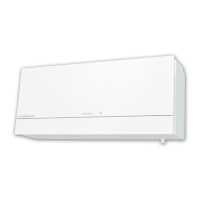
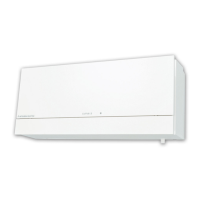
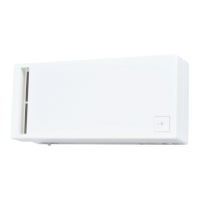
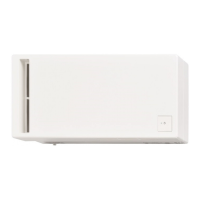
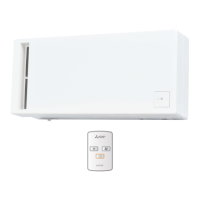
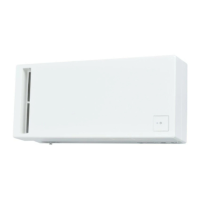
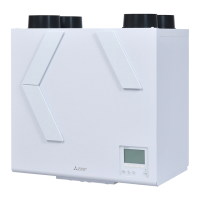
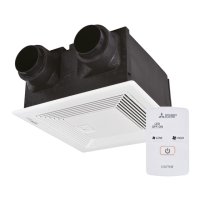
This document outlines the features, usage, and maintenance of the Mitsubishi Electric Lossnay Energy Recovery Ventilator, model VL-100ZSKRT-E, which operates with a remote controller.
The Lossnay ventilator is designed to improve indoor air quality by exhausting stale air from a room and supplying fresh, cleaned outside air. A key function of this unit is heat-exchange ventilation, where the temperature of the incoming outside air is brought closer to the room's ambient temperature. It's important to note that the Lossnay is a ventilating fan that exchanges heat, not an air conditioner.
Usage Features:
The unit is controlled via a remote controller, which allows for various operational settings. The main unit features operation lamps (green) and a filter maintenance notification lamp (red). The operation lamps indicate whether the unit is running in "High" or "Low" operation mode. When the unit is first powered on, these lamps are off and only illuminate when the "ON/OFF" button on the remote controller is pressed to turn the operation lamps on.
The remote controller includes an "ON/OFF" button for the operation lamps, "LOW" and "HIGH" buttons for air volume control, and a "Start/Stop" button for initiating or halting operation. Pressing the "Start/Stop" button cycles through "Start" and "Stop" modes, with a beep sound confirming each mode switch. When starting operation, the unit defaults to "HIGH" mode. If the power supply isolator is turned off or there's a power failure, operation will restart in "HIGH" mode.
To switch between "LOW" and "HIGH" air volumes, dedicated buttons on the remote controller are used. A beep sound from the main unit confirms the change in air volume. When operating the unit with the remote controller, it's crucial to point the transmitter towards the light receiver on the main unit for proper communication. Gently pressing the center of the buttons is recommended, as pressing an edge or using a fingertip might not work and could damage the buttons.
The remote controller uses a CR2025 lithium battery. The battery's life is approximately one year, but this can vary based on usage frequency. If the remote controller's sensitivity decreases, the battery should be replaced. In situations where the remote controller cannot be used (e.g., due to a dead battery), the unit can still be operated using the operation selector switch on the main unit. This switch cycles through "Stop," "High," and "Low" modes, with a beep sound for each change. However, the operation lamps will not illuminate when using the main unit's switch.
When multiple Lossnay units are installed, they might operate simultaneously if controlled by a single remote. To operate them individually, the remote controller should be pointed close to the light receiver of the specific unit. A "click" sound may be heard from the unit when selecting "HIGH" or "LOW" air volume; this is a normal sound from the relay switch.
Certain conditions warrant stopping the unit's operation. These include strong wind and rain, thick fog (as water can penetrate with supply air, causing droplets), or during cleaning and inspection. Users are advised against using aerosol sprays directly on the unit, as this can cause warping, weakening, or damage to the panel. Obstructing the panel should also be avoided to ensure proper ventilation. Since the Lossnay draws in outside air, external odors like exhaust gas may also be introduced into the room. If the outside temperature drops to 0°C or lower, condensation may form and drip from the main unit; in such cases, operation should be stopped, and any condensation wiped off with a soft cloth.
Maintenance Features:
Regular maintenance is essential to ensure the Lossnay unit's long-term function. The unit is equipped with two filters: an air supply filter and an air exhaust filter. These filters are designed to remove approximately 80% of particles larger than 10 microns, including dust, sand, and pollen. For enhanced trapping efficiency, a separately sold high-performance dust filter can replace the standard air supply filter.
The filter maintenance notification lamp (red) on the main unit illuminates after approximately 1,500 cumulative operating hours (roughly 6 months of 8-hour daily use), signaling that the filters need cleaning. To turn off this lamp after cleaning, the operation selector switch on the main unit controller must be pressed and held for at least 3 seconds. The lamp does not turn off automatically after cleaning.
Maintenance involves several steps, starting with turning off the power supply isolator for safety. The panel is opened by pressing two "PUSH" locations with fingers, then the panel is opened. The filter is removed from its frame by pushing tabs in three locations and then opening the frame.
For cleaning, dust should be removed from the filter using a vacuum cleaner. If stains persist, the filter can be washed with neutral detergent diluted in cold or lukewarm water (40°C or less). Hot water or scrubbing can damage the filter, and undiluted detergent should not be used. After washing, the filter must be thoroughly wiped dry. The replacement filter (P-100ZF-E) should be used after the original has been washed about 5 or 6 times.
After cleaning, the filter is reinserted into the filter frame, and the frame is closed. The filter is then pushed firmly into the main unit, ensuring it's placed correctly (the air exhaust filter case is marked "EA FILTER"). The panel is then closed by pushing the "PUSH" locations. Finally, the power supply isolator is turned back on, and a check is performed to ensure the panel is securely attached, there's no abnormal noise, and air is blown out normally.
The panel and panel frame can be cleaned by wiping them with a cloth soaked in kitchen neutral detergent diluted with lukewarm water, followed by a dry cloth to remove any residue. Harsh solvents, detergents, or cleaning implements such as paint thinner, alcohol, gasoline, kerosene, mold removers, citrus-based detergents, acidic or alkaline detergents, chlorine-based detergents, chemicals for microfiber cloths, cleansers with abrasives, fungicides, and disinfectants should be avoided, as they can cause damage, discoloration, or cracking.
In case of any abnormalities or failures, the unit should be immediately stopped, and the power supply isolator turned off. Examples of abnormalities include the switch not starting rotor rotation, unusual noise or vibration, slow or irregular rotation, a burning smell, or corrosion/damage to the main unit's installation base. Such issues require inspection and repair by a dealer. If the supply cord is damaged, it must be replaced by the manufacturer or a qualified service agent to prevent hazards.
Safety precautions also emphasize not standing on unstable surfaces during maintenance, wearing gloves, and securely attaching all parts after maintenance to prevent injury. Operation should be stopped if the outside temperature is low and wind/rain are strong, or if there is fog, as water penetration can cause droplets. The appliance is not intended for use by individuals with reduced physical, sensory, or mental capabilities, or lack of experience, unless supervised or instructed by a responsible person. Children should be supervised to ensure they do not play with the appliance.


 To Next Page

 General