MixVibes MAYA 44 SPECIAL EDITION user’s guide
12
3. First launch
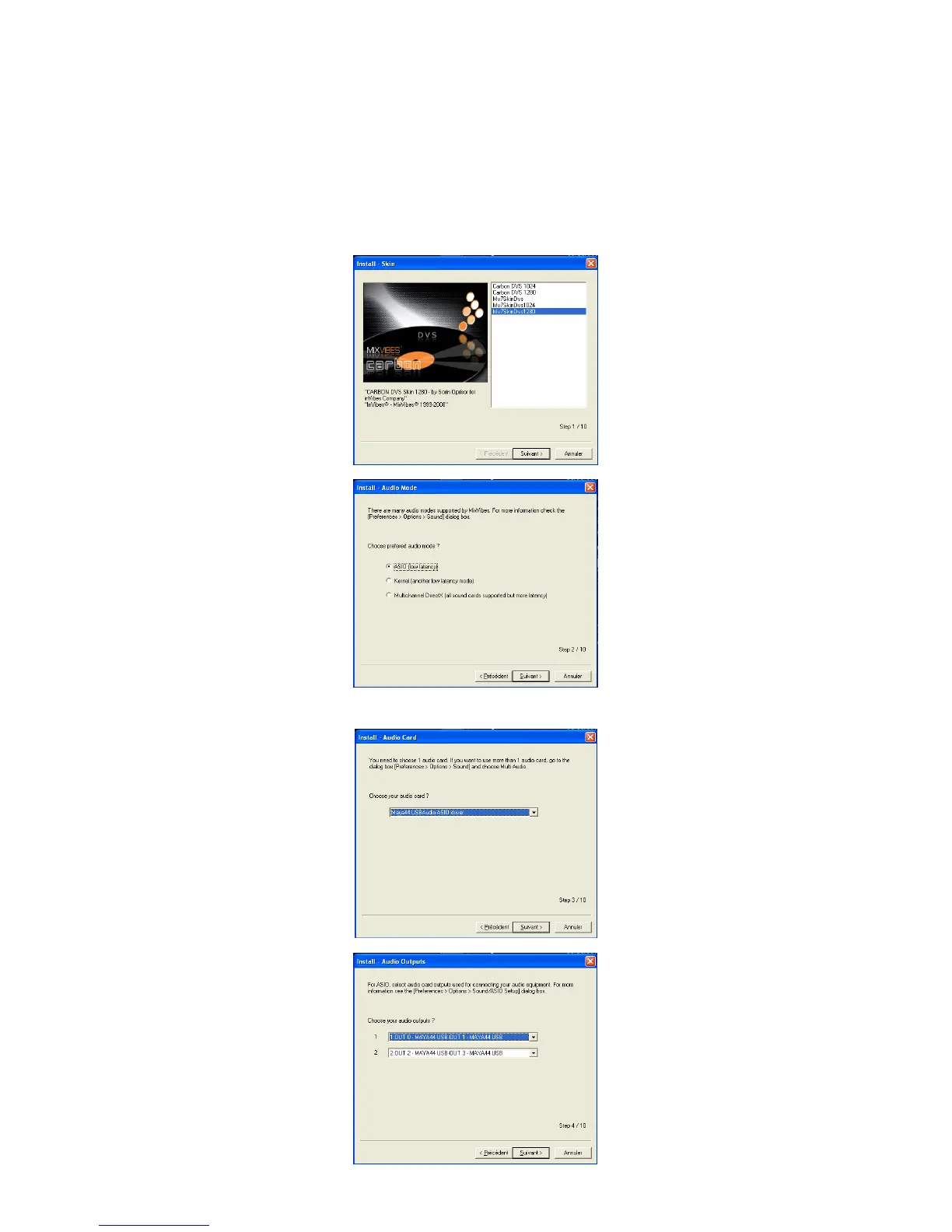
Click on the MixVibes DVS icon. Run the Preferences/install wizard menu. The installation
wizard will help you in the configuration.
Select the skin you wish to have:
Choose the ASIO mode:
Select the MAYA 44 SPECIAL EDITION driver:
Choose the default setting for
the outputs:


 To Next Page