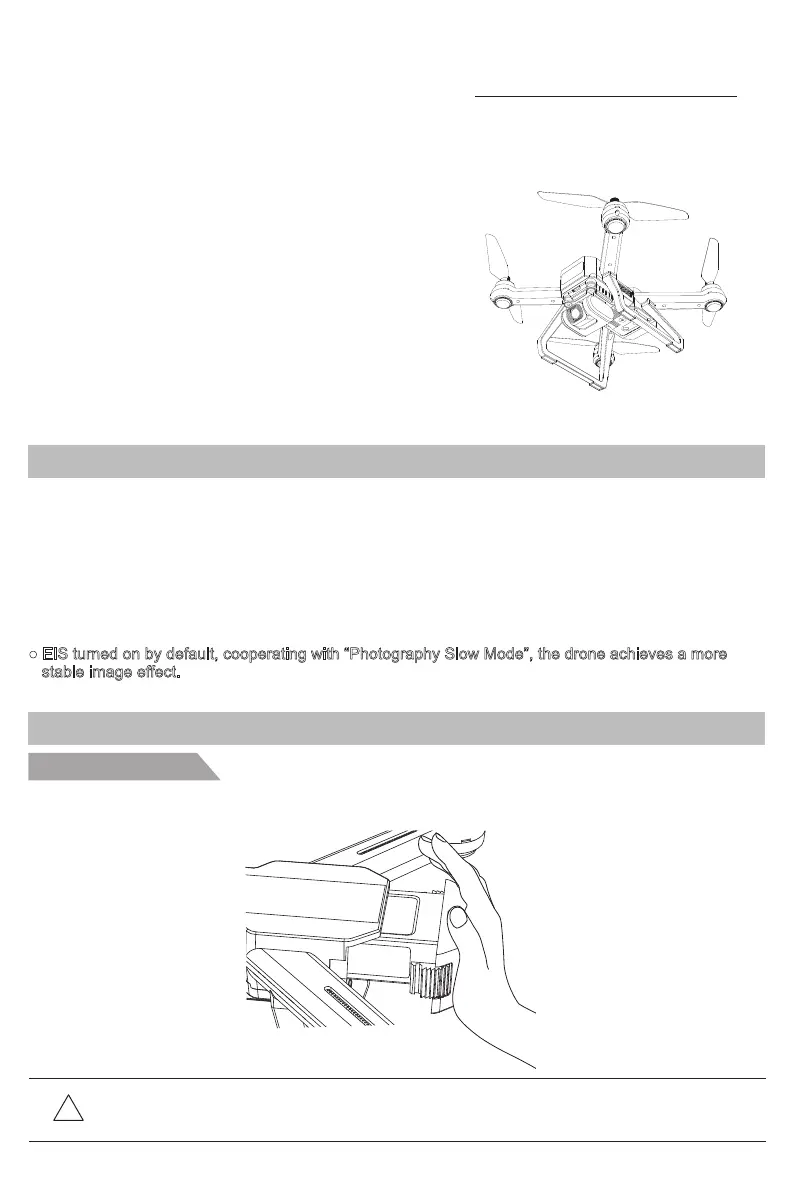
Battery installation
Prepare Your Bugs 20EIS
● The Bugs 20EIS aircraft is equipped with optical flow and GPS system. It can hover and fly stably
indoor and outdoor. It has automatic return home function and other easy-to-use intelligent flight
functions, such as orbit flight, follow-me and waypoint flight. Bugs 20EIS can shoot 4K HD videos.
● The transmitter is equipped with a complete set of function keys, it can realize various operations
and settings of the aircraft and camera. Not only can display real-time HD pictures on the mobile
device through the APP, but also display information such as flight parameters on the device screen.
The folding transmitter improves users’ operation experience. The pull-out stand is easy to carry and
for storage, the gimbal can adjust camera angle 90 degrees in flight.
● The maximum flight speed of Bugs 20EIS is 40km/h.
● EIS turned on by default, cooperating with “Photography Slow Mode”, the drone achieves a more
stable image effect.
Introduction
Product Profile
This section mainly introduces
functions and installation guidelines of
Bugs 20EIS and lists the components
of the aircraft and remote controller.
Slide the battery into the battery compartment at the rear of the aircraft by pushing with appropriate force.
Make sure that you hear a click sound indicating the battery is firmly installed.
!
Attention: The battery should be installed firmly, failure to do so may affect the flight safety
of your aircraft. The aircraft may crash due to power-cut during the flight.
-1-



 To Next Page