www.mo-sys.com
20
XR engine setup
Overview
The XR engine uses camera feed as an input
and composites it with AR objects and
virtually extends the set when camera
points away from the LED screen. This
means the talent is only visible if the screen
is behind them.
Connection
Setup one of the StarTracker’s data output
to send tracking data to XR Engine’s IP
address.
Connect camera feed to one of the video
SDI inputs. Set it up in Mo-Sys Video
Controller panel.
(page 19 in VPPro documentation)
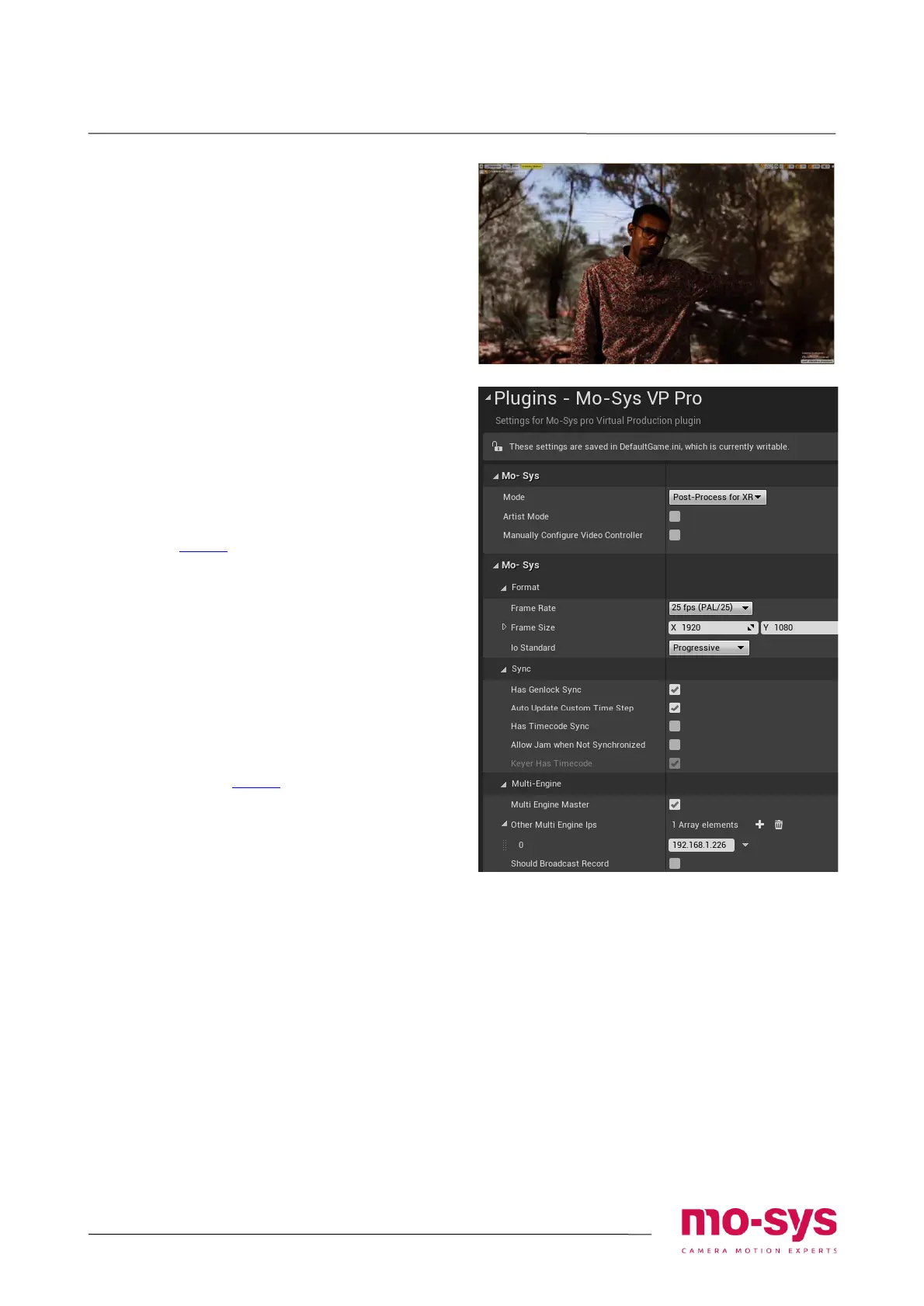
Mo-Sys VP Pro Settings
In project settings -> Mo-Sys VP pro
• Select Post-Process for XR as the Mode
• Define the image framerate and
resolution
• Uncheck Has Timecode Sync
• Insert the IP address of the Primary
Render Node in Multi-Engine section
Refer to page 6 in VPPro documentation.
Other Settings and Notes
• Verify Scalability settings -> effects are set
to at least: Epic
• Custom stencil channel 253 is reserved
for mapping the LED screen. Applying
custom stencil to other objects can affect
the composited set extension


 To Next Page