www.mo-sys.com
23
XR Engine Setup
SDI video output
Refer to page 10 in VPPro manual
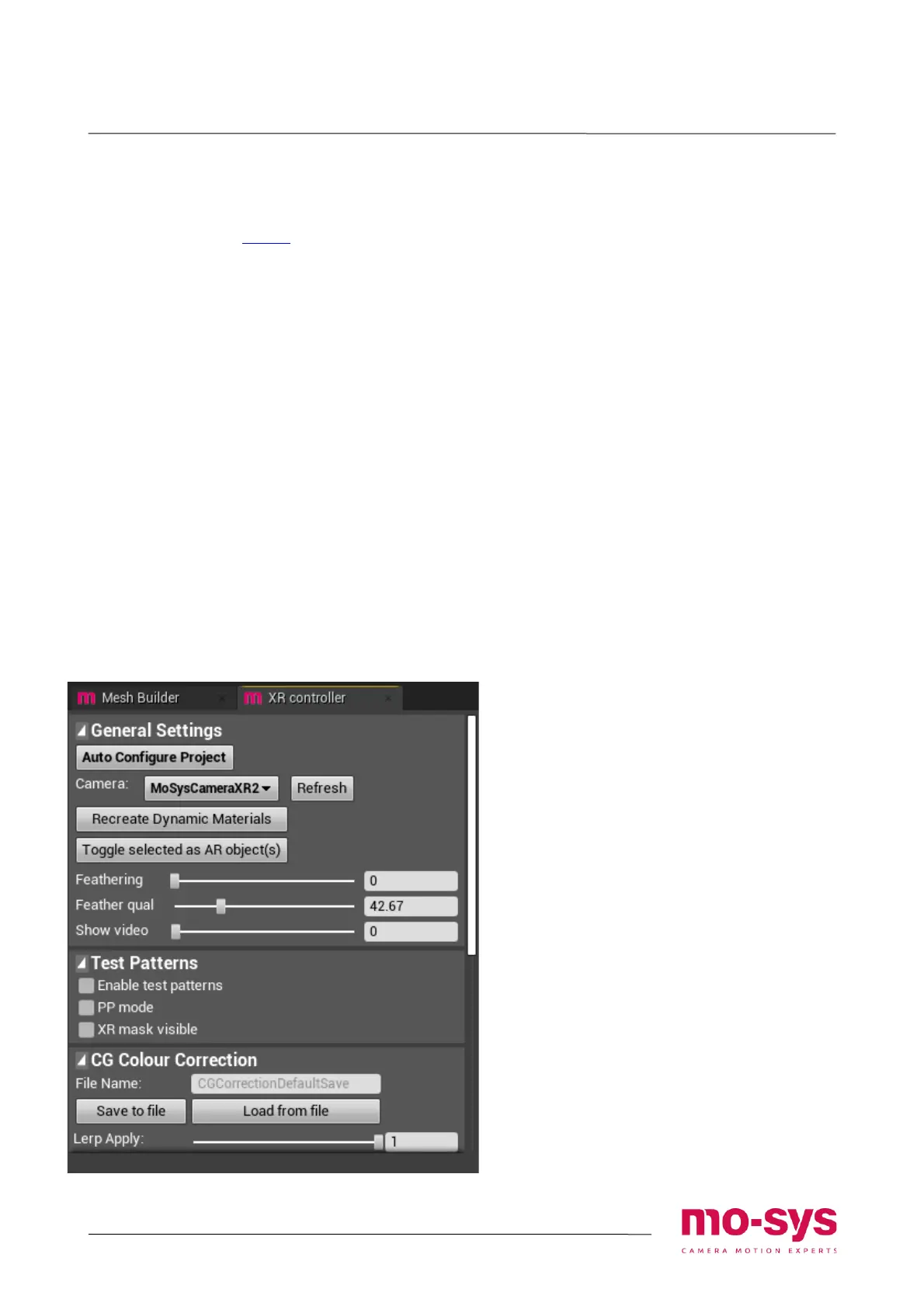
XR controller panel
XR controller exposes some of the settings
used to set extension. This includes:
• Blend control between the LED screen
and the extension (Feathering and
Feather qual)
• Showing just the video input for
troubleshooting
• Toggling the XR mask visibility in editor
• Bringing test patterns
• Recreate PP materials on the camera
• Nominating objects to be visible in front
of the XR mask (LED screen) (Toggle as
AR)
• Adjusting colour correction
If in play mode, click Refresh button to be
able to change parameters dynamically
Add AR objects
Actors can be nominated to be visible as AR
(in front of the LED screen). This can be
done from the XRController panel, by
selecting actors in world outliner and
clicking Toggle selected as AR objects.
This is currently limited to opaque objects
only!


 To Next Page