www.mo-sys.com
7
Quick start guide and geometry alignment
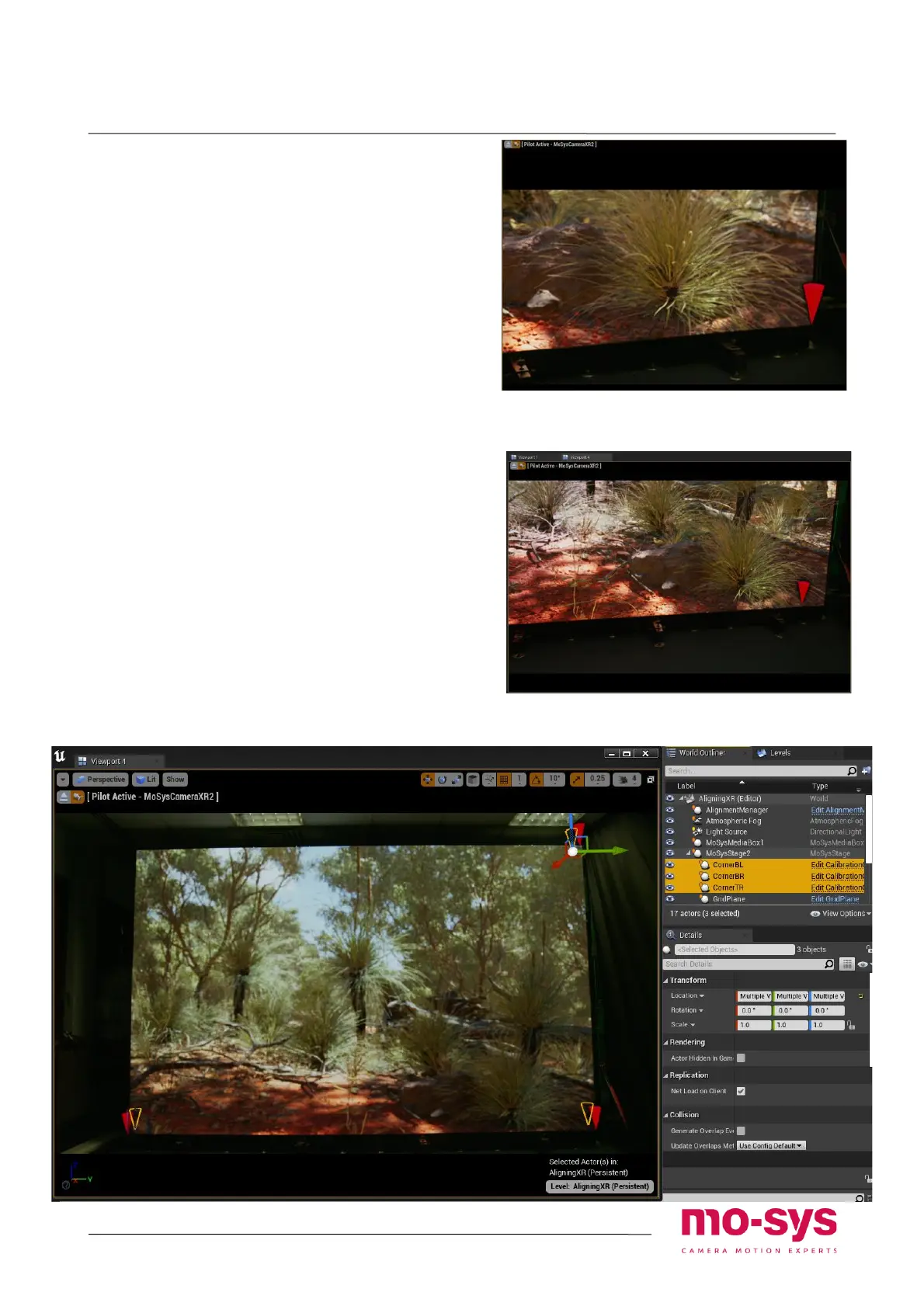
Cones test
For the system to work it is essential that
the spawned cones stay at the corners of
the LED screen at all times.
Try moving the camera around, use pan and
tilt, zoom at the corners to test if the cones
stick to them.
• Big displacement of cones near image
edges usually indicates problems with
lens ca libration.
• Displacement of the cone when camera
has moved in position usually indicates
problems with StarTracker auto-aligner
(best to centre the camera on the cone)
Mind that when cones are selected the
yellow outline shows their undistorted
position, which is not of interest here. It’s
the actual red cones that should be looked
at.
Lens zoomed in with cone next to the edge
of frame – good caibration
Cone not sticking to the corner – wrong
calibration


 To Next Page