xTablet T1190
11
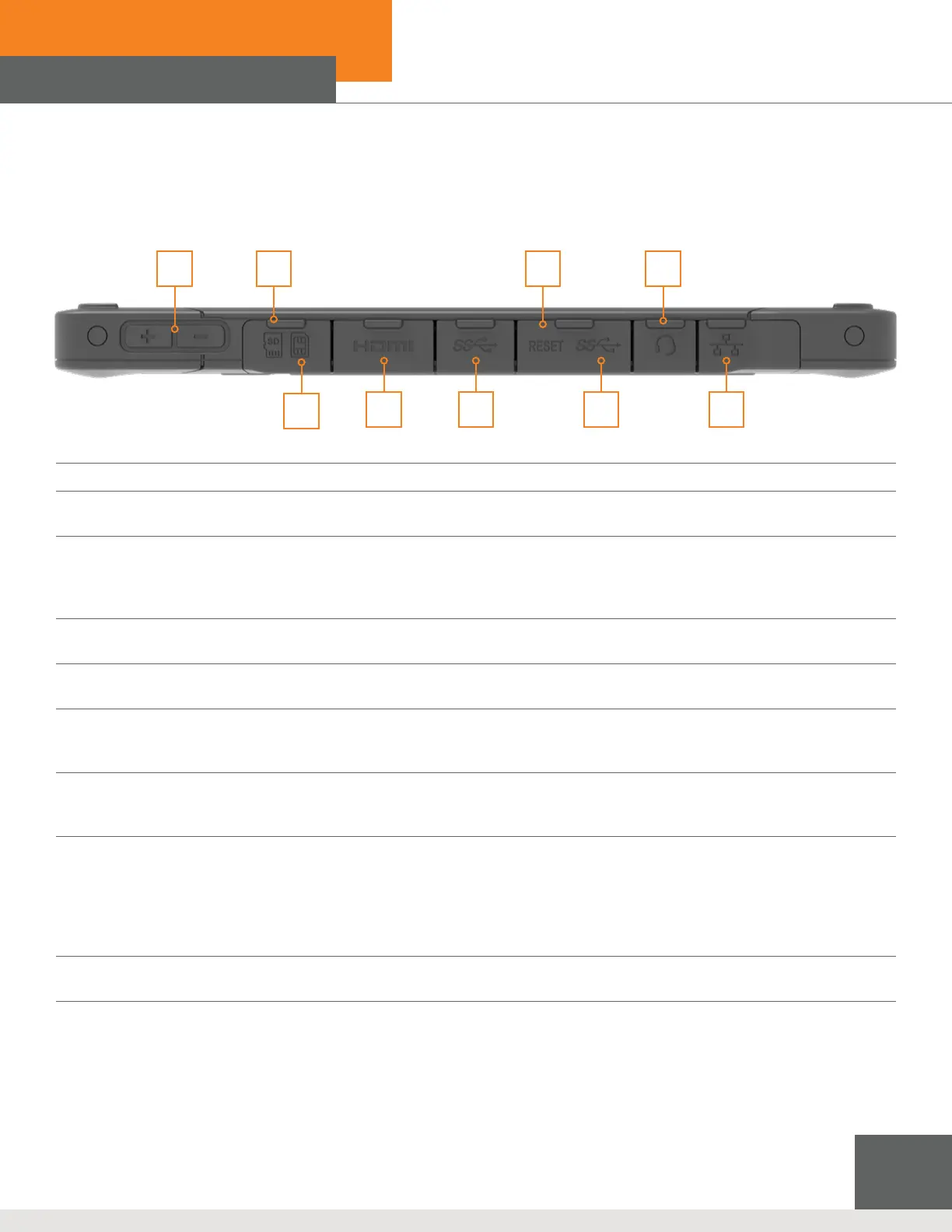
1. Volume Up + / Volume Down - Button
2. Nano SIM Card Reader
The built-in card reader supports various types of 4G/LTE
3. Reset Hole
Insert straightened paperclip into the reset hole if tablet cannot be turned off normally or is unresponsive after
pressing power button for 8 seconds.
NOTE: AC power must be connected before restarting the tablet.
4. Headphone Jack
Port for connecting to speakers or headphones.
5. Micro SD Card Reader
The built-in card reader supports SD cards.
6. Micro HDMI Port
Micro HDMI (High-Denition Multimedia Interface) technology is the industry-leading interfae and de-facto
standard connecting high-dention equiptment.
7. USB 3.1 Gen Port 1
USB 3.1 Gen 1, the SuperSpeed USB, supports high-speed data transfer for the connected devices, such as storage
devices, hard drives, or video cameras.
8. USB 3.1 Gen 1 Port 1 (Type C)
USB 3.1 Gen 1, the SuperSpeed USB, supports high-speed data transfer for connected devices such as storage
devices, hard drives, or video cameras.
The slim, sleek USB Type C connector offers reversible plug orientation and supports 5V/1.5A portable charging
power when AC power is connected. However, the maximum portable charging power limitation may be up to
5V/1.5A while DC power is connected.
9. RJ-45 Connector
The Ethernet connector, with bandwidths 10/100/1000 Mbps, is used to connect a LAN cable for network connection.
21 3 4
5
6 7 8 9
Left Side View



 To Next Page