xTablet T1190
9
Product Overview
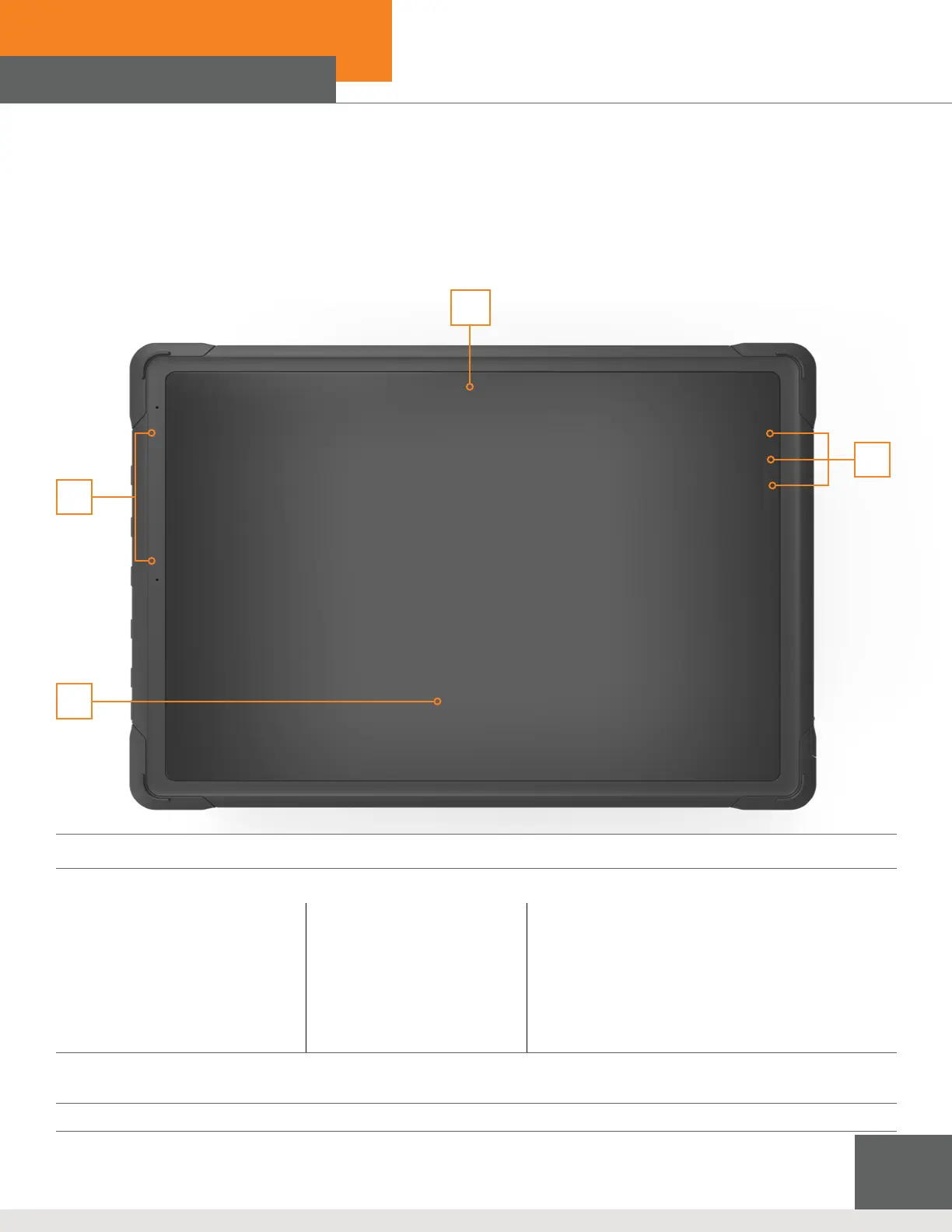
Front View
4
3
2
1
1. Front Camera
2. Status LEDS
A. Power
• LED glows when the tablet
power is turned on.
• LED flashes when the tablet
goes to the sleep state.
• LED goes off when the tablet
is turned off.
B. Wireless LAN (WiFi)
• LED glows when WLAN
(WiFi) function is enabled.
• LED goes off when this
function is disabled.
C. Battery
• LED glows when the battery is being charged.
• LED goes out when the battery is fully charged
or when the AC/DC adaptor is connected.
• LED blinks slowly when battery capacity is
lower than 7%.
• LED blinks fast when there’s a battery error.
3. Touch Screen
The touch screen will automatically orient itself and expand to t the display whenever the display is rotated.
4. Internal Microphone
A
B
C



 To Next Page