EN
14
4. Dispensing Operations
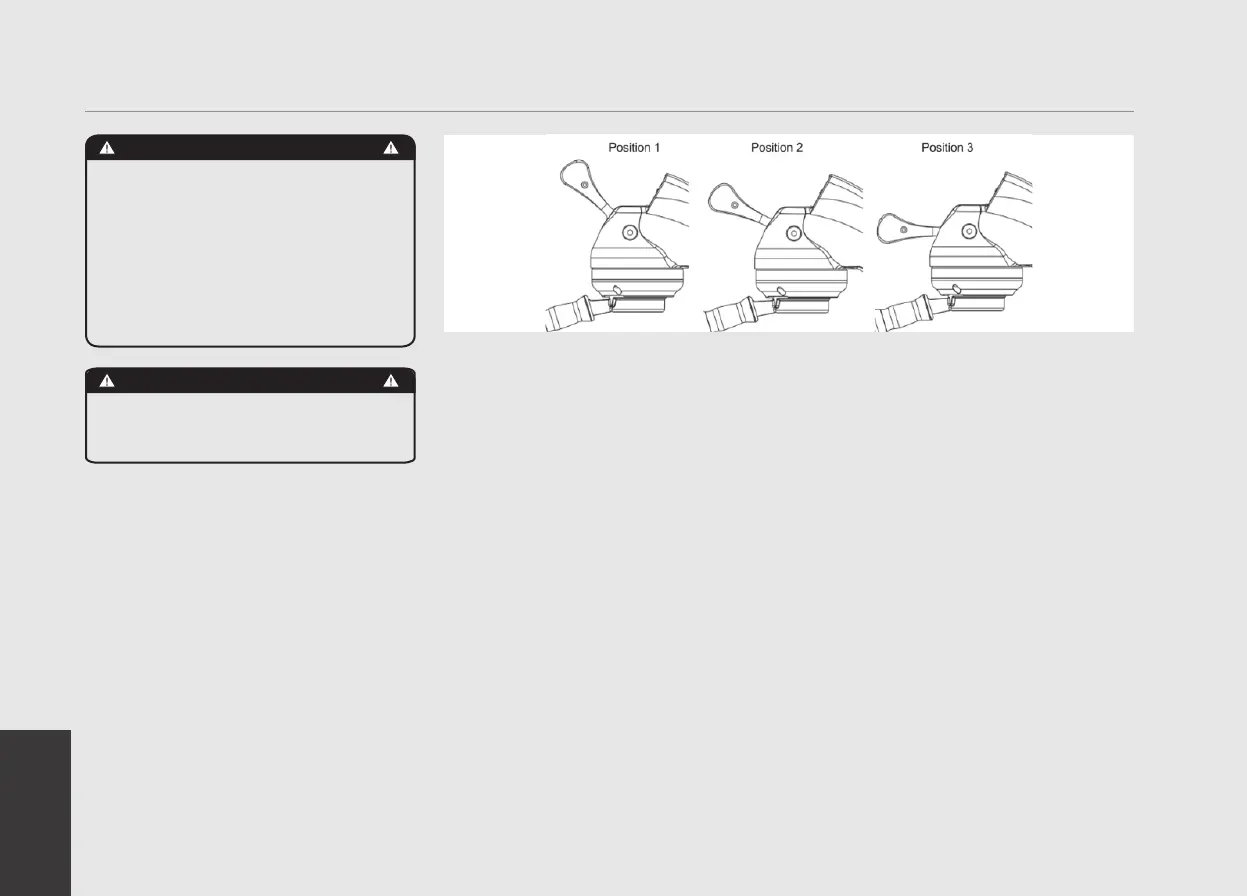
The Modbar espresso tap is able to command
mulple funcons using a single handle.
We do this by combining the movement of
three handle posions, as illustrated in the
above diagram. Following are instrucons for
operang each of the tap funcons.
1) Automatic Operations
Automatic mode dispenses using the
currently selected prole to control
pressure proling. To activate the machine
in automatic mode, simply pull the handle
from Position 1 to Position 3, and the tap
screen will display Auto and start counting
down time based of the total time of
currently selected prole.
2) Manual Operations
Manual mode dispenses using only the
MaxP (Maximum Pressure) and MEp
(Manual End Pressure) values from the
currently selected prole. To operate
in manual mode, pull the handle from
Position 1 to Position 2. While the handle
is at Position 2, the tap will dispense
at line pressure (“pre-infusion”). After
remaining in Position 2 for a minimum of
two seconds, the tap screen will display
Manual and continue counting time
up from zero. To turn on the pump and
dispense at MaxP place the handle in
Position 3. After dispensing at MaxP, place
the handle back to Position 2 to dispense
at the programmed MEp and/or return the
handle to Position 1 to cease dispensing.
3) Rinsing
To activate the pre-programmed rinse
cycle, quickly move the handle from
Position 1 to Position 2, and back to
Position 1. This quick toggle activates the
rinse cycle as programmed in the prole
screen. The parameters for duration and
pump duty cycle can both be adjusted to
your personal preference
4) Cleaning cycle
The Modbar also has integrated cleaning/
back ushing cycle functionality built in.
To use the cleaning cycle:
• Activate the cleaning cycle by toggling the
handle 3-times in short succession. The
toggle motion is the same as used in the
rinsing cycle.
• The tap screen will display “Clean” and
start counting down from 99. During this
time it will automatically cycle the pump
on and off per a typical cleaning cycle.
• When nished, rinse the group well with a
regular lter by actuating the rinse cycle
several times.
WARNING
The machine must not be dipped
in, nor splashed with, water in
order to clean it. For cleaning
operations, please follow the
instructions listed below very
carefully.
WARNING
This machine is designed only for
hot drinks.



 To Next Page