General Saturn Install Instructions
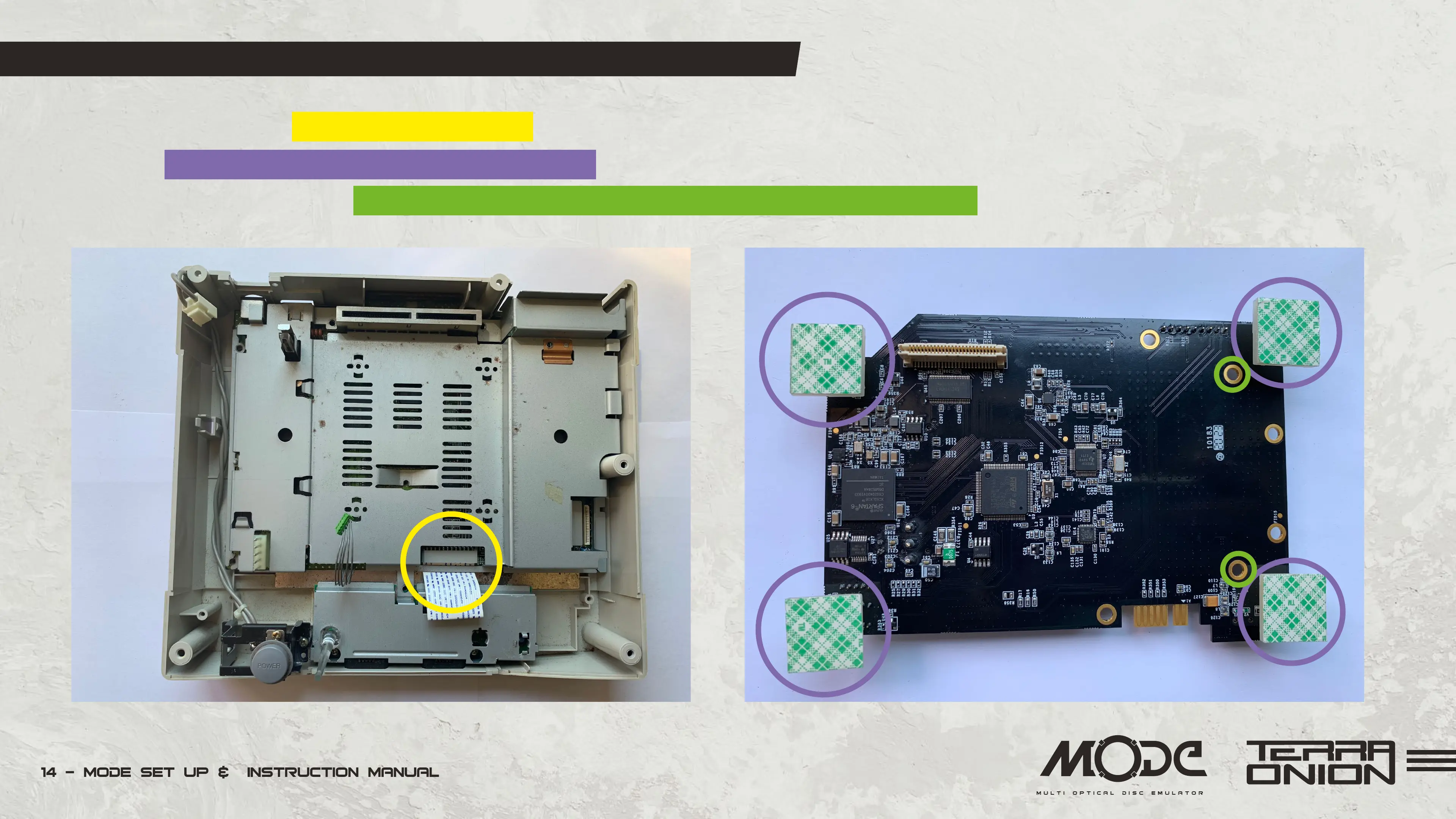
• Reinstall the metal plate, controller port data ribbon, and secure it with the original 8 screws.
• Insert the four sticky feet into the MODE PCB screw holes. Then remove the film from the bottom of the sticky feet and install MODE onto the metal plate.
• When using a hard disk or SSD, use the 2 included screws to mount the SATA drive to the MODE PCB to keep them from moving.


 To Next Page