General Saturn Install Instructions
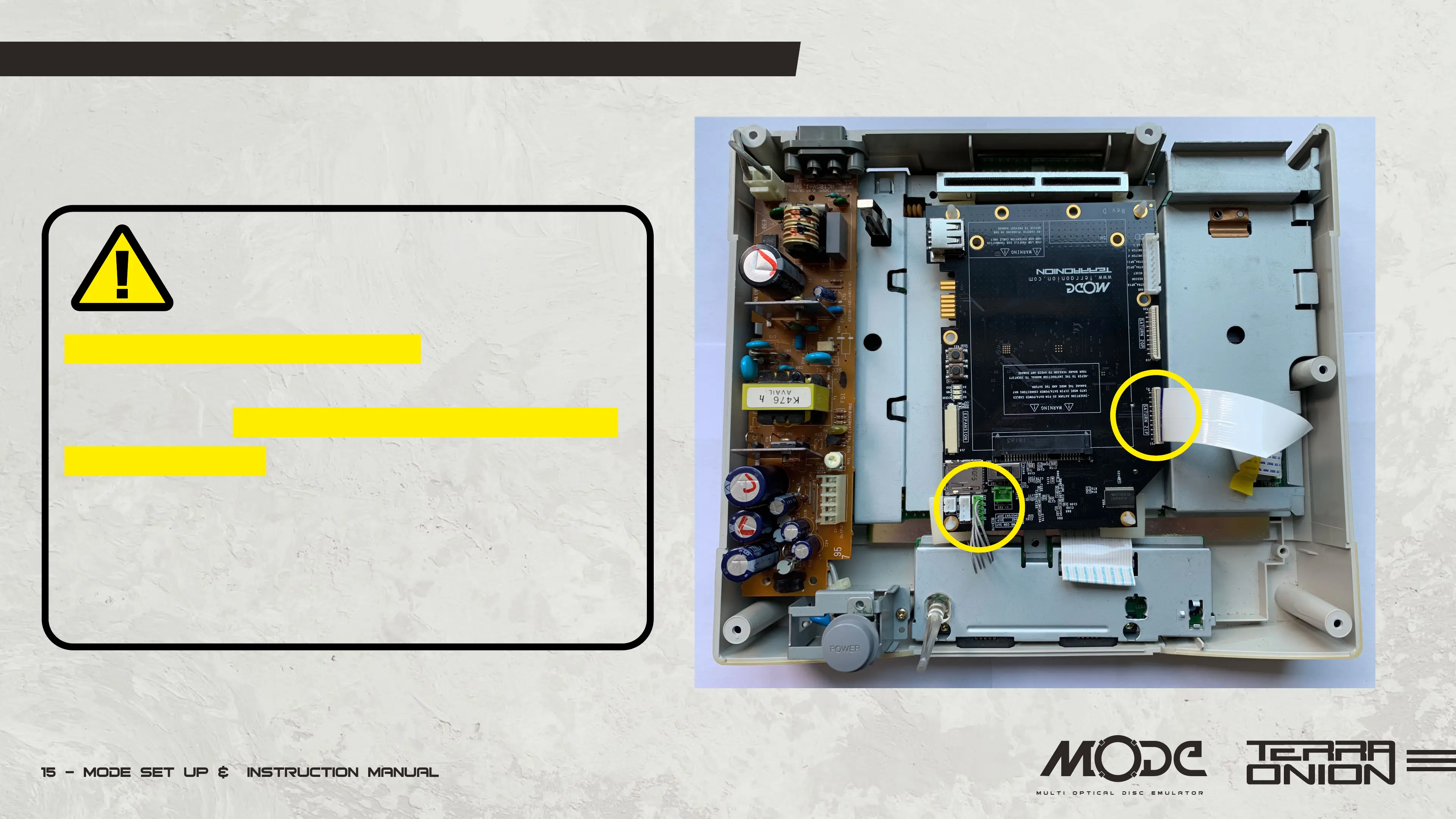
• Remove the film from the bottom of the sticky feet and install
MODE onto the metal plate.
• Insert the CD-ROM power/tray cables. Please only plug
connectors with the same pin number into the corresponding
MODE connection. 2-pin connectors must only go in the 2-pin
connection and so-on. If you have two connecters (2-pin and
4-pin) plug the ribbon cable into the 20-pin connection. If you
have a single 5-pin power/tray connector plug the ribbon cable
into the 21-pin connection (as shown to right).
Warning!
Read this paragraph carefully


 To Next Page