General Saturn Install Instructions
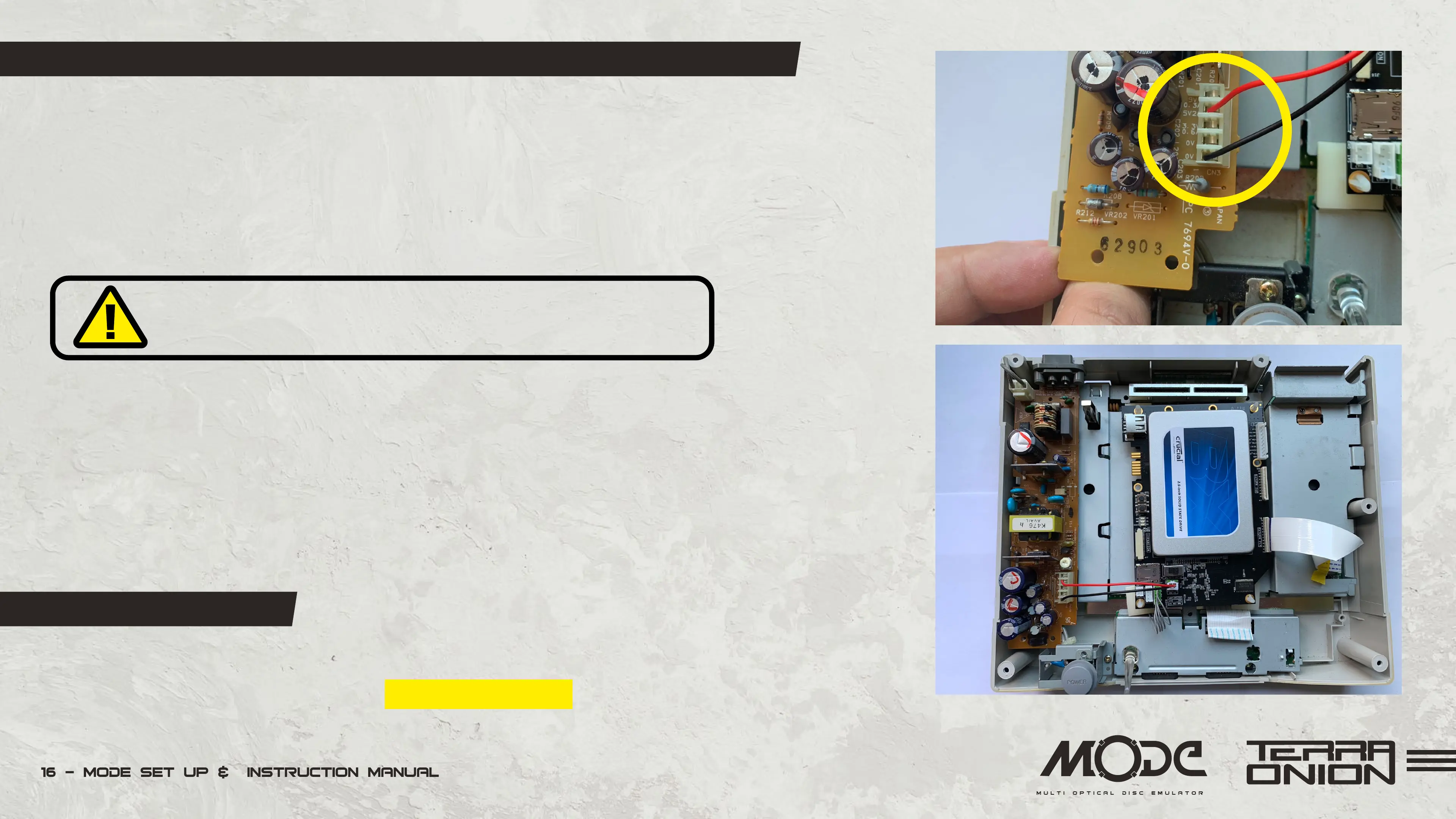
Optional External Power Cable
We have included with your MODE a power cable that can be used on all Saturn models (with
the exception of the earliest Saturn with the PSU in the lid) to provide additional power to the
MODE. Depending on the HDD / SDD you are using your MODE may not power up without it.
Please follow these instructions carefully as installing
the cable wrong will damage MODE and your Saturn.
• Remove the one screw near the white power connector on the PSU.
• Pull Gently up this side of the PCB.
• There are two different power supplies on the Saturn where this cable can be installed. One
has 5 pins and one has 4 pins. The Saturn with the PSU in the lid does not require this wire so
please ignore this section if this is your model.
• 5 Pin Power Supply:
Insert the black wire on the first pin from the bottom if the Saturn is facing you. The red pin
goes on the second pin from the top (as shown top right).


 To Next Page