F
Manual Mini Blizzard Pro
www.modster.at 19
Flight exercises
3D Flip function
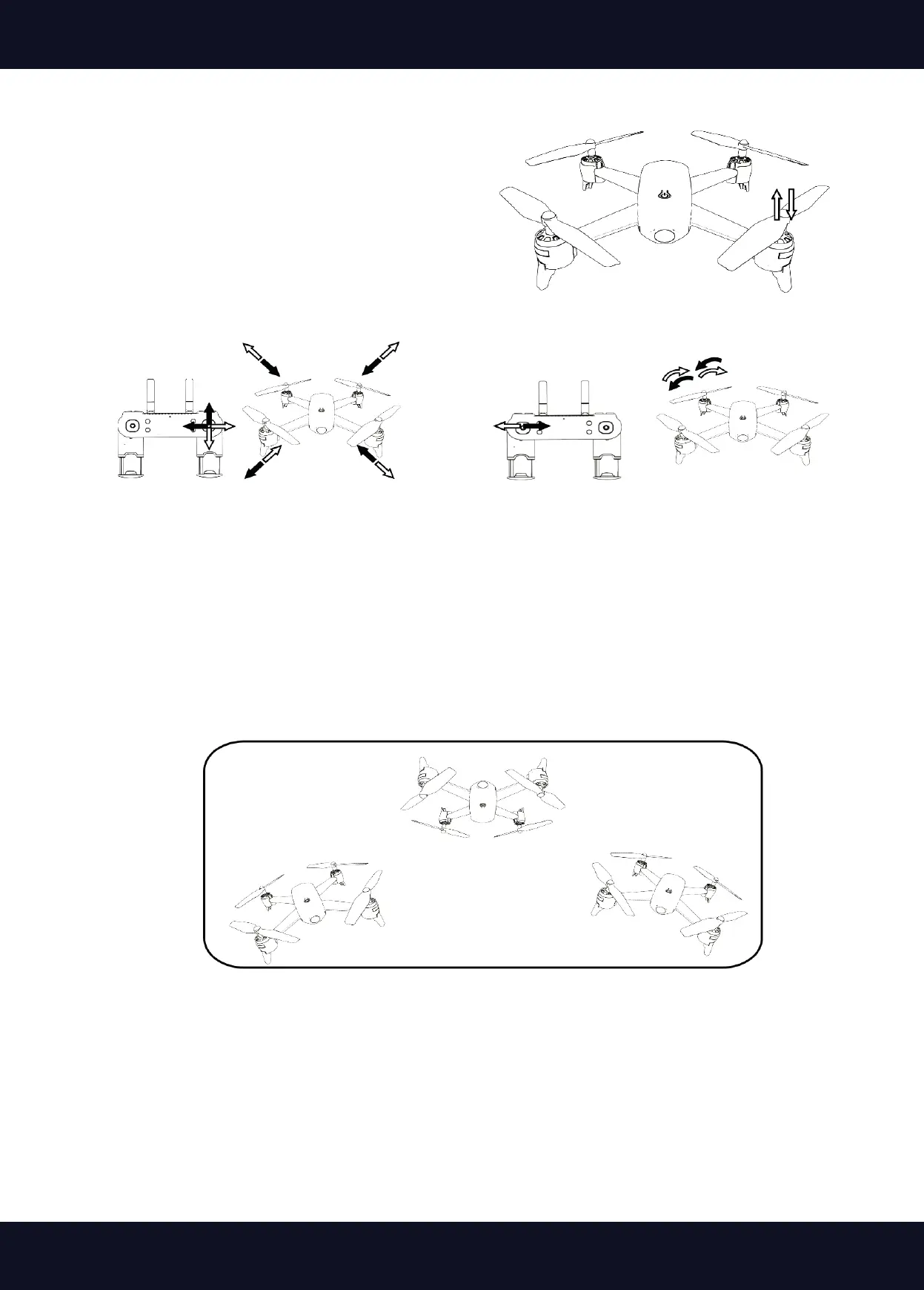
1. ight exercise
Slowly push the left control stick forward until the dro-
ne lifts o the ground and hovers. Now slowly pull the
left control stick back until it lands again. Repeat this
exercise until you get a feel for it.
Once you have mastered the basic ight controls, you can go one step further and y small tricks. Press
the 3D button on the upper right corner of the remote control, the remote control will beep. By moving
the right stick forward/backward or left/right, the drone will perform a rollover in the corresponding
direction.
Reminder:
1. Before ying, place the drone on a at surface to be sure it will hover smoothly.
2. Flying indoors: Keep your distance from obstacles, animals and people.
3. Flying outdoors: Fly in warm weather with as little wind as possible.
Warning:
4. Do not y in bad weather. Heat or cold weather can negatively aect ight performance and
characteristics.
5. Do not y in strong winds. The drone may veer o course.
2. ight exercise
When hovering, carefully move the
right control stick forward/backward
and left/right.
3. ight exercise
When the drone is hovering, move the
left control stick left/right. Rotate the
drone in this way.


 To Next Page