RTS/CTS jumper <JMP3>
This jumper is located immediately behind the three-port interface jack J2 and between
components U3 and U4.
Jumper On = Stand-alone operation.
Jumper Off = Allows flow control when used with MDS Multiplexer type MD 204.
PRINTER PORT
This RS232 compatible port is specifically formatted to allow the direct connection of a Ticket
Printer to the COMP-U-DIFF.
PIN# SIGNAL NAME
2 RECEIVE
3 TRANSMIT
7 SIGNAL GROUND
Note: RTS/CTS and DTR protocol are not supported on this port!
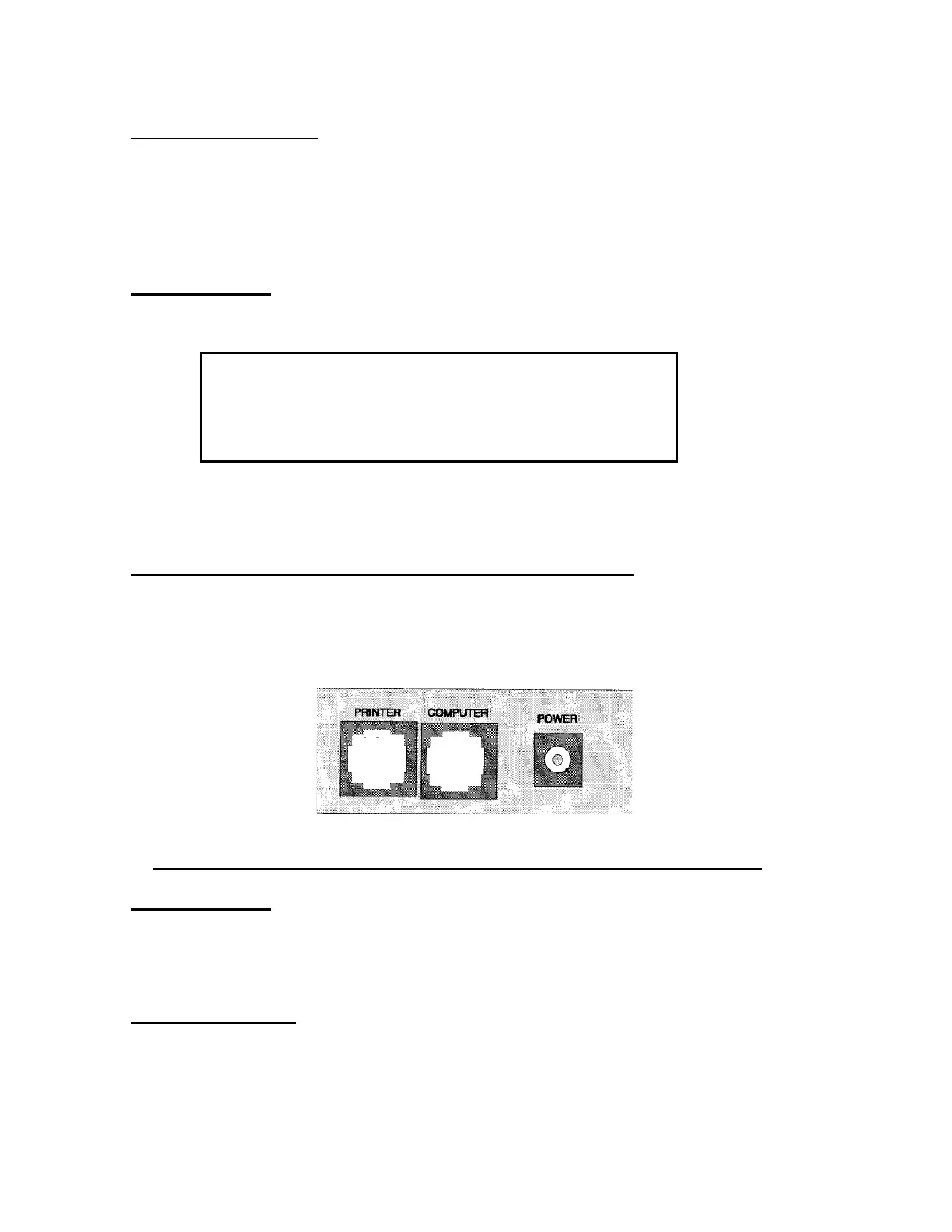
PHYSICAL LAYOUT OF WORKSTATION SERIAL PORTS
THE WORKSTATION HAS TWO [2] RS232 SERIAL PORTS, WHICH ARE PHYSICALLY
LOCATED AT THE REAR OF THE INSTRUMENT ADJACENT TO THE POWER
ADAPTER REVEPTACLE.
THE DIAGRAM SHOWS THE PORT LAYOUT DETAIL (SEEN FROM REAR APRON)
PRINTER PORT
DATA OUTPUT IN ENGLISH TEXT FORMATTED (VERTICALLY) FOR USE WITH A
TICKET PRINTER.
COMPUTER PORT
DATA IS OUTPUT IN AN [ASCII] STRING FORMAT; i.e., HORIZONTAL FORMAT. Refer
to exhibit 1 for specific details.



 To Next Page