EasyManua.ls Logo

Moen TS3302TB - User Manual

Moen TS3302TB
16 pages
Print Icon
To Next Page IconTo Next Page
Loading...
Installation Guide
Guía de Instalación
Guide d’installation
HELPFUL TOOLS
For safety and ease of faucet
replacement, Moen
recommends the use of these
helpful tools.
HERRAMIENTAS
ÚTILES
Para que el cambio de la llave
sea fácil y seguro, Moen le
recomienda usar estas útiles
herramientas.
OUTILS UTILES
Par mesure de sécurité et pour
faciliter l’installation, Moen
suggère l’utilisation des outils
suivants.
Please Contact Moen First
For Installation Help, Missing or Replacement Parts
(USA)
1-800-BUY-MOEN (1-800-289-6636)
Mon - Fri 8:00 AM to 7:00 PM, Eastern
Sat. 9:00 AM to 3:00 PM Eastern
www.moen.com/u/support
(Canada)
1-800-465-6130
Mon - Fri 7:30 AM to 7:00 PM, Eastern
www.moen.ca
Por favor, contáctese primero con Moen
Para obtener ayuda de instalación, piezas
faltantes o de recambio
011 52 (800) 718-4345
Lunes a viernes de 8:00 a 20:00 hs.
(Costa Este)
Sáb. 8:00 a 18:30 hs. (Costa Este)
www.moen.com.mx
Veuillez d’abord contacter Moen
En cas de problèmes avec l’installation, ou
pour obtenir toute pièce manquante ou de
rechange
1-800-465-6130
Du lundi au vendredi :
de 7 h 30 à 19 h, HE
www.moen.ca
INS10515 - 11/16
U BY MOEN ™
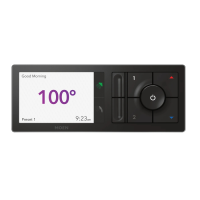
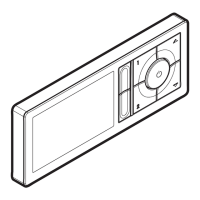
DIGITAL SHOWER CONTROLLER
MODEL TS3302TB FOR USE WITH S3102 SHOWER VALVE
MODEL TS3304TB FOR USE WITH S3104 SHOWER VALVE
CONTROLADOR DIGITAL
PARA REGADERA U BY MOEN
MODELO TS3302TB PARA USAR CON LA VÁLVULA PARA REGADERA S3102
MODELO TS3304TB PARA USAR CON LA VÁLVULA PARA REGADERA S3104
CONTRÔLEUR DE DOUCHE
NUMÉRIQUE U BY MOEN
MC
MODÈLE TS3302TB À UTILISER AVEC LA SOUPAPE DE DOUCHE S3102
MODÈLE TS3304TB À UTILISER AVEC LA SOUPAPE DE DOUCHE S3104
3/16"
4.8mm
Silicone caulking
Masilla de silicona
Calfeutrage à la silicone
TS3302TB
TS3304TB
Shower Side
Lado de la regadera
Côté de la douche
Icon Legend/Leyenda de Iconos/
Légende des icônes

Questions and Answers

  • D
    danielsimpsonJul 29, 2025
    How to increase low flow in Moen TS3302TB?
    • S
      Sheri PachecoJul 29, 2025
      If you're experiencing low flow with your Moen Plumbing Product, start by cleaning the screen filters. Also, check to ensure that the hot and cold water supply lines are not reversed and correct them if necessary.
  • J
    Jessica HortonAug 3, 2025
    How to troubleshoot no power at Moen TS3302TB controller?
    • M
      Maria WebsterAug 3, 2025
      If your Moen Plumbing Product controller has no power, several factors could be at play. First, ensure the data cable is fully inserted into both the controller and the shower valve. Next, verify that the AC power adapter is correctly plugged into the electrical outlet and fully inserted into the shower valve. Check your home's circuit breaker or GFCI and reset if necessary. If there's a power outage, restore power or use an optional battery backup kit, ensuring the batteries are correctly installed or replaced if needed. If none of these steps work, a system reset may be required.
  • R
    Ryan ChangAug 8, 2025
    What to do if Moen TS3302TB Plumbing Product controller has power but no water flows?
    • U
      ulucasAug 8, 2025
      If your Moen Plumbing Product controller has power but no water flows, first, make sure that the water supplies are turned on. If the water supplies are on, a system reset may be required.
  • G
    gonzalezchristineAug 12, 2025
    Why does my Moen TS3302TB water shut off unexpectedly?
    • M
      Mr. Jeffrey JordanAug 13, 2025
      If the water shuts off unexpectedly with your Moen Plumbing Product, it might be due to the auto shut-off feature after a preset time. To resume, simply start your shower normally. Alternatively, a loss of hot or cold water pressure could be the cause. Check the water pressure at other fixtures in your home. If water is available elsewhere, try performing a system reset.
  • S
    Stephanie FranklinAug 17, 2025
    How to fix Moen Plumbing Product when water does not reach set temperature?
    • P
      powelljacobAug 18, 2025
      If the water from your Moen Plumbing Product isn't reaching the set temperature, the hot water supply may be depleted; wait for it to heat up. Alternatively, the hot water supply device temperature might be set too low; adjust it to a higher setting.
  • G
    Gregory PorterAug 23, 2025
    What to do if Moen TS3302TB Plumbing Product controller powers up but no buttons work?
    • K
      Karen TorresAug 23, 2025
      If the controller of your Moen Plumbing Product powers up but no buttons are working, a system reset may be required.

Summary

Mounting the Controller

Controller Installation Steps

Finalizing Controller Installation

Connecting Cables and Controller

Guides on connecting the data cable and attaching the controller to the mounting bracket.

Controller Setup and Presets

Initial Controller Setup

Steps for initial configuration including language, time, and temperature units.

Mobile App Setup and Synchronization

App Installation and Account Creation

Guide to downloading the app, creating a user account, and activating it.

Synchronizing Shower with App

Steps to pair the controller with the smartphone app for full control.

Troubleshooting Common Issues

System Reset Procedure

Instructions for resetting the system by unplugging and reinserting the AC power adapter.

Troubleshooting Guide

Table of symptoms, probable causes, and recommended actions for various operational problems.

Moen TS3302TB Specifications

General IconGeneral
Model NumberTS3302TB
FinishMatte Black
Valve IncludedNo
Handle TypeLever
Water Flow Rate1.75 GPM
Valve TypePosi-Temp
Flow Rate (GPM)1.75
Number of Outlets1
Temperature ControlYes
Handle StyleLever
Connection Size1/2 in.
Connection TypeIPS
Installation TypeWall Mount
Flow Rate1.75 GPM
ADA CompliantYes
WarrantyLimited Lifetime
Spout HeightNot Applicable
Spout ReachNot Applicable

Related product manuals