30 Appendix B. 115/230 V conversion
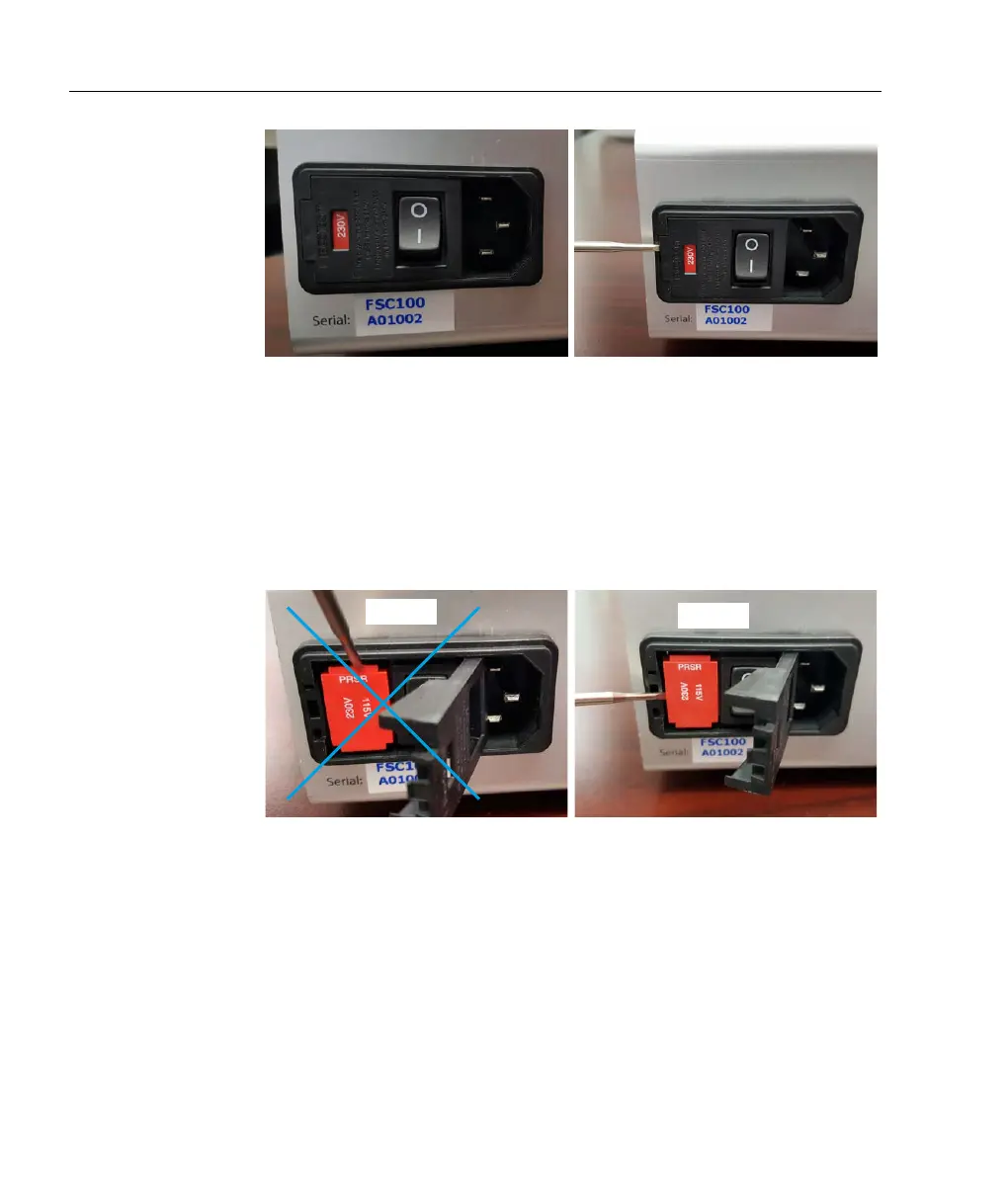
Figure B.2: To change fuse or voltage, open the fuse cartridge cover with
a screwdriver inserted into a small slot at the left edge of the cover, just
to the left of the red voltage indicator.
When removing the fuse catridge, insert a screwdriver into the recess
at the left of the cartridge; do not try to extract using a screwdriver
at the sides of the fuseholder (see figures).
Figure B.3: To extract the fuse cartridge, insert a screwdriver into a recess
at the left of the cartridge.
When changing the voltage, the fuse and a bridging clip must be
swapped from one side to the other, so that the bridging clip is
always on the bottom and the fuse always on the top; see figures
below.



 To Next Page