9
English
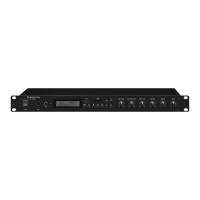
7 Specifications
RMS output power: . . . 2 × 75 W at 4 Ω
2 × 45 W at 8 Ω
Audio frequency range: 20 – 20 000 Hz
S / N ratio: . . . . . . . . . . . ≥ 80 dB
Crosstalk attenuation: . . ≥ 45 dB
THD: . . . . . . . . . . . . . . . ≤ 0.1 %
Inputs (connection,
sensitivity / impedance)
MIC, mono, balanced: combined
XLR / 6.3 mm jack,
2 mV / 0.5 kΩ
AUX, stereo: . . . . . . . . 3.5 mm jack,
370 mV / 30 kΩ
LINE IN, stereo: . . . . . . RCA jacks,
600 mV / 30 kΩ
AMP IN, stereo: . . . . . RCA jacks,
950 mV / 25 kΩ
Tone control
Low frequencies: . . . . ±10 dB / 100 Hz
High frequencies: . . . . ±10 dB / 10 kHz
FM frequency band: . . . 87.5 – 108 MHz
Bluetooth transmission
Frequency band: . . . . . 2402 – 2480 MHz
Transmission
power (max.): . . . . . . . 1.62 dBm
Power supply: . . . . . . . . ~ 230 V / 50 Hz
Power consumption: . . . 320 VA
Ambient temperature: . 0 – 40 °C
Dimensions: . . . . . . . . . 482 × 44 × 245 mm
(W × H × D)
Rack units: . . . . . . . . . . 1 U
Weight: . . . . . . . . . . . . 5.62 kg
7.1 Conformity and approval
Hereby, Monacor International GmbH &
Co. KG declares that the radio equipment type
SA-130DMP is in compliance with Directive
2014 / 53 / EU. The full text of the EU declaration
of conformity is available at the following in-
ternet address:
www.monacor-international.com
Subject to technical modification.
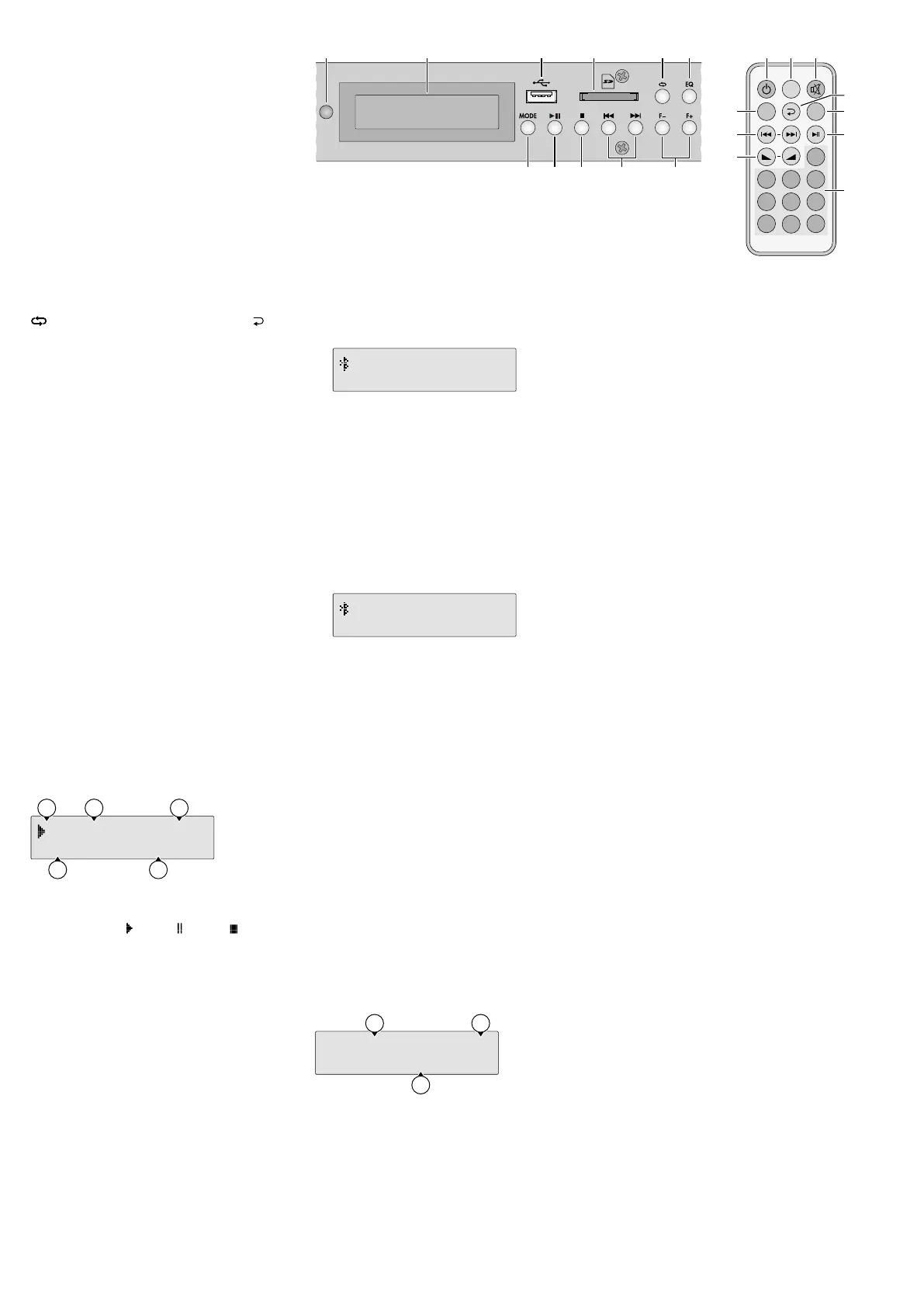
– Connect a USB storage medium to the USB
port (17).
– Insert a memory card (FAT16 / FAT32, 64 GB
max.), notched corner facing to the right and
towards the device, into the card slot (18)
until it engages. To remove the card, push the
card into the slot until it disengages.
Once a storage medium is connected, it will
be selected and reproduced.
To set the replay to pause, press the button
II (22); to stop the replay, press the button
(23) at the device or STOP (23) on the re-
mote control. To continue the replay, press
the button
II.
To select the replay mode, use the button
(19) at the device or the button (19)
on the remote control. It is possible to switch
over between:
ALL
= all titles continuously replayed one
after the other
FOLDER
= all titles of the current folder contin-
uously replayed one after the other
SINGLE
= current title continuously replayed
RANDOM
= all titles continuously replayed in
random order
To select a title, either use the button
I
or
I (24) or enter the title number by means
of the numeric keys (29) on the remote control.
To select a folder, use the button F− or
F+ (25) at the device.
For fast reverse and fast forward (functions
only available during replay), keep the button
I
or
I (24) on the remote control pressed.
Fast forward will go beyond the current title;
fast reverse will stop at the beginning of the
current title.
Use the button EQ (20) to select the equalizer
setting desired. It is possible to switch over
between:
NORMAL
,
POP
,
ROCK
,
JAZZ
,
CLAS-
SIC
,
COUNTRY
.
The display (16) will show:
U ALL 00:05
0001: Title-Hel
d
e
c
b
a
a
U
for USB medium,
C
for memory card
the letter is preceded by the respective sym-
bol for replay , pause or stop
b
the replay mode:
ALL
,
FOLDER
,
SINGLE
or
RANDOM
c the time already played of the title
d the number of the title
e title information (ID3 tags)
6.1.6 Operating mode “Bluetooth”
The Bluetooth receiver can be used to establish
a wireless connection to a Bluetooth signal
source (e. g. smartphone, tablet PC, notebook)
and thus to replay the audio files stored on the
signal source via the SA-130DMP.
Establishing a Bluetooth connection:
1)
Use the button MODE (21) to select the op-
erating mode “Bluetooth”. The display(16)
will show
Discon nected!
to indicate that
no Bluetooth connection is established:
Bluetooth
Disconnected!
2)
At the Bluetooth source, switch on the Blue-
tooth function.
3)
On the display of the Bluetooth source,
the Bluetooth receiver will be indicated as
“SA-130DMP”. Pair the Bluetooth source
with the Bluetooth receiver (please refer
to the instruction manual of the Bluetooth
source, if required).
4)
Once the Bluetooth connection has been
established, the display will show
Con-
nected!
:
Bluetooth
Connected!
5)
Use the buttons of the Bluetooth source for
operation (replay, pause, title selection) or
the button
II
(22) for replay / pause and the
buttons I
and
I (24) for title selection.
6.1.7 Operating mode “Radio”
Use the button MODE (21) to select the op-
erating mode “FM radio”. If no stations have
been saved yet, a station scan will start auto-
matically. The stations found will be saved one
after the other.
To call up a station that has been saved, either
use the button I
or
I (24) [I
= previous
station,
I = next station] or use the numeric
keys (29) on the remote control to select the
storage location number.
To start another station scan, press the but-
ton
II
(22). To stop the scan at any time, press
the button
II again.
The display (16) will show:
FM
:
15 VOL:32
Freq
:
88.3MHz
b
a
c
a the number of stations saved
b the basic volume adjusted
(see chapter 6.1.3)
c the frequency of the current station
21 22 23
1715 16 18 19 20
24
25
➂
7
8
9
4
5 6
21 3
0
MODE
STOP
EQ
All rights reserved by MONACOR
®
INTERNATIONAL GmbH & Co. KG. No part of this instruction manual may
be reproduced in any form or by any means for any commercial use.


 To Next Page
 Loading...