3
2.2 Connect Logger and Start Track-It SoŌware
Plug the Track-It logger into an available USB port on the PC using
the supplied cable. If the Found New Hardware Wizard appears,
follow the prompts to complete the installaon.
Start the Track-It Soware by double-clicking the Track-It
icon (shown right) on your PC desktop or from the Start
menu.
If the USB drivers installed
properly you will see
“Device Connected”
displayed in the lower
right hand corner of the
Track-It Soware window.
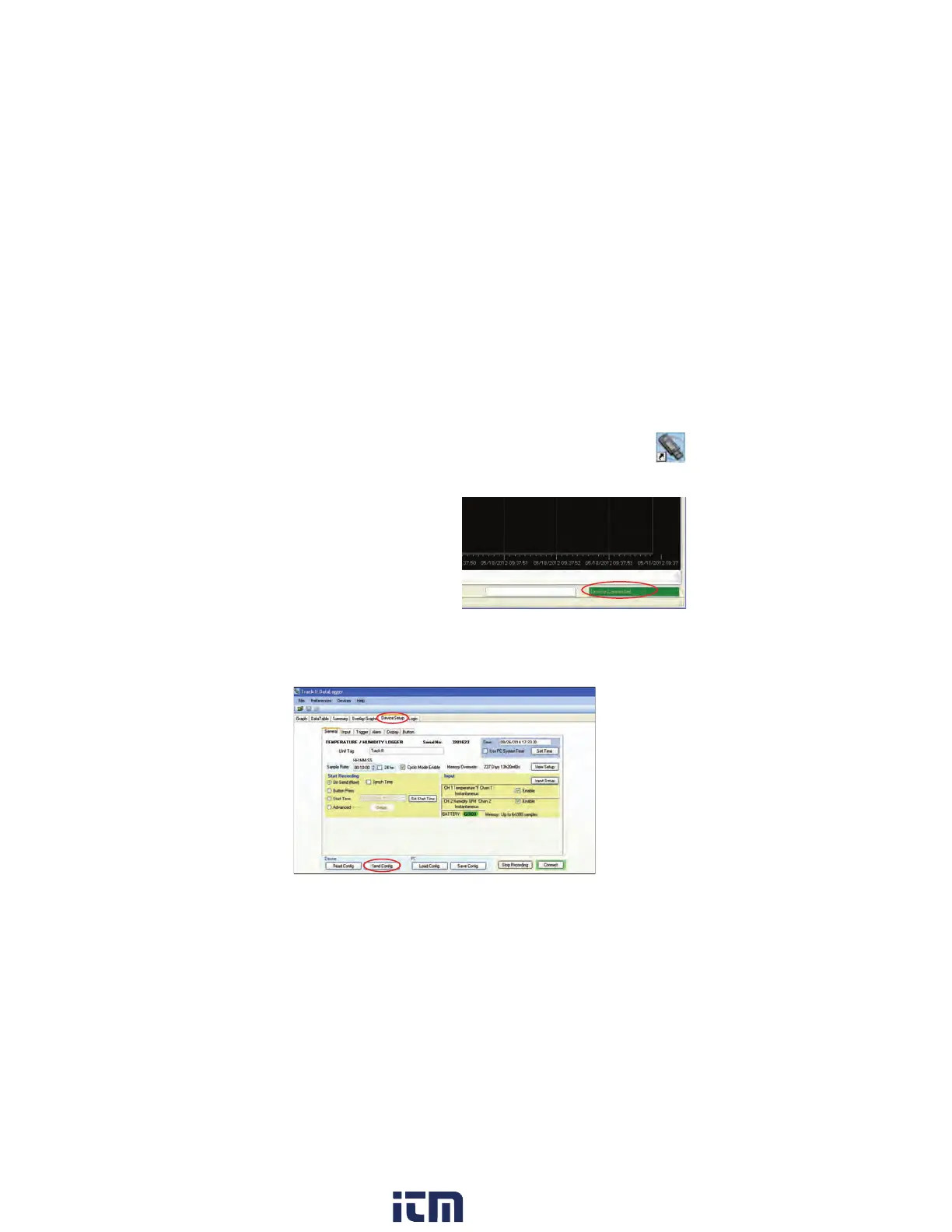
2.3 Configure Logger
Select the “Device Setup” tab as shown below. The soware will
automacally retrieve and display the data logger configuraon.
w ww . . co m
information@itm.com1.800.561.8187


 To Next Page