Potensi Elevator
7
/
13
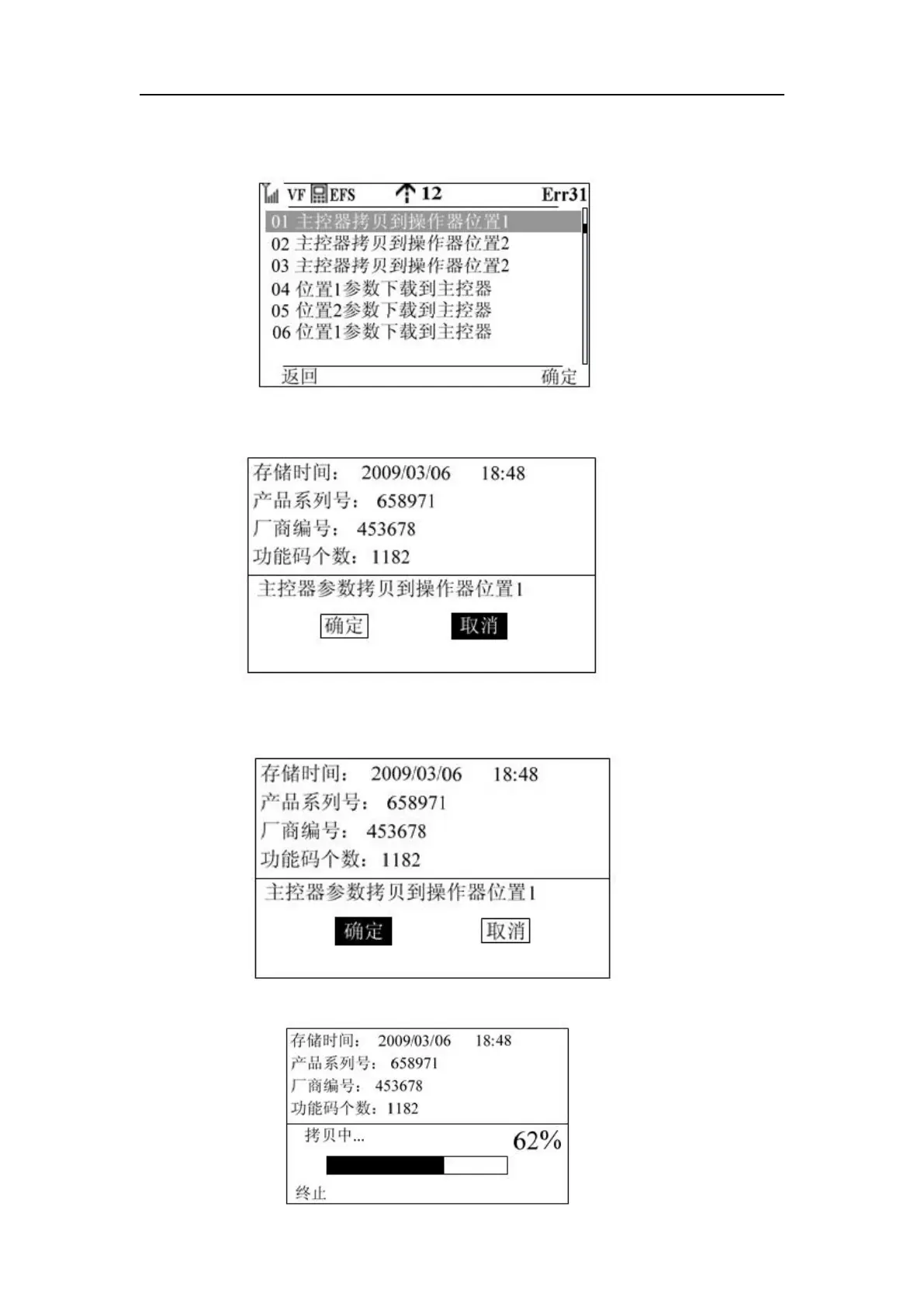
Step 2: Press the knob OK key or function key 2 to enter the following interface and adjust the
cursor position
Step 3: Press the knob OK key or function key 2 to enter the following screen
Step 4: In order to prevent misoperation, put the default value on the cancel, rotate the knob to
make the cursor to the ok key position, as shown in the figure
Step 5: Press function key 2 to start the parameter copy, the interface is as follows:



 To Next Page