Potensi Elevator
8
/
13
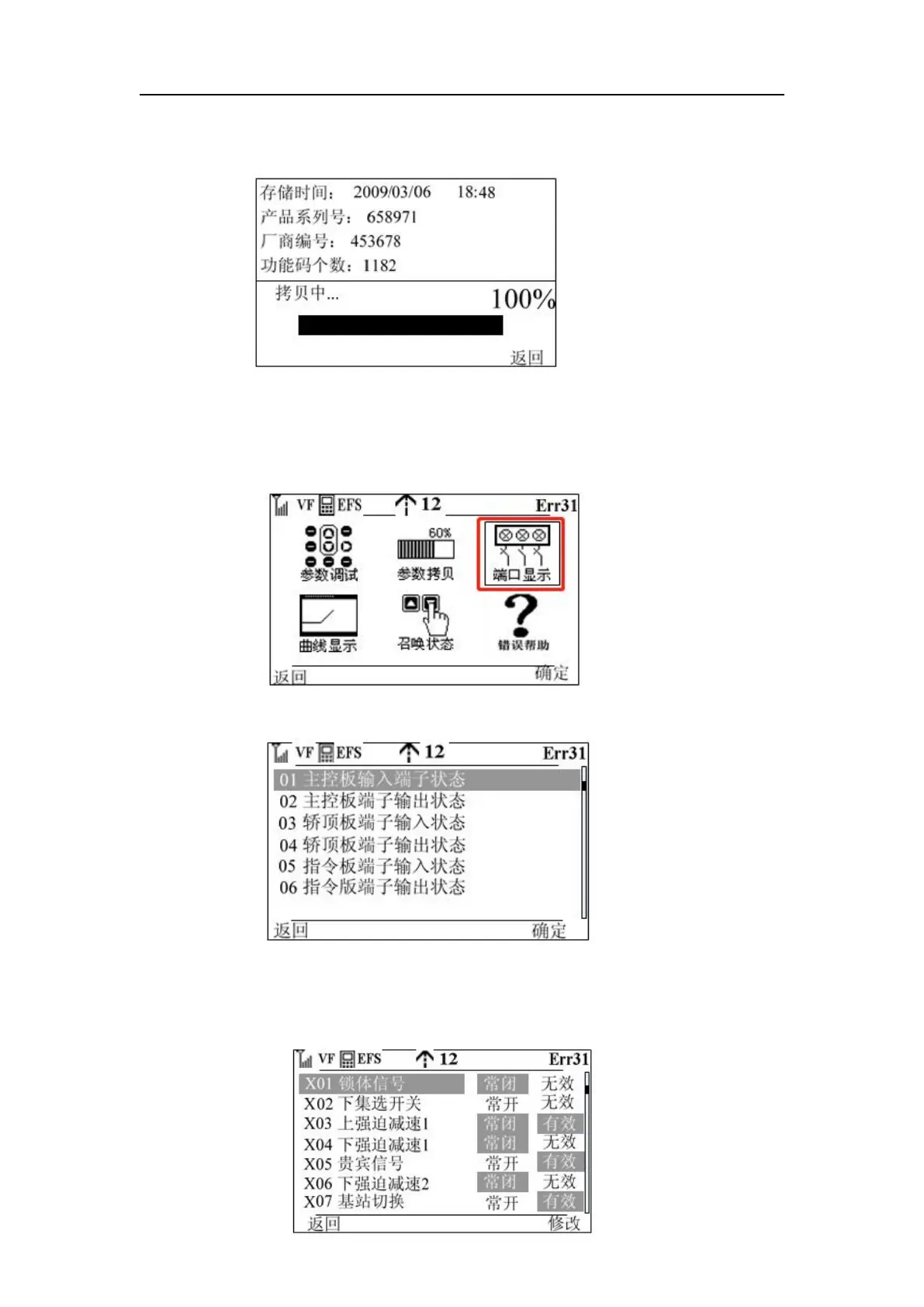
Step 6: When the copy suddenly wants to terminate, press the function key 1 to terminate the
copy, when the copy is completed, as shown in the figure
Step 7: Press Function Key 2 to return to Step 2
Port Display:
Step 1: Move the cursor to the position below screenshot shown on the main interface
Step 2: Press the knob OK key or function key 2 to enter the following interface
Step 3: Press the button to determine the key and function key 2 enter the input terminal state,
in this interface will give the normally open and normally closed status of each input terminal,
valid and invalid. The status of all terminals can be viewed by turning the knob.



 To Next Page