2
SetUp
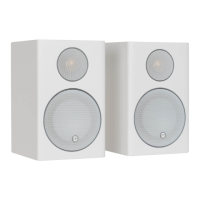
The set up of the WS100’s is very straight forward and easy to do thanks to the SKAA wireless technology. Follow the simple steps below
to start enjoying outstanding quality music:
1. Place the speakers in the desired location.
2. With the computer turned on (and logged in if necessary), insert the USB dongle into a spare USB socket on the PC/ Mac. The
computer will say that it is installing device drivers. Do not play any music until the computer says the drivers have been installed
and the device is ready to use.
3. Connect the right hand speaker to the mains and join the two speakers together by connecting the umbilical lead from the left
speaker into the right.
4. When the LED on the front is illuminated red, press either of the volume buttons or the p button on the remote. The white LED should
start to ash and the SKAA (rear) LED should be faint amber. If it is green, press either the g button on the remote, or both volume
buttons simultaniously on the right hand speaker.
5. When the transmitter and receiver have found each other, the LED on the front should be solid white and the LED on the rear will be
bright amber.
6. Start up your preferred media player and start enjoying your music.
If you run into any issues when setting up, please see the FAQ’s and Trouble Shooting Guide in this manual.
SKAA Button
Stand By Button
RemoteControl
Next Track Button
Play/ Pause Button
Previous track Button
Volume Up Button
Volume Down Button
Input Source Button
Rear of Right Hand Speaker
SKAA
LED
Aux
In
Power
In
Left Speaker
Connection
Title: i-Deck Remote Control Artwork
Date: 15th February 2010
Notes:
1. ICONS TO BE SILKSCREENED
PANTONE REFERENCE COOL GREY 1M
2. LOGO & TEXT TO BE PRINTED AS BLACK UV SPOT
3. IMAGE FOR REFERENCE PURPOSES ONLY.
4. VERSION 2


 To Next Page
 Loading...