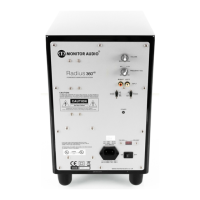
Specification
Low frequency limit:- 27Hz (EQ1) 21Hz (EQ2)
Upper frequency limit:- 40 – 120 Hz Variable
Low pass filter alignment:- Active 4th order 24db/octave (two-stage filter)
Cabinet Specification: - Sealed Cabinet of 25mm M.D.F construction with internal bracing
Amplifier Output:- 500 Watts (RMS) 1000 Watts (Peak)
Amplifier classification:- Class- D Digital amplifier
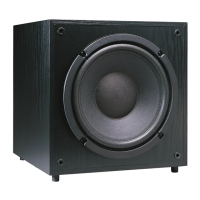
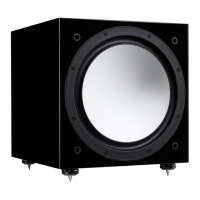
Driver compliment:- 1 x 12” C-CAM
®
subwoofer driver featuring triple suspension and 3”
long throw voice coil
Dimensions:- Millimetres:- 340 x 340 x 370
(H x W x D) Inches:- 13
3
/
8
x 13
3
/
8
x 14 ½
Weight (unpacked):- 25.5 Kg (56lbs)
Input Impedance: - 20K Ohms
Mains input voltage:- 110 - 120 Vac / 220 - 240 Vac 50/60Hz
(Electronically Auto selected)
C-CAM® is a registered trade mark of Monitor Audio Ltd
Trouble Shooting
Should you experience any technical, or set-up problems with your AW-12 please check the Trouble Shooting
Guide below:
My AW-12 will not turn on/no power.
• IstheLEDilluminatedonthebackoftheunit?Ifnot,thencheckyourmainsleadisproperlyconnected
both at the AW-12 and at the mains outlet. Also check the fuse of the mains plug (where fitted) and also
the fuse in the AW-12. See page 7 for further information on changing the fuse and it’s location.
• IstheLEDonthebackred?Ifso,youhavepowergoingtotheunit.Itcouldbethatthereisnosignal,
or the 12v trigger is connected and the source not turned on (see below).
• Haveyougotthe12vtriggerconnected?Ifso,theAW-12willnotpowerupuntilthesourceispowered
up.
• Hasitgotasignalgoingtoit(12vtriggernotbeingused)?Ifso,isthePowerModeSwitchintheAuto
orOnposition,andthesignalsourceisturnedon?Tryadjustingthevolumelevelofthesource.
If it still does not turn on/ power up, please contact your local dealer/ distributor or Monitor Audio immediately.
No sound from AW-12.
• IstheLEDonthebackredorgreen?Ifitisred,thentheunithasn’tactuallyturnedon.Seeabove
comments. If it is green, then your unit is powered up and turned on. Check further suggestions
below.
• Arethesignalleadsconnectedcorrectly?Checkthese.Ifpossible,checkwithasecond,knowntobe
working set.
• Isthevolumeleveljustverylow?
If it still does not output a signal, please contact your local dealer/ distributor or Monitor Audio immediately.
monitoraudio.co.uk
9


 To Next Page
 Loading...