MONITOR
HEATING
SYSTEMS
Section
3:
Operation
-
FIGURE
AND
ITEM
NO
CONTROL
OR
INDICATOR
FUNCTION
-
--
Figure
3-1,
ttem6
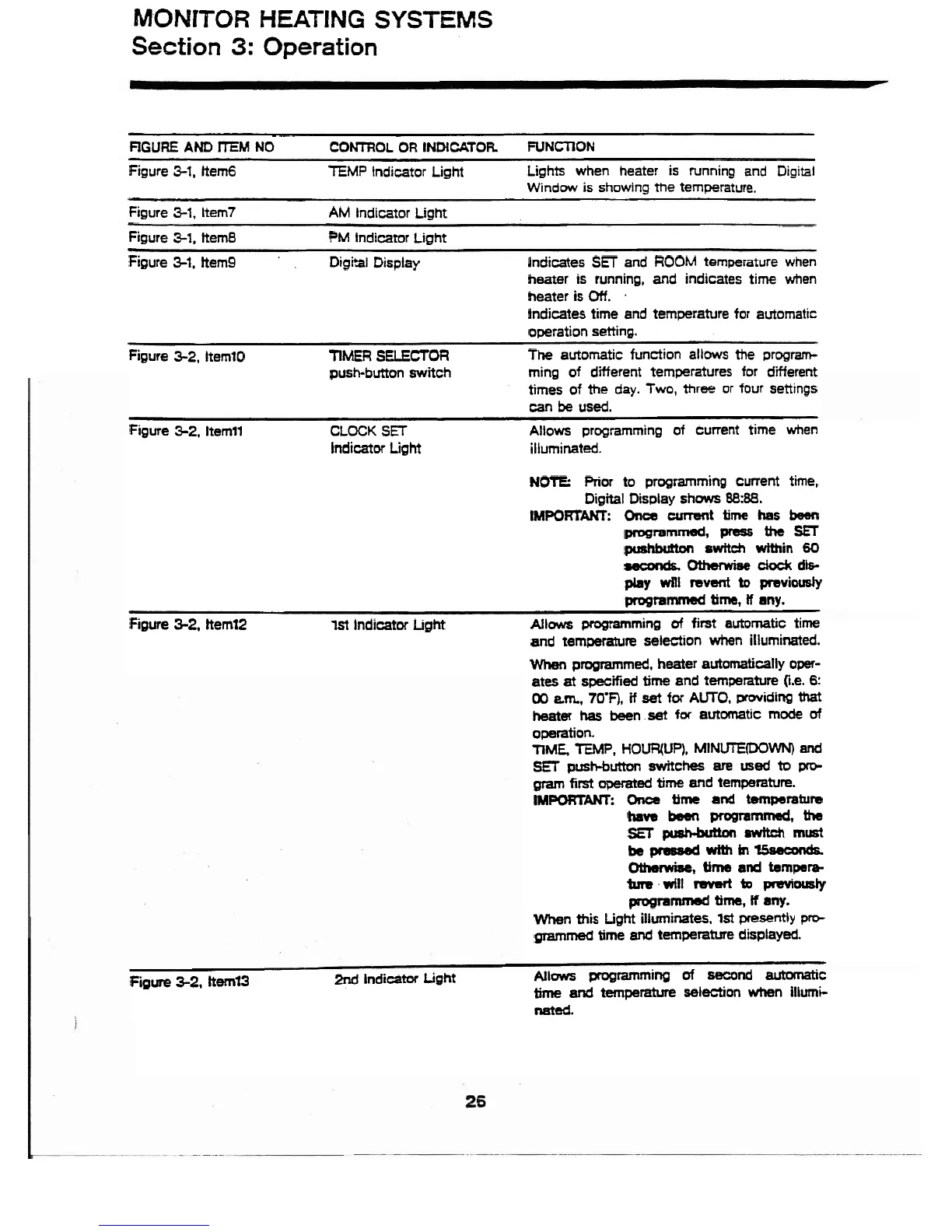
TEMP-Indicator Light
Lights when heater is running and ~i~i&l
Window is showing the temperature.
Figure
3-1,
Item7
AM Indicator Light
Figure
3-1.
kern8
PM Indicator Light
Figure
3-1,
hem9
Digital Display
Indicates
SET
and
ROOM
temperature when
heater is running,
and
indicates
time when
heater is
Off.
.
Indicates time and temperature for automatlc
operation setting.
Figure
3-2,
Item10
TIMER
SELECTOR
The
automatic
function allows the program-
push-button
switch
ming of different temperatures for different
times of
the
day.
Two,
three or four settlngs
can
be
used.
Figure
3-2.
Item11
CLOCK
SET
Allows programming
of
current time when
Indicator
Light
illuminated.
NOTE:
Prior
to programming
current
time,
Digital Display shows
88:88.
IMPOKTAKT:
Oncs
cmt
time
has
been
pmgrarnmed,
press
the
SET
ptshbbn
switch
within
60
#cond6.0themise
do&
db-
pby
will
mvsnt
to
previously
progtammed
time,
If
any.
Figure
3-2.
Item72
1st
Indicator
LgM
Allows
programming
of
first
automatic
time
and temperature selection when illuminated.
When
programmed, heater automatically
oper-
ates
at
specified
time
and temperature 0.e.
6:
00
am.,
70'F),
if
set
for
AUTO,
providing
that
heat81
has
been
.set
for
automatic mode
of
operation.
TiME
TEMP,
HOWUP),
MINEDOWN)
and
SET
push-button
switches
are
used
to
prp
gram
first
operated
time
and
temperature.
IMPORTAKI.
Onca
time
and
temperature
have
bssn
prograramsd,
the
SET
pusMdbn
mwttch
must
be
pres8ed
with
in
%seeon&
Ohemisel
time
and
tempera
ta will
rWMt
to
pmviwsty
programmed
time,
I
any.
When
this
Light
illuminates,
1st
presently
prct
grammed
time
and
temperature displayed.
Figure
32,
ttem73
2nd
Indicator
Light Allows programming
of
second
automatic
time
and
temperature
selection
when
illumi-
nated.



 To Next Page