Wire connection
Connecting Modem and your radio by Data cable。If
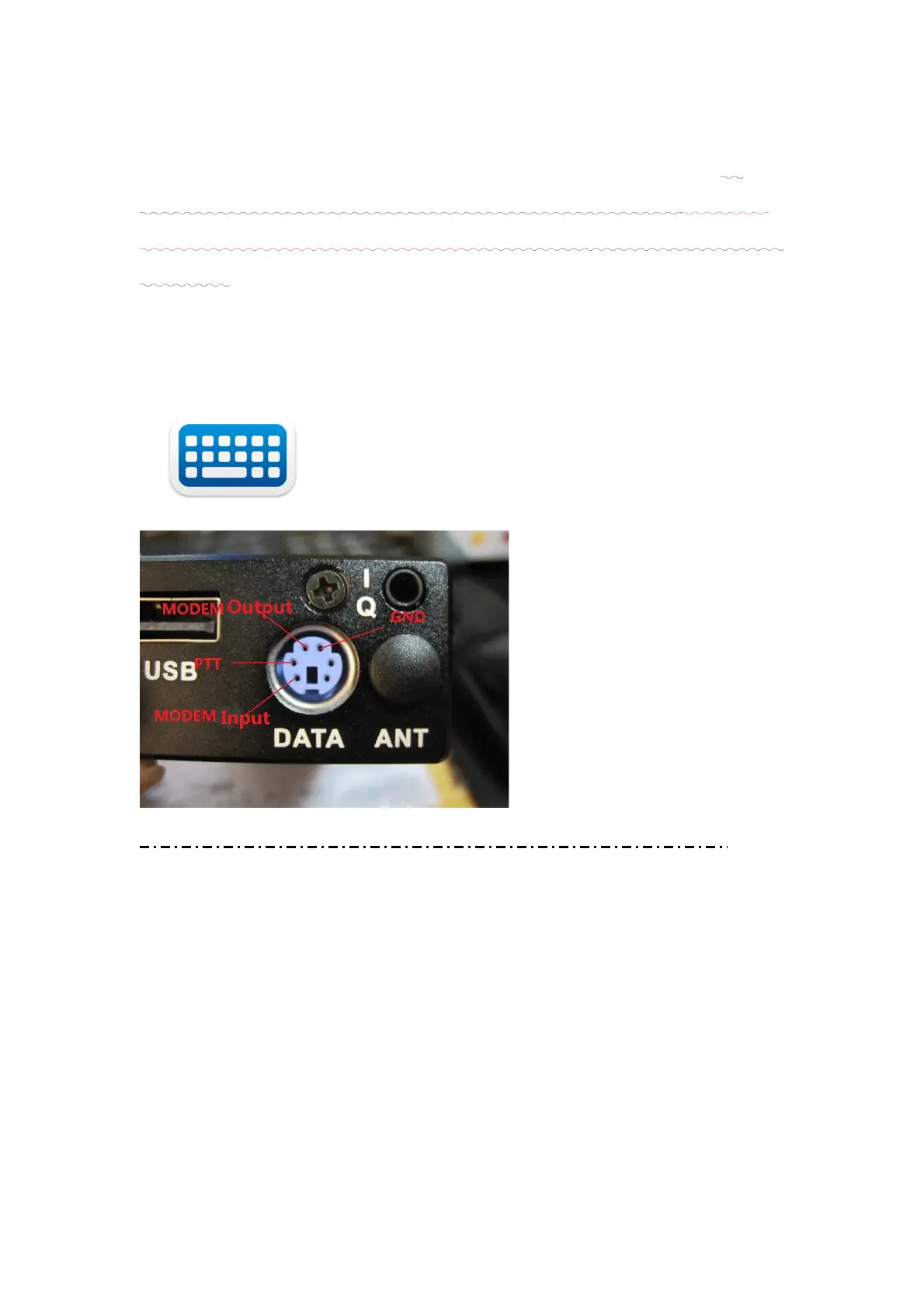
used for DIY radios, just connect 4 pins to MODEM: 1.GND,
2.PTT 3. Audio out 4. Audio in. Take reference of following
pictures.
Data cable
USB cable
Keyboard
DIGI MODEM Interface defines:
<< Modem pin defines
<Radio sides pins defines reference to related manual>
Normally, you should provide your radio model to us, for
supply of related data cable。
2.Battery replacement
Battery replacement is no necessary for lithium. Only
needs to be recharged by DC cable, when system beeps(volt
< 3.5). Extern volt between 5 to 26V can be used for charging.
第 7 页


 To Next Page