The default heartbeat interval is 120 minutes or two hours. It is recommended that you do
not lower your heartbeat level too much because it will drain the battery.
Finish by selecting the “Save” button.
Note: Be sure to select the “Save” button anytime you make a change to any of the sensor parameters. All
changes made to the sensor settings will be downloaded to the sensor on the next sensor heartbeat (check-
in). Once a change has been made and saved, you will not be able to edit that sensor’s conguration again
until it has downloaded the new setting.
Calibrate View
To calibrate a meter, you will want to ensure that the environment of the meter and other
calibration device is stable. Note the “Expected Next Check-in” time for the sensor you are
calibrating and take a reading from your calibration device a few minutes prior to the next
check-in.
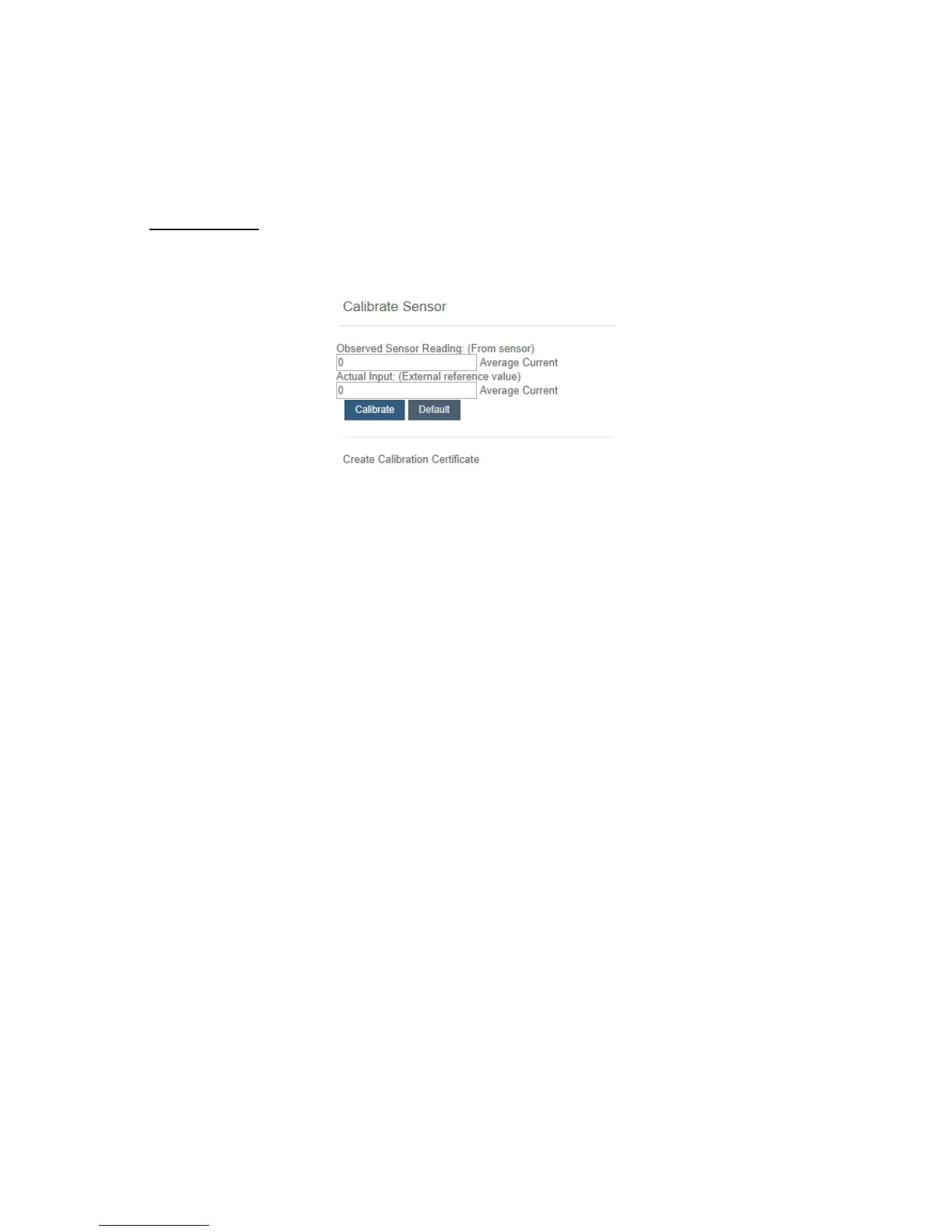
Enter the actual (accurate) reading from the calibration device into the text elds for
“Observed Sensor Reading” and “Actual Input”.
Press “Calibrate”.
When the meter checks-in, it will send the pre-calibration reading to the gateway, then
receive the calibration command and update it’s conguration. When the process is
completed, it will send a “Calibration Successful” message. The server will display the
sensor’s last pre-calibrated reading for this check-in, then all future readings from the
sensor will be based on the new calibration setting.
It is important to note that after calibrating the sensor, the sensor reading returned to the
server is based on pre-calibration settings. The new calibration settings will take eect on
the next sensor heartbeat.
Note: If you would like to send the changes to the sensor right away, please remove the battery(s) for a full 60
seconds, then re-insert the battery(s). This forces the communication from the sensor to the gateway and this the
message to make a change from the gateway back to the sensor. (If the sensors are industrial sensors, turn the
sensor o for a full minute, rather than removing the battery).
If the meter readings need to be reset, the “Calibrate” tab will be available for selection in
the tab bar.
PAGE 10


 To Next Page