- 54 -
VII. QUICK START
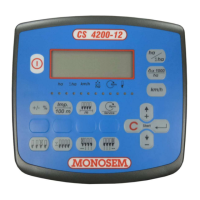
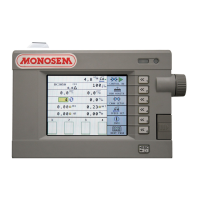
On key: Alarm temporarily off / adjusting of sound intensity:
Using the or keys, select the information lines displayed on the screen (partial surface area meter, average population, forward speed, total
surface area meter, average distance between grains, marking)
To modify the console settings, press the key. Highlight the screen and confirm.
To modify the seeder properties, press the key. Highlight the screen and confirm.
To modify, cut-off, or reset the surface area meters, press the key. Highlight the screen and confirm.
To modify the speed sensor calibration, press the key. Highlight the screen and confirm.
To modify the alarm thresholds, press the key. Highlight the screen and confirm.
VII. MISE EN ROUTE RAPIDE
Mise sous tension : Arrêt temporaire d’alarme / réglage d’intensité sonore :
A l’aide des touches ou , sélectionner les lignes d’informations affichées sur l’écran (compteur de surface partiel, population moyenne,
vitesse d’avancement, compteur de surface total, distance moyenne entre graines, jalonnage)
Pour modifier les paramètres de console, appuyer sur la touche . Mettre en sur-brillance l’écran et valider.
Pour modifier les caractéristiques du semoir, appuyer sur la touche . Mettre en sur-brillance l’écran et valider.
Pour modifier couper ou remettre à zéro les compteurs de surface, appuyer sur la touche . Mettre en sur-brillance l’écran et valider.
Pour modifier l’étalonnage du capteur de vitesse, appuyer sur la touche . Mettre en sur-brillance l’écran et valider.
Pour modifier les seuils d’alarme, appuyer sur la touche . Mettre en sur-brillance l’écran et valider.



 To Next Page