07
EN
3. SETTING UP
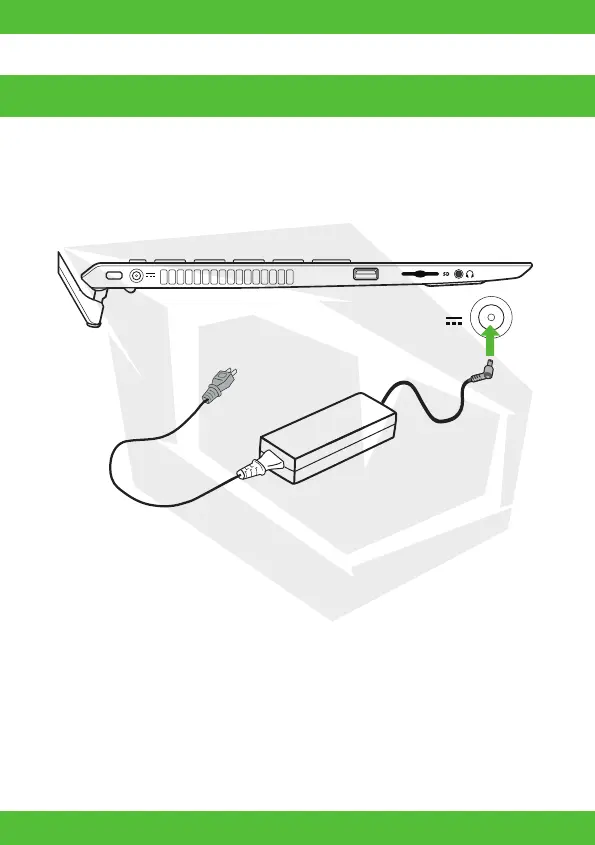
Plug the AC adapter to the AC charging port on the Huma and connect the AC adapter and a
power outlet with the supplied power cord.
• Even when you do not intend to use your Huma for an extended period of time, connect it to
a power outlet at least every three months and charge the battery to around 50% of capacity.
If the computer is kept unplugged from a power outlet for an extended period of time, the
battery voltage will drop due to self-discharge to trigger the safety function and the battery
may become unavailable for use. The time period before the safety function is triggered
varies depending on the ambient temperature.
1. Connect to a Power Outlet







 To Next Page