08
EN
Follow the instructions displayed on the Windows Setup window to make initial settings.
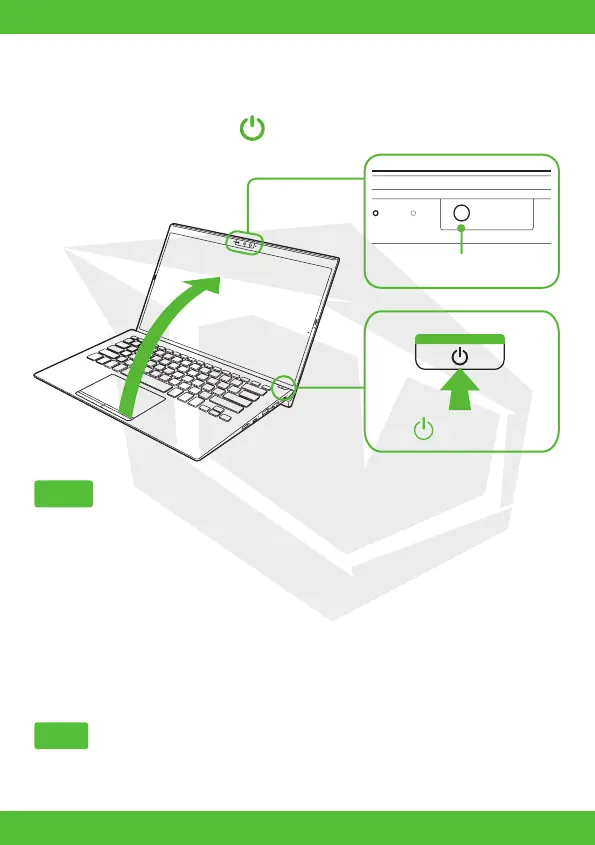
Lift the LCD screen lid and press the power button on the computer.
• When lifting the LCD screen lid, do not grasp the area around the camera as it will cause
malfunctions.
• Do not turn off your Huma before the Windows Setup window appears.
Please refer to Windows Help or Microsoft’s website for more details.
3. Set Up Windows (Initial Setup)
2. Turn On Your Huma
Notes
Note
CAMERA
POWER









 To Next Page