POWER & BATTERY
REMOVE HANDLAMP
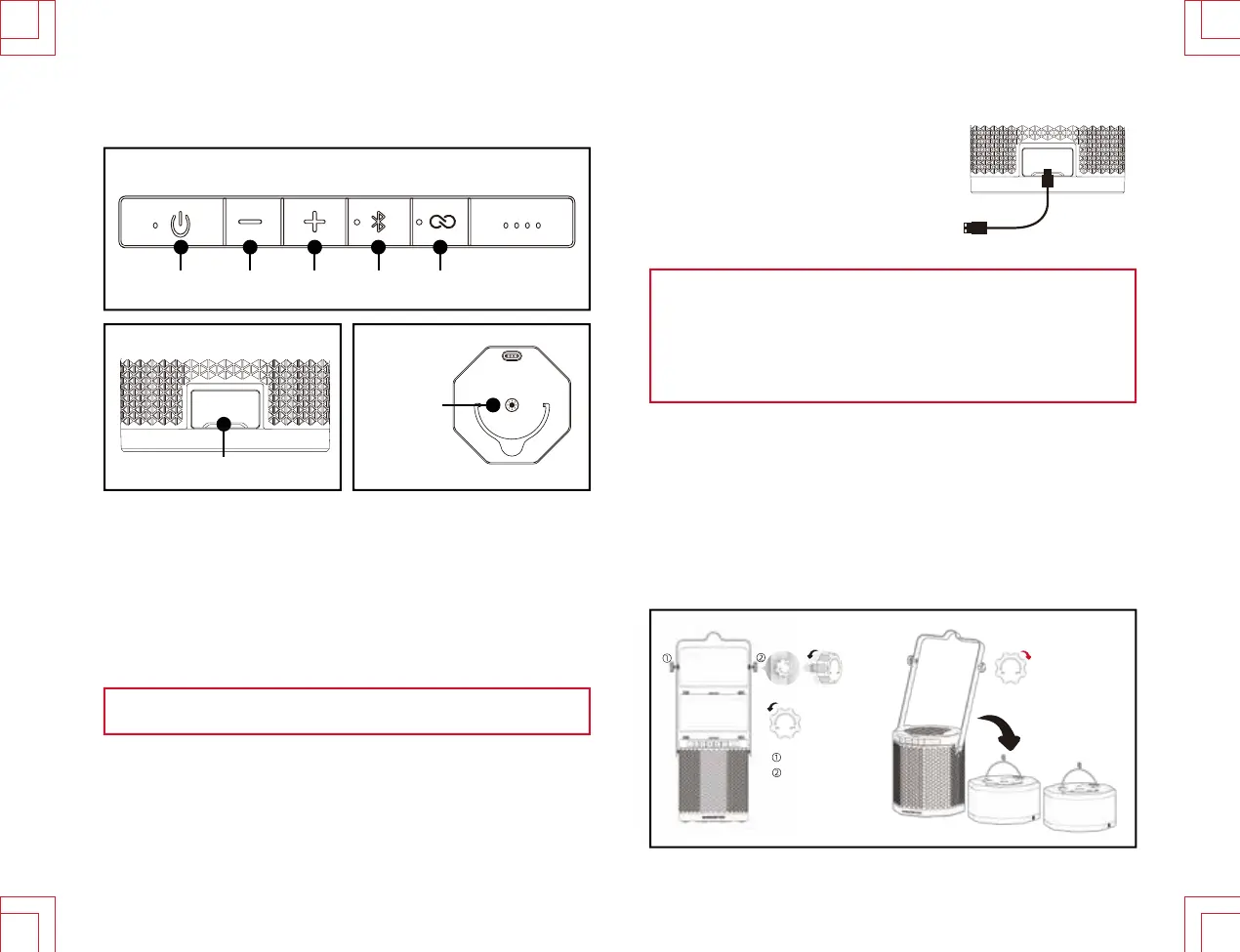
PRODUCT CONTROLS
IMPORTANT:
Full charge
USB port is for charging ONLY
Power/Charging
Control Panel
Charging Port
Handlamp
Key
ConnecttheINPUTPOWERporttoanexternalpowersourceusingtheincluded
powercord.
●
●
●
achievedin7hourswhilepoweredOFF●
achievedin15hourswhilepoweredON.●
theywillnotmakeaudioconnections.●
TurnthescrewandremovetheHandlamps.●
1.
2.
3.
4.
5.
6.
7.
Power key
Volume - key
Volume + key
BT (Pause & Play & Paring) key
EZ play 2 key
Type - C charging port
Light key
① ② ③ ④ ⑤
⑦
⑥
Type - C
Type - C
(5V / 3A)
Before first use, charge for ~7 hours.
1
Counter-clockwise
direction
Takeaway
thehandlamp
Righthandscrew
Lefthandscrew
Turning
screw
clockwiserotation
lock
Eveniftheunithasbeenfullycharged,itisbesttorechargetheunitagainifit
hasnotbeenusedin3months,donotallow6monthstopasswithoutcharging.
Forbetterbatteryefficiency,itisnecessarytorechargetheunitaftereachuse,
donotleavetheunitwithoutpowerformorethan15days.









 To Next Page