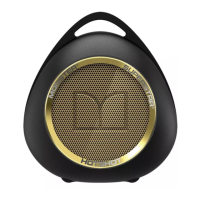
SuperStar
..
Features and Controls
0
--
______
ft
.,
V'
f
*
C)
0
~
@
0
+
-
MIC
SYNC
POWER
j
0
-·
-
Please Note:
SuperStar™
offers audio feedback when you use the controls. When you hear
the sound the
unit
is
performing the function you've initiated.
Functions
that
include audio feedback include:
• Power On •
8/uetooth® pairing available
• Power
Off
• 8/uetooth pairing completed
• Incoming
phone
call
G
~
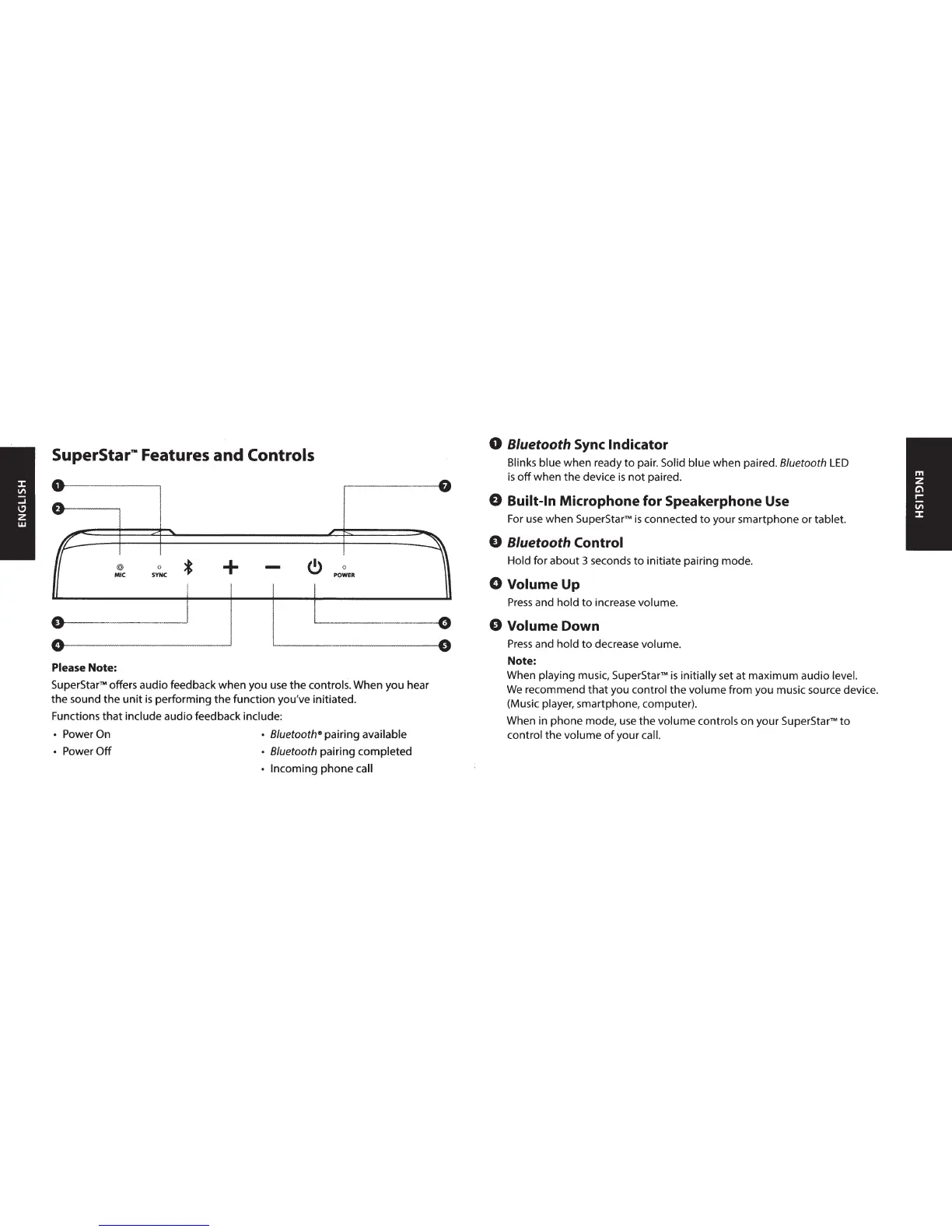
0 8/uetooth
Sync
Indicator
Blinks blue when ready
to
pair. Solid blue
when
paired. 8/uetooth
LED
is
off
when the device
is
not
paired.
0 Built-In Microphone for Speakerphone Use
For use when
SuperStar™
is
connected
to
your smartphone or tablet.
0 8/uetooth Control
Hold for
about
3 seconds
to
initiate pairing mode.
0 Volume Up
Press
and hold
to
increase volume.
0 Volume Down
Press
and hold
to
decrease volume.
Note:
When playing music,
SuperStarrM
is
initially set at maximum audio level.
We
recommend
that
you control the volume from you music source device.
(Music player, smartphone, computer).
When in phone mode, use
the
volume controls on your
SuperStarrM
to
control
the
volume
of
your call.







 To Next Page