EasyManua.ls Logo

Monster SuperStar - Music Playback Controls; Speakerphone Functionality; Audio Input Priority

Monster SuperStar
11 pages
Print Icon
To Next Page IconTo Next Page
To Previous Page IconTo Previous Page
Loading...
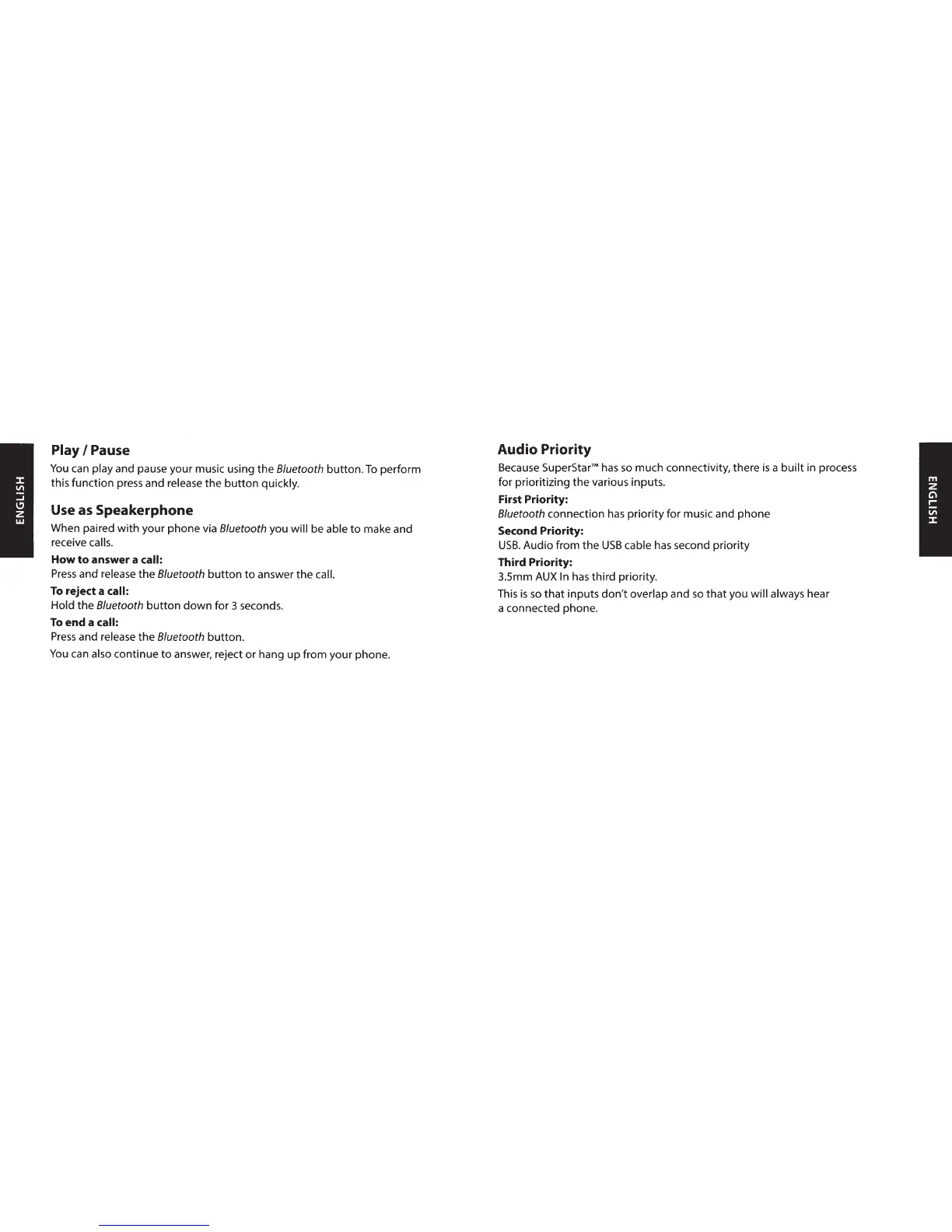
Play
I
Pause
You
can
play
and pause your music using the
8/uetooth
button.
To
perform
this function press and
release
the
button
quickly.
Use
as
Speakerphone
When paired
with
your phone via
8/uetooth
you will
be able
to
make and
receive
calls.
How
to
answer a
call:
Press
and
release
the
8/uetooth
button
to
answer the
call.
To
reject a
call:
Hold
the
8/uetooth
button
down
for 3 seconds.
To
end a
call:
Press
and
release
the
8/uetooth
button.
You
can
also
continue
to
answer, reject
or
hang
up
from your phone.
Audio Priority
Because
SuperStarâ„¢
has
so
much connectivity, there
is
a
built
in process
for prioritizing the various inputs.
First Priority:
8/uetooth
connection
has
priority for music and phone
Second Priority:
USB.
Audio from
the
USB
cable
has
second priority
Third Priority:
3.
5mm
AUXIn
has
third priority.
This
is
so
that
inputs
don't
overlap
and
so
that
you
will always
hear
a connected phone.

Related product manuals