Need help?
Do you have a question about the mooas MO-MC-ELSD and is the answer not in the manual?
Features two LED color options: White and White Gold.
Highlights the clear and clean aesthetic of the LED display.
Uses a light sensor for automatic color and luminance adjustment.
Clock retains time settings using a battery.
Supports time display and time/date/temperature rotation.
Includes built-in calendar and alarm functionalities.
Allows temperature to be displayed in Celsius (°C) or Fahrenheit (°F).
Supports time display in either 12-hour or 24-hour format.
User can adjust LED brightness through multiple levels.
Can be hung on a wall or placed on a desk.
Lists the items included with the LED clock package.
Button used for setting and managing the alarm.
LED indicator light for the smart auto-change mode.
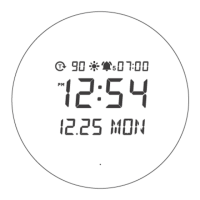
Icon indicating PM in 12-hour mode.
Includes cradle for placement and power socket.
Detects ambient light for automatic adjustments.
Used for configuring time, date, and alarm.
Adjusts brightness and toggles smart auto-change mode.
Controls alarm status and display mode.
Feature for securely hanging the clock on a wall.
Cover for accessing the time-memorizing battery.
Instructions for connecting the USB cable and adapter to power on.
Step-by-step guide for setting time, date, and temperature modes.
Specifies the initial default settings for time, date, and temp.
Use +/- buttons to increment/decrement and confirm settings.
Setting mode automatically concludes after 15 seconds of inactivity.
PM is shown in 12H mode; AM is not displayed separately.
Defines editable year range (2000-2099) and temp units/range.
Press button to make alarm icon blink and begin setup.
Set alarm hour and minutes in sequential order.
Settings are confirmed by button press or inactivity.
Use the '-' button to toggle the alarm status.
Describes icon display, snooze, and disarm actions during alarm.
Adjust LED brightness using the '+' button (High to Off).
LED activates at the prior brightness level when alarm sounds.
Toggle LED color between white and white gold.
Auto-adjusts brightness/color based on sensor and time.
Long press '+' to enable or disable the smart auto-change.
Daytime (06:00-20:59) uses White color, High brightness.
Nighttime (21:00-05:59) uses White Gold, Medium brightness.
Low ambient light triggers White Gold, Low brightness.
Ambient brightness takes priority over time settings.
The default settings for this mode cannot be modified.
Icon disappears when mode is off; display reverts to prior settings.
Press '-' to cycle through Time, Date, and Temperature displays.
Press '-' until beep to fix display to time.
Long press '-' until beep to completely disable rotation.
Use the product only for its designed purpose.
Avoid excessive pulling or bundling of the USB cable.
Do not alter or modify the power line.
Only use the adapter included with the product.
Avoid water contact to prevent electric shock.
Do not place near flammable objects, direct sunlight, or heat sources.
Keep foreign objects away from the clock and power cord.
Unplug the power cord when not in use for extended periods.
Keep the product out of reach of children.
Specifies ABS material and 141g weight (excluding adapter).
Provides the clock's size: 215*22*75 mm (L*W*D).
Details power input (5V 1A adapter) and memory battery.
Identifies Mooas Inc. as the manufacturer, made in China.
Notes that specifications may change without notice for performance improvement.

 To Next Page
 General