Pa rt N o:6 20 010 64 0
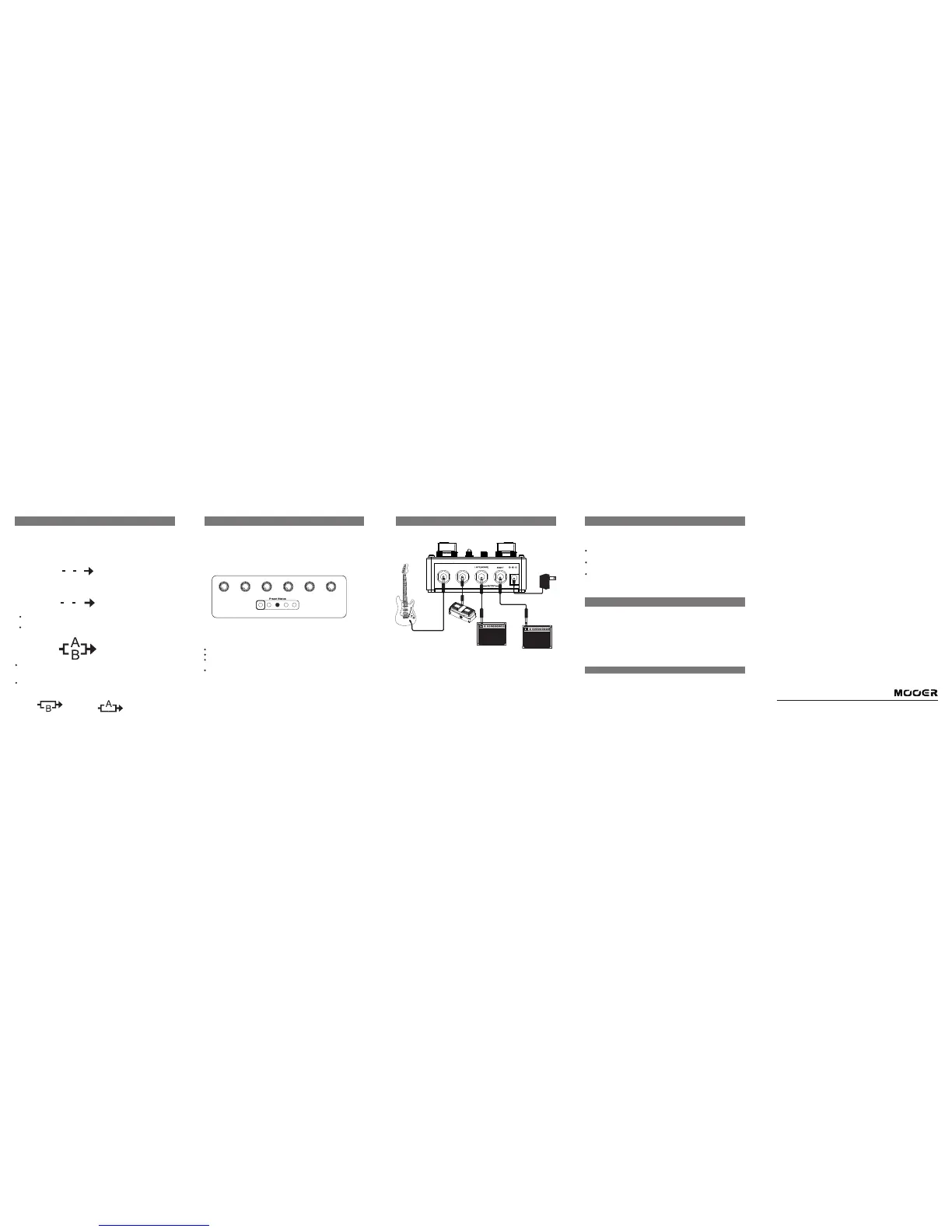
A.S PEED A.D EPT H A.C ONTRO L B.S PEED B.D EPT H B.C ONTRO L
Routing
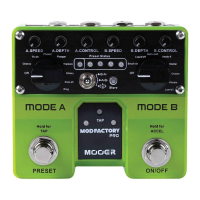
MOD FACTOR Y PRO contains 2 independent Modulation modules (MODE
A/MODE B) which can operate individually or simultaneously. Th e in te rn al s ig na l
chain routing of the pedal can be adjusted using the ROUTING SWITCH.
1.Serial MODE A > MODE B
The s ig na l wi ll f ir st g o to M OD E A and th en t o MO DE B
When using this routing the TAP TEM PO c on tr ol s th e ra te o f MO DE A
A B
2.Serial MODE B > MODE A
The s ig na l wi ll f ir st g o to M OD E A and th en t o MO DE B
When using this routing the TAP TEM PO c on tr ol s th e ra te o f MO DE B
B A
3. PAR RA LL EL
The signal will first be split into 2 and then go to MODE A and MODE B
simultaneously
The signal will then exit both effe ct m od ul es a nd b e mi xe d to ge th er b ef or e
reaching the outputs of the pedal
When using Parrallel routing you can simulate a dry through WET/DRY s et up b y
disabling one of the effe ct m od ul es . To ach ie ve t hi s si mp ly s et e it he r MO DE A or
MODE B to the ‘Off’ pos it io n.
Try s et ti ng M OD E A to ‘Off’ an d ‘M OD E B’ to Vib ra to w hi ls t in PA RR AL LE L
routing to discover a very cool chorus type eff ec t.
MODE A Off MODE B Off
Using Presets
MOD FACTOR Y PRO can store 4 presets which can be scrolled through live using
the PRESET fo ot sw it ch . Wh en y ou s av e a pr es et t he p ed al w il l st or e al l of y ou r
parameter value, routing and expression pedal settings.
The PRESET STATUS LEDs display which preset is currently selected. When the
RED LED is highlighted (on the far left) MOD FACTO RY PRO is in pedal mode.
This means that all parameter values will be equal to their respective controls
physical position.
To scroll through presets, press and release the PRESET foo ts wi tc h
To store a preset
Make all settings you wish to save
Press the STO RE b ut to n on ce a nd t he p re se t LE D wi ll b eg in t o fl as h
Select the preset space where you wish to store your settings by pressing the
PRESET fo ot sw it ch
Press the STO RE b ut to n on e mo re t im e to c on fi rm o r mo ve a ny c on tr ol o n th e
pedal to cancel the storage procedure
Connections
INPU T
EXP
DC 9V 300 mA
Expression Pedal
Expand the live performance experience of your MOD FACTO RY PRO by using it
with an expression pedal. The e xp re ss io n pe da l ca n be s et t o co nt ro l an y on e
single parameter of the MOD FACTOR Y PRO.
Connect your expression pedal to the EXP in pu t of t he M OD FA CT ORY PRO
using a 1/4” trs stereo Jack cable.
Simultaneously rotate the control knob of the parameter you wish to set to
the EXP and r oc k th e pe de st al o f yo ur e xp re ss io n pe da l ba ck a nd f or th
Now you have successfully set the expression pedal to control a parameter
of the MOD FACTO RY PRO
Specifications
Input: 1/4 "mono jack (impedance 1M Ohms)
Output: 1/4 "mono jack x2 (impedance 100 Ohms)
Sampling rate: 44.1K
Sampling accuracy: 24bit
Power supply: 9V 300mA DC power supply (centre pin negative)
Power consumption: 250mA
Size: 106mm (D) X96mm (W) X53mm (H)
Wei gh t: 4 00 g
* Discl aimer: Spec ification upd ate is subjec t to change witho ut notice.
MOOER AUDIO CO.,LTD
www.mooeraudio.com


 To Previous Page
 Loading...