
 Need help?
Do you have a question about the Mooer GE1000 and is the answer not in the manual?
Guidelines for using the correct power adapter and avoiding electrical storms.
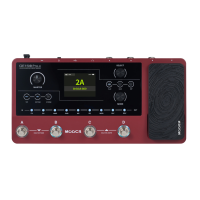
Connect inputs/outputs, set volume, connect power, and press the power switch to boot the device.
Introduction to the two main interfaces: STAGE VIEW and EDIT VIEW, switchable via the HOME button.
Ways to select presets: using screen arrows, SELECT knob, preset name area, or A/B/C footswitches.
Guide to creating custom tones by editing factory presets or starting with an empty preset.
Components of a preset: effect models, chain sequence, on/off status, parameters, volume, BPM, name, color label.
How to add effect modules to the effect chain using the touch screen or physical module buttons.
Understanding DSP limitations and how module complexity affects resource allocation.
Methods to turn effect modules ON/OFF using the touch screen or physical buttons.
Rearrange effect modules in the chain by dragging them on the touch screen or using the SELECT knob.
Long press a module and click the delete symbol to remove it from the effect chain.
Adjust effect parameters using touch screen dials or the SELECT knob for fine-tuning.
Select a new effect model or type by clicking the effect icon in the parameter editing screen.
Set tempo for delay/mod effects; access via metronome icon in Edit View.
Step on an illuminated footswitch to open the CTRL mode screen with footswitch assignments.
Assign TAP tempo or STOMPBOX control to footswitches by clicking the '...' symbol.
Map the expression pedal to control effect parameters; mappings are preset-specific.
Pluck strings, view note/pitch, and adjust until pointer is centered for accurate tuning.
Details on Normal mode (sound card) and Re-AMP mode (digital audio reprocessing).
Adjust sound for venues/equipment using GLOBAL EQ screen, avoiding preset-specific tweaks.
Control tap tempo input globally or per preset; access via metronome icon.
Restore presets, global settings, samples, or looper audio to factory values.
Configure GE1000 for MIDI OUT (Controller) or MIDI IN (Slave) via Settings menu.
Update firmware using MOOER STUDIO software via auto or manual update modes.
Methods for updating GE1000 firmware: Auto update mode via USB and Manual update mode.
Addresses GE1000 not starting, no sound after startup, and low frequency hum.
 General
| Sampling Accuracy | 24-bit |
|---|---|
| Frequency Response | 20 Hz - 20 kHz |
| Looper | 60 seconds |
| Type | Multi-Effects Processor |
| Display | LCD |
| Connectivity | 1/4" input/output |
| Power Supply | 9V DC |











 To Next Page