11
User Manual
Motor Connect
MOONBOON APP
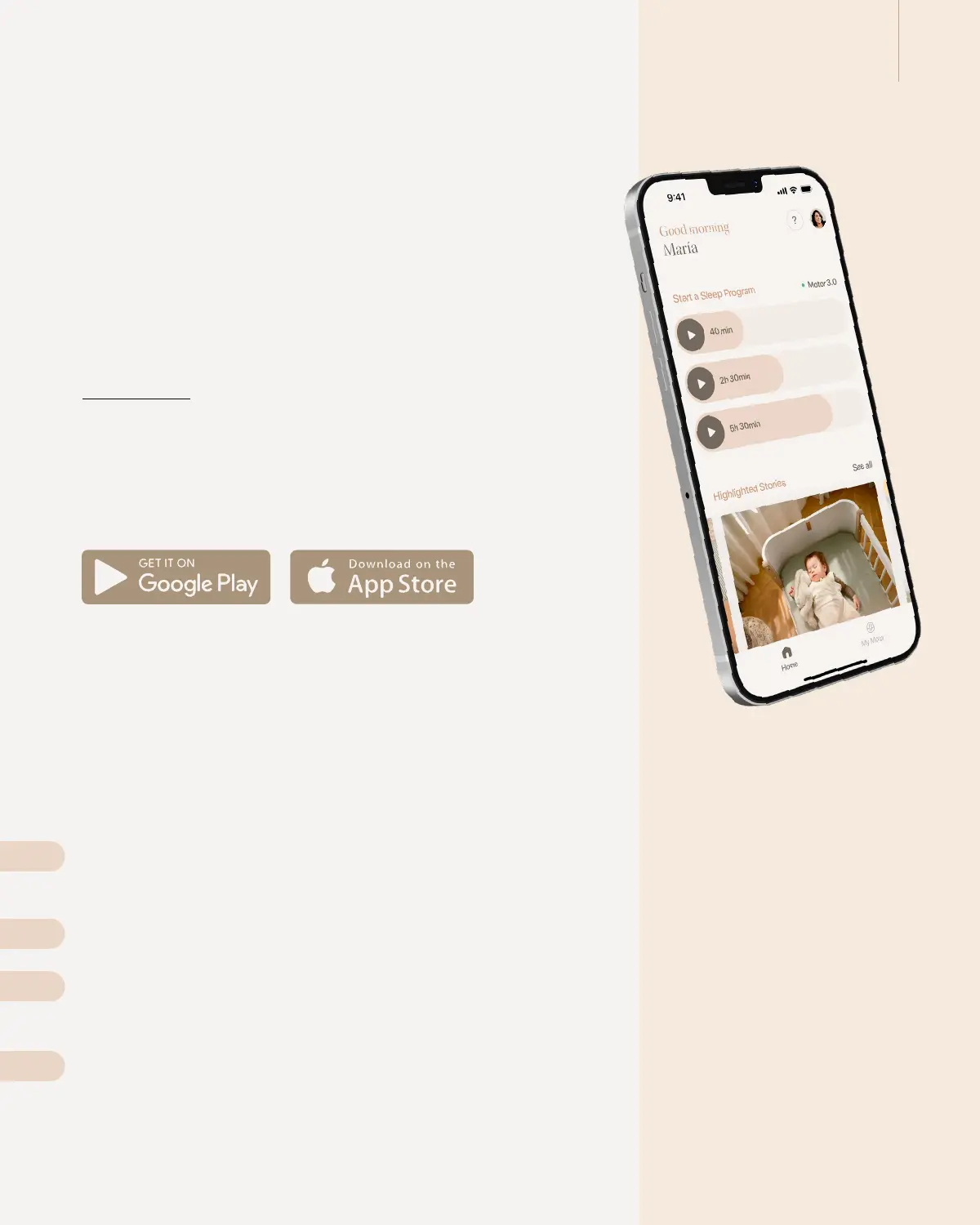
Enjoy the possibilities of intelligent touch-free start and app-control of
our Motor Connect through the Moonboon App, allowing you to control
your baby’s sleep through a few simple taps on your smartphone.
With the app, you can quickly and easily adjust the speed and timer
settings, or select a custom sleep program that automatically modifies the
motor settings throughout your baby’s nap.
DOWNLOAD
The app can be downloaded on both Apple and Android-based phones.
Download the app by searcing for ‘Moonboon’ in the Apple App Store
or Google Play Store.
FACTORY RESET
There may be instances where you need to return your Motor Connect to
its original factory settings. To factory reset your Motor Connect, please
follow these steps:
Press and hold the Bluetooth button for 10 seconds. During this time, the
LED will blink red.
After 10 seconds, the LED will light up green.
Turn off the Motor Connect and disconnect the power supply for 5 sec-
onds.
Reconnect the power supply.
Your Motor Connect has now been reset to its factory settings.
4
3
1
2


 To Next Page